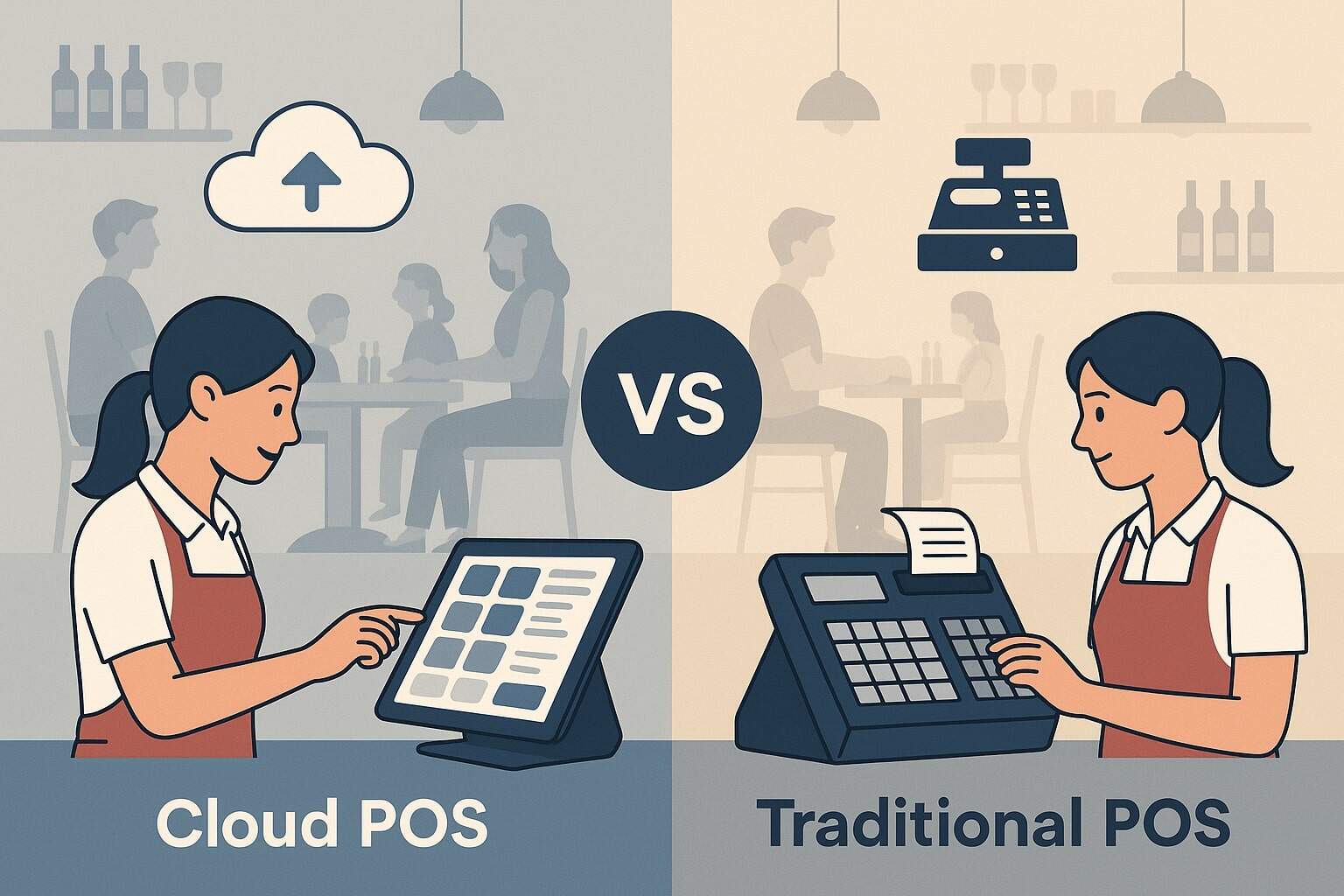
Cloud POS vs Traditional POS for Restaurants has become one of the biggest technology decisions owners and operators have to make. Your POS is no longer just a cash register.
It’s the operational “brain” that touches ordering, payments, menus, inventory, online ordering, delivery, loyalty, staffing, and reporting. Choosing the right approach directly impacts guest experience, margins, and your ability to grow.
Over the last few years, most new restaurant POS deployments have shifted toward cloud-based systems, while many long-time operators still rely on traditional on-premise or “legacy” POS.
Recent market research shows that cloud-based restaurant POS solutions now hold the largest share of new deployments worldwide, driven by lower upfront cost, scalability, and remote access. At the same time, on-premise systems are still attractive for certain concepts that want tight customization and full local control of hardware and data.
In this guide, we’ll compare Cloud POS vs Traditional POS for Restaurants in depth. We’ll explain how each model works, where each shines, how they affect operations, and how restaurant POS trends are shaping the future.
You’ll also see practical evaluation tips so you can confidently choose the right system for your concept, your budget, and your growth plans.
What Is a Restaurant POS? Cloud vs Traditional Basics
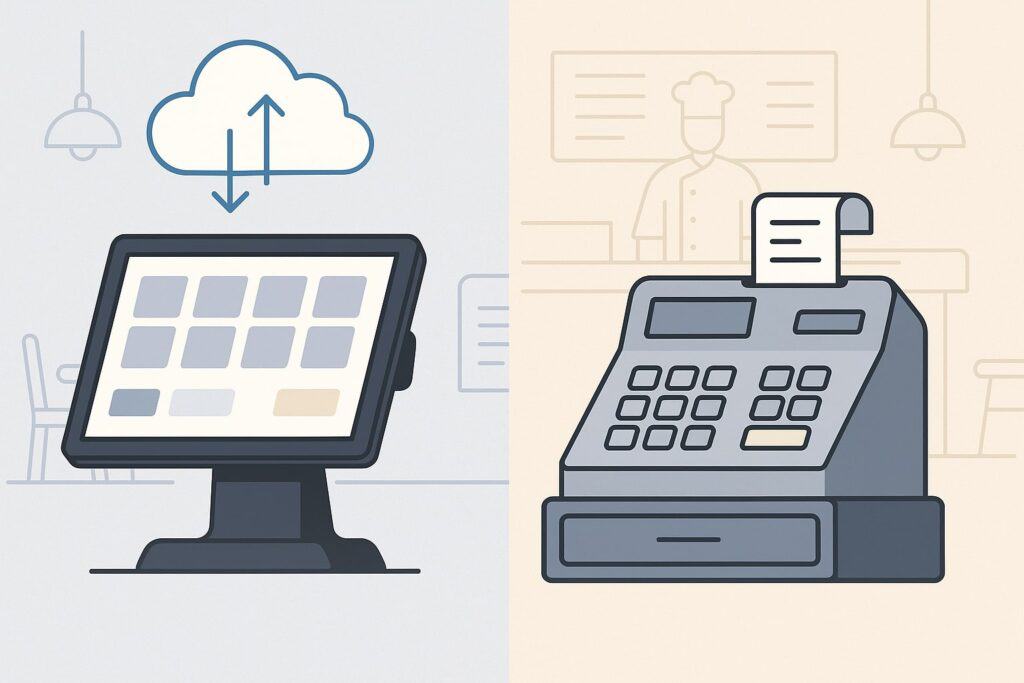
Before comparing Cloud POS vs Traditional POS for Restaurants, it helps to define what a restaurant POS actually does.
A restaurant point of sale system combines hardware and software to take orders, calculate checks, accept payments, and sync information with the kitchen, bar, and back office. Today’s systems also integrate with online ordering, delivery apps, labor tools, loyalty programs, and accounting platforms.
A traditional POS (often called legacy or on-premise POS) is installed on local servers and desktops at the restaurant. Your data and software live on-site, typically in a back-office server room. Terminals and kitchen printers connect to that local network.
Updates, backups, and maintenance are handled either by your IT staff or a service provider who physically accesses your system. These setups have been the standard for decades, especially for larger full-service brands.
A cloud POS (or cloud-based POS) runs over the internet. The main application and database are hosted in secure data centers managed by the POS provider. Front-of-house devices—tablets, handhelds, kiosks, or terminals—communicate with the cloud through encrypted connections.
Cloud POS vs Traditional POS for Restaurants is not just a deployment difference; it is a different philosophy about how you manage data, updates, and integrations. It changes how quickly you can add features and how easily you can monitor the restaurant from anywhere.
Importantly, modern cloud POS providers build in offline capabilities, so you can keep taking orders and payments during short internet outages. Data is cached locally and synced back to the cloud when connectivity returns.
This makes Cloud POS vs Traditional POS for Restaurants less about “online vs offline” and more about flexibility vs control, which we’ll explore in the next sections.
How Cloud POS Works for Restaurants
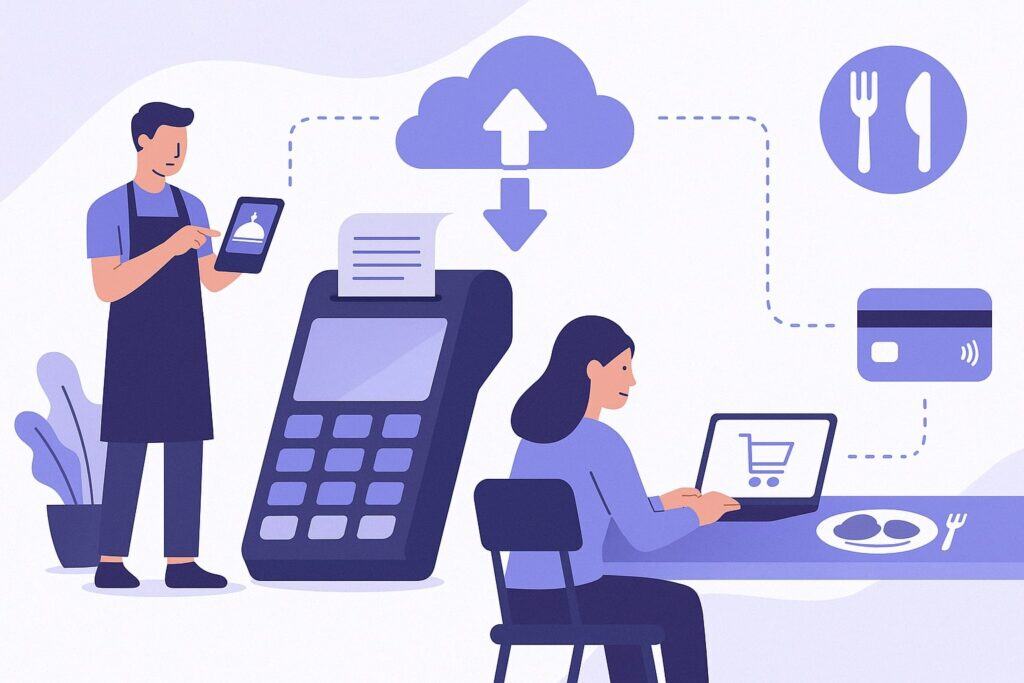
To understand Cloud POS vs Traditional POS for Restaurants, you need to see what’s happening behind the scenes with cloud-based setups. A cloud POS uses a software-as-a-service (SaaS) model.
You typically pay a monthly or annual subscription that includes software access, hosting, security, backups, and updates. The provider runs the core system in high-availability data centers with redundancy and strict security controls.
Front-of-house and back-of-house use a variety of internet-connected devices:
- Guest-facing kiosks for self-ordering
- Counter terminals or all-in-one touchscreen stations
- Handheld tablets for servers taking tableside orders
- Kitchen display systems (KDS) replacing paper tickets
These devices connect to the cloud via Wi-Fi or wired connections using secure protocols like HTTPS and TLS encryption. If your internet is down, the system can switch to offline mode, caching orders and transactions locally and automatically syncing them when the connection is restored.
What makes Cloud POS vs Traditional POS for Restaurants especially attractive is accessibility. Owners and managers can log into a browser or mobile app from home, the office, or while traveling.
They can adjust menu items, update prices, check real-time sales, and monitor labor ratios without stepping into the dining room. Cloud POS systems also tend to expose APIs and App Marketplaces, letting you integrate with third-party tools like delivery aggregators, inventory systems, payroll, and marketing platforms.
In practice, this means:
- Real-time updates to menus and pricing across locations
- Centralized reporting for multi-unit groups
- Automatic software updates rolled out by the provider
- Reduced reliance on on-site IT and servers
As the industry moves more deeply into AI, machine learning, and data-driven forecasting, cloud infrastructure makes it easier to roll out new analytics, suggestion tools, and automation features across all customers at once.
How Traditional (Legacy) POS Works for Restaurants
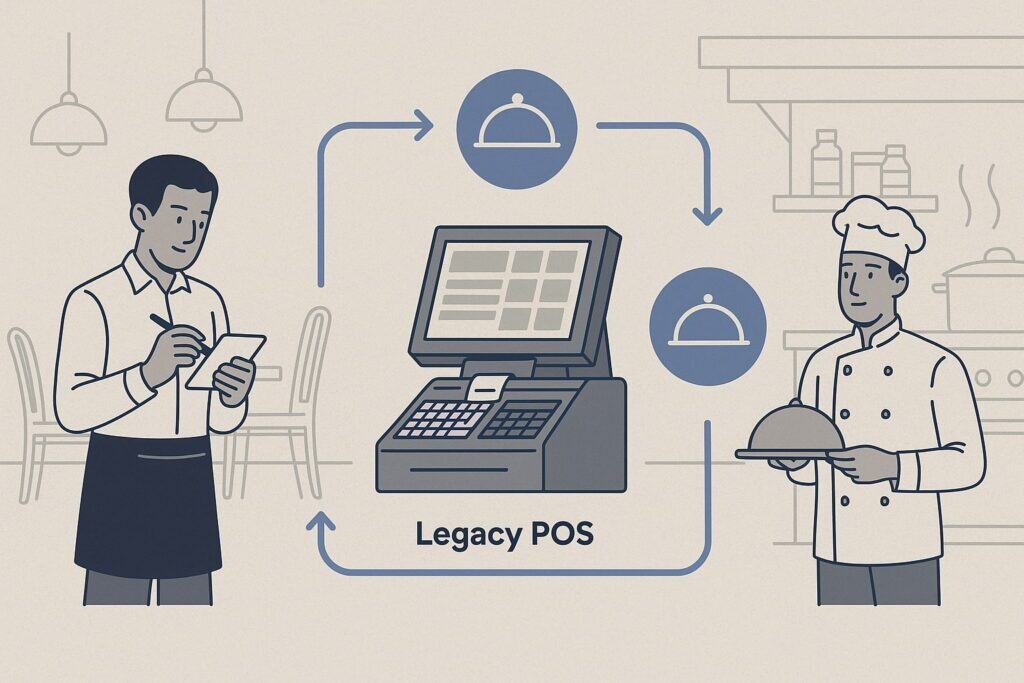
Traditional systems are the “other half” of Cloud POS vs Traditional POS for Restaurants. A legacy POS is typically installed on your own hardware—either on a local back-office server or on-premise data center.
Each POS terminal connects to that server over your internal network. Your restaurant holds the full POS database on-site, including menu configuration, sales, and some customer data.
Traditional restaurant POS setups usually include:
- Dedicated back-office server (often in a secure closet)
- Hardwired terminals with proprietary operating systems
- Cash drawers, receipt printers, and kitchen ticket printers
- Local backups, sometimes nightly or weekly, to external drives
Upgrades to the POS software require a manual installation by a technician, either on-site or through remote tools. This process can mean downtime, scheduling constraints, and sometimes extra fees. Hardware is typically proprietary and more expensive up front, but it may be ruggedized and tailored to high-volume restaurant environments.
When comparing Cloud POS vs Traditional POS for Restaurants, one reason some operators still choose traditional systems is perceived stability and control.
Because everything runs on local servers, they may feel less dependent on external connections. Some legacy systems can keep running for years with minimal changes, which appeals to operators who prefer predictable, unchanging workflows.
However, this model can make integrations harder. Connecting a legacy POS to a new online ordering platform, delivery marketplace, or loyalty app often requires custom middleware, special hardware, or expensive professional services.
Over time, this can limit innovation and slow down your ability to respond to new guest expectations, such as QR code ordering or contactless payments.
Key Differences: Cloud POS vs Traditional POS for Restaurants
The real power of Cloud POS vs Traditional POS for Restaurants becomes obvious when you compare them across the categories that matter most: cost, flexibility, reliability, integrations, security, and analytics. Each model has strengths and trade-offs that will impact your daily operations and long-term strategy.
From a cost perspective, cloud POS usually has lower upfront hardware expenses. You can often use more affordable tablets or all-in-one devices and pay a recurring subscription that includes software, hosting, and updates.
In Cloud POS vs Traditional POS for Restaurants, legacy systems typically require significant upfront investment in servers, terminals, licenses, and installation, but lower ongoing subscription fees.
From a flexibility standpoint, cloud systems make it trivial to add terminals, test new features, or spin up a new location. You can manage multiple locations from a central dashboard. Traditional systems can also support multi-unit operations, but each location may need its own local infrastructure, and syncing data across sites can be complex.
On reliability and connectivity, the comparison between Cloud POS vs Traditional POS for Restaurants is more nuanced. Traditional systems aren’t dependent on the internet, but they rely heavily on local hardware. A server failure or power issue can bring the whole system down.
Cloud systems depend on internet access, but they’re backed by professional data centers with high uptime guarantees and built-in redundancy. Most cloud POS includes offline modes and local backup options to mitigate short outages.
Finally, data and integrations are where the cloud really pulls ahead. Cloud POS vs Traditional POS for Restaurants is, at its core, a question of whether you want real-time, centralized data across locations that can easily feed analytics tools, AI forecasting, and third-party platforms.
Cloud systems are designed with open APIs and integration layers, so you can plug into delivery apps, inventory systems, accounting tools, and marketing platforms more easily. Legacy POS can integrate too, but often with more cost and complexity.
Cost of Ownership: Upfront vs Long-Term
Total cost of ownership is usually the first lens for Cloud POS vs Traditional POS for Restaurants. With a traditional on-premise POS, you often pay for:
- Software licenses for each terminal
- Upfront purchase of servers and proprietary hardware
- Installation and networking
- Optional maintenance or support contracts
These costs can be substantial but are more front-loaded. After that, you may pay periodic upgrade and support fees.
With cloud POS, costs shift to a subscription model. You might pay smaller upfront hardware costs, then predictable monthly or annual fees per terminal or per location. These fees typically include software access, updates, hosting, and sometimes payment processing tools.
When evaluating Cloud POS vs Traditional POS for Restaurants, consider:
- Cash flow: Are you more comfortable investing heavily once, or paying a known monthly amount?
- Scalability: Cloud subscriptions scale more easily as you add or close locations.
- Hidden IT costs: Legacy systems can incur additional expenses for IT support, custom integrations, and downtime when hardware fails.
Market data shows that for many small and mid-size operators, cloud POS often results in lower overall cost of ownership due to reduced IT burden and the ability to adopt only the modules they need. But for very large enterprises with existing IT teams and depreciated hardware, traditional POS can sometimes remain cost-competitive.
Reliability, Offline Mode, and Performance
Another core question in Cloud POS vs Traditional POS for Restaurants is reliability. Traditional systems have long been considered rock-solid because they don’t depend on internet connectivity.
As long as the local network and server are healthy, you can take orders and payments even if your external connection is down.
Cloud systems, however, have matured significantly. Modern cloud POS uses:
- Local caching to process orders during short outages
- Offline card processing rules with secure tokenization, so you can continue taking payments up to preset risk thresholds
- Redundant data centers to ensure high uptime and resilience against regional issues
Restaurant POS providers highlight that most modern outages seen on-site are actually due to local router issues, power problems, or aging hardware, which impact both models.
Cloud POS vs Traditional POS for Restaurants is therefore more about designing a resilient network (dual-WAN, LTE backup, battery backups) than about avoiding the internet altogether.
Performance also matters during rush times. Traditional systems are optimized for local processing, so they can be extremely fast on-site. Cloud POS has closed much of that gap by using lightweight, modern interfaces and local processing logic, making order entry, KDS updates, and check closing feel highly responsive, even as data syncs to the cloud.
Integrations, Omnichannel, and Delivery
In a world of online ordering, delivery marketplaces, QR menus, and loyalty apps, integrations are where Cloud POS vs Traditional POS for Restaurants really diverges. Cloud systems typically:
- Offer built-in integrations with popular delivery platforms and online ordering tools
- Provide APIs or app marketplaces for loyalty, marketing, reservations, and accounting
- Support centralized integration management across all locations
This means orders can flow directly from your website, mobile app, or third-party marketplaces into the kitchen, with menu syncing, modifier consistency, and unified reporting.
Traditional POS can integrate as well, but often through:
- Custom middleware or “bridges” that need careful maintenance
- Additional hardware boxes to translate between systems
- Professional services each time you add or change partners
As omnichannel and “click-to-brick” models grow, Cloud POS vs Traditional POS for Restaurants increasingly favors cloud for its agility. It is easier to test new ordering channels, adopt self-service kiosks, or integrate with emerging delivery providers when your POS is already in the cloud.
Security, Compliance, and Data Protection
Security is a major factor in Cloud POS vs Traditional POS for Restaurants. With a traditional POS, you are responsible for:
- Securing the local network and servers
- Patching operating systems and POS software
- Handling backups and disaster recovery
- Maintaining PCI DSS compliance for cardholder data
Many operators outsource some of this to vendors, but the responsibility ultimately sits with the restaurant brand.
Cloud POS providers, on the other hand, build security and compliance into the platform. Top vendors use PCI DSS Level 1 compliant infrastructure, end-to-end encryption, tokenization of card data, and features like multi-factor authentication to secure logins.
Because sensitive payment data is stored in secure off-site environments, your local devices hold less exploitable information.
Cloud POS vs Traditional POS for Restaurants also differs in data backup and disaster recovery. In a cloud model, your data is replicated across multiple data centers with automated backup schedules.
If you lose hardware on-site, you can often be backed up quickly with replacement devices. In a legacy model, if your local server fails without a proper backup routine, you risk losing historical transactions, inventory data, or customer details.
That said, some enterprise groups still prefer traditional POS because they want complete control over where data lives and how it is accessed.
If you operate under very strict internal policies or contracts that require on-premise storage, this can tilt the Cloud POS vs Traditional POS for Restaurants decision toward legacy systems—though modern private cloud or hybrid deployments can sometimes offer a middle ground.
Reporting, Analytics, and AI
Modern restaurant success is increasingly data-driven. Operators use real-time dashboards and historical trends to make decisions about scheduling, menu engineering, marketing, and vendor negotiations. When comparing Cloud POS vs Traditional POS for Restaurants, the reporting layer is where cloud often delivers the biggest leap.
Cloud POS tools generally provide:
- Real-time dashboards accessible from any device
- Multi-location roll-up reporting
- Drill-down into menu item performance, modifiers, and dayparts
- Export and API access to feed BI tools and data warehouses
Recent reports highlight that restaurant leaders are leaning heavily on POS data to drive staffing decisions and measure performance, and that cloud systems make it easier to consolidate and act on that information.
Traditional POS solutions have reporting as well, but access may be limited to on-site back-office machines, scheduled exports, or separate data-warehouse projects. Cloud POS vs Traditional POS for Restaurants is therefore also a choice about how quickly you want to embrace newer capabilities like:
- AI forecasting for sales, prep levels, and labor
- Menu optimization based on contribution margin and popularity
- Automated alerts for anomalies like voids, discounts, or cash variance
As vendors like Toast and others push AI-powered assistants that sit on top of restaurant POS data, cloud infrastructure is becoming the default path for these advanced capabilities.
Pros and Cons of Cloud POS for Restaurants
When you evaluate Cloud POS vs Traditional POS for Restaurants, it’s helpful to lay out the clear advantages and trade-offs of cloud systems. Cloud POS has surged in adoption because it aligns well with modern restaurant needs, from third-party delivery to multi-location brands, but it isn’t a universal fit for every situation.
Key advantages of cloud POS include:
- Anywhere access: Owners and managers can log in from any browser or mobile app to view real-time sales, labor, and inventory.
- Easy scaling: Adding a new terminal or location can be as simple as configuring it in the dashboard and connecting a device.
- Lower upfront hardware cost: Tablets and cloud-first terminals often cost less than proprietary legacy terminals and servers.
- Automatic updates: You always run the latest version, with new features, bug fixes, and security patches pushed regularly.
- Strong integrations: Cloud POS vs Traditional POS for Restaurants offers a significant edge in connecting to delivery platforms, loyalty, marketing, and accounting tools.
Cloud POS also shines for multi-location and franchise groups, centralizing menus, promotions, and reporting across a network of restaurants. You can test new offerings in a subset of stores and then roll out successful ideas at scale with a few clicks.
However, there are trade-offs in Cloud POS vs Traditional POS for Restaurants:
- Connectivity dependence: Although offline mode helps, you still rely on a stable internet connection for full functionality and real-time reporting.
- Subscription creep: Adding optional modules and integrations can increase monthly fees if you’re not careful.
- Vendor lock-in: Migrating data from one cloud POS provider to another can be complex, so it’s important to choose a partner that fits your long-term roadmap.
For most independent restaurants, small groups, and new concepts, cloud POS has become the default recommendation because it offers a modern, flexible foundation that can grow as guest expectations change.
Pros and Cons of Traditional POS for Restaurants
Traditional systems still have a meaningful presence in the discussion around Cloud POS vs Traditional POS for Restaurants, especially in long-established brands and high-volume operations. Understanding their pros and cons helps you decide whether legacy is still the right choice or whether it’s time to plan a migration.
Strengths of traditional POS include:
- Mature, battle-tested workflows: Legacy systems have been refined over decades in busy environments and are highly optimized for speed and consistency.
- Deep customization: Some on-premise platforms allow extensive configuration, scripting, or integration that may not be possible in more standardized cloud systems.
- Local control: Data is stored on-site, and you can manage backups, retention policies, and access under your own IT governance.
- Predictable performance: Because everything runs locally, performance is not affected by internet bandwidth or external latency.
On the other hand, the downsides in Cloud POS vs Traditional POS for Restaurants are becoming more visible:
- High upfront investment in hardware, servers, and licensing, plus possible installation and upgrade costs.
- Limited remote access and difficulty consolidating data across locations without extra tools.
- Slower innovation due to complex upgrade cycles and less flexible integration patterns.
- Rising maintenance burden as older hardware ages and vendors phase out support for legacy versions.
For some large, stable operations that are satisfied with their existing setup and have strong internal IT teams, staying with a traditional POS can still make sense.
But for many operators comparing Cloud POS vs Traditional POS for Restaurants today, it’s increasingly hard to justify ongoing investment in older architectures when cloud platforms are delivering new capabilities every year.
Cloud POS vs Traditional POS for Different Restaurant Concepts
The right answer in the Cloud POS vs Traditional POS for Restaurants debate can vary depending on your concept, service model, and growth plans. Different restaurant types have different operational realities, and your POS should match them.
Quick-Service Restaurants (QSR) and Fast Casual
These concepts rely on speed, throughput, and tight integration with drive-thru, kiosks, and delivery aggregators. Cloud POS tends to be a strong fit because it supports:
- High-volume line-busting with handhelds
- Self-service kiosks tied directly into the kitchen
- Real-time menu changes for limited-time offers
- Easy integration with third-party delivery and first-party apps
Here, Cloud POS vs Traditional POS for Restaurants usually tilts toward cloud, especially for brands that are actively growing or frequently updating their digital channels.
Full-Service Restaurants (FSR)
Full-service concepts care about guest experience at the table, complex checks, coursing, and modifiers. Modern cloud POS supports tableside ordering, mobile payments, and rich analytics for menu engineering. Some legacy systems also excel at full-service workflows and remain deeply embedded in long-running operations.
For FSR, the choice in Cloud POS vs Traditional POS for Restaurants often comes down to whether your priority is stability of existing processes or modernizing toward handhelds, QR menus, and integrated loyalty.
Multi-Location Groups and Franchises
For multi-unit operators, cloud POS is very attractive because of centralized control and reporting. You can push consistent menus and pricing, manage promotions across markets, and roll up financials in real time.
Traditional POS can handle multi-location deployments but often with more complex infrastructure and higher IT overhead. Cloud POS vs Traditional POS for Restaurants in this segment tends to favor cloud, especially for franchises expanding into new markets.
Food Trucks, Pop-Ups, and Ghost Kitchens
These models need mobility, low setup cost, and strong integration with online ordering and delivery. Cloud POS systems built around mobile devices are almost always the better fit in Cloud POS vs Traditional POS for Restaurants here, because on-premise servers and proprietary terminals simply don’t match the business model.
Implementation and Migration: Moving from Legacy to Cloud
If you already run a legacy system, the most practical angle in Cloud POS vs Traditional POS for Restaurants is how to migrate without disrupting service. The migration process is more manageable than many operators expect when it’s broken into stages.
First, map your current workflows: order entry, modifiers, kitchen routing, tipping, discounts, voids, and reporting processes. Identify what must stay and where you’d like improvements—such as tableside ordering or integrated online ordering.
This blueprint will help you evaluate new cloud POS systems and see whether they can match or enhance your existing methods.
Next, run a pilot implementation. Many operators start with a single location, a new concept, or a quiet period of the week. During this phase of Cloud POS vs Traditional POS for Restaurants, it’s common to run both systems in parallel for a short time. Staff can practice on test data, and managers can validate that reports match expectations.
When planning go-live:
- Schedule training sessions for FOH and BOH staff.
- Pre-configure menu items, taxes, and service charges in the new system.
- Ensure network readiness, including Wi-Fi coverage, router quality, and backup connectivity.
- Set clear cutover procedures and contingency plans.
Data migration in Cloud POS vs Traditional POS for Restaurants usually focuses on menu configuration and possibly customer profiles or loyalty records. Historical transaction migrations are less common; instead, operators often keep historical reports from the legacy system for reference and run new periods from the cloud POS.
Finally, build a post-go-live feedback loop. Gather comments from servers, bartenders, hosts, and kitchen staff. Work with the POS provider to adjust screen layouts, button flows, and kitchen routing. This collaborative refinement often turns Cloud POS vs Traditional POS for Restaurants from a one-time switch into an ongoing optimization.
Future of Restaurant POS: Trends That Impact Your Choice
The future direction of the market matters in the Cloud POS vs Traditional POS for Restaurants decision. You’re not just buying for today’s needs; you’re choosing a platform that should support change over the next 5–10 years.
Recent research shows that restaurant POS adoption has surged globally, with cloud-based and mobile solutions gaining a steadily larger share. Trends transforming POS include:
- AI and predictive analytics for forecasting sales, labor, and ingredient usage
- Self-service kiosks and QR code ordering, integrated directly with the POS and kitchen
- Deeper omnichannel integrations, connecting reservations, loyalty, online ordering, and delivery
- Contactless and digital wallets, including tap-to-pay on mobile devices
Cloud POS architecture makes it easier for vendors to roll out AI-driven tools, such as virtual assistants that surface insights or suggest menu tweaks based on contribution margin and demand patterns. As more providers invest heavily in cloud and AI, the innovation pace on legacy platforms tends to slow, creating a widening gap.
In Cloud POS vs Traditional POS for Restaurants, this means the long-term roadmap heavily favors cloud. While on-premise systems aren’t disappearing overnight—especially in entrenched enterprise environments—new features, marketplace integrations, and third-party add-ons are increasingly built with cloud APIs in mind.
Looking ahead to 2030 and beyond, forecasts indicate continued growth in restaurant POS software, with cloud deployments remaining the primary driver of expansion. Operators that choose flexible, API-driven POS platforms today are better positioned to adopt new technologies without another costly rip-and-replace.
How to Choose: A Practical Framework
Ultimately, Cloud POS vs Traditional POS for Restaurants is about what best fits your concept, risk tolerance, and roadmap. Use this practical framework to guide the decision.
- Clarify your priorities: List your top three to five business goals. Examples: expand to multiple locations, increase online ordering volume, improve reporting, reduce IT headaches, or modernize guest experience.
- Map required features: Identify must-have functions: table management, bar tabs, drive-thru support, kiosk ordering, handhelds, KDS, loyalty, inventory, or deep accounting integration. Check how cloud vs traditional options handle each requirement.
- Assess connectivity environment: For Cloud POS vs Traditional POS for Restaurants, your internet reliability matters. If your location has limited connectivity, invest in dual-WAN, LTE backup, and strong Wi-Fi. Confirm offline capabilities of any cloud system you consider.
- Model total cost of ownership: Compare hardware, software, installation, IT support, and upgrade costs over 5–7 years. Include potential savings from reduced downtime, fewer manual tasks, and more accurate forecasting.
- Evaluate support and vendor stability: Look for POS providers with proven experience in restaurant operations, strong support, and clear product roadmaps. In Cloud POS vs Traditional POS for Restaurants, vendor partnership quality can matter more than pure feature count.
- Pilot before committing: Run a trial in one area of your business. Compare daily performance, staff satisfaction, and reporting quality across your current system and the new one.
By systematically walking through these steps, you can make a grounded choice instead of a purely emotional or trend-driven one. For most modern restaurant concepts, the framework tends to point toward cloud POS, but the right answer is the one that best supports your brand’s operations and growth.
FAQs
Q1. Is a cloud POS system secure enough for my restaurant?
Answer: Yes, reputable cloud POS systems are designed with payment security at their core. They use strong encryption, tokenization, and secure data centers that comply with PCI DSS Level 1 standards.
In the Cloud POS vs Traditional POS for Restaurants comparison, cloud providers typically have more resources to invest in security and monitoring than an individual restaurant. However, you should still follow best practices: use strong passwords, enable multi-factor authentication, and control staff permissions carefully.
Q2. What happens if the internet goes down with a cloud POS?
Answer: When you evaluate Cloud POS vs Traditional POS for Restaurants, internet outages are a common concern. Most modern cloud POS platforms provide offline or “store-and-forward” modes.
Orders are processed locally, and card transactions can be queued under preset risk rules. Once connectivity returns, data syncs automatically with the cloud. To minimize risk, invest in redundant internet connections, and discuss offline behavior with your POS provider before signing.
Q3. Can I keep my existing hardware if I switch to cloud POS?
Answer: It depends on what you currently use. Some cloud vendors support certain legacy terminals or printers, but many recommend newer hardware optimized for their platform. When comparing Cloud POS vs Traditional POS for Restaurants, factor in potential hardware replacement cost.
The upside is that cloud-ready devices are often more affordable and flexible, and you may be able to reuse peripherals like cash drawers and some printers with appropriate drivers or adapters.
Q4. Is a traditional POS better for large restaurants or chains?
Answer: Not necessarily. Larger groups used to default to legacy systems, but the trend is shifting toward cloud for its centralized management and scalability. Some very large enterprises still leverage traditional POS with dedicated IT teams and custom integrations.
However, when you compare Cloud POS vs Traditional POS for Restaurants across multi-location brands, cloud often wins on agility, easier rollouts, and more advanced analytics and AI capabilities.
Q5. How long does it take to migrate from a legacy POS to a cloud POS?
Answer: Implementation time varies by concept size and complexity. For a single independent restaurant, the move from traditional to cloud POS can often be completed in a matter of weeks, including configuration, data setup, and staff training.
Multi-unit migrations can span several months and may be phased location by location. In any Cloud POS vs Traditional POS for Restaurants migration, the keys to a smooth rollout are detailed preparation, clear training, and strong vendor support during go-live.
Q6. Will a new POS help with online ordering and delivery?
Answer: Absolutely. In Cloud POS vs Traditional POS for Restaurants, cloud systems have a clear edge here. Most cloud POS platforms offer direct integrations with online ordering providers and delivery marketplaces, or even native ordering channels.
This reduces order re-entry, improves menu consistency, and consolidates reporting. Some legacy POS systems can also integrate, but often through more complex and fragile middleware setups.
Conclusion
Cloud POS vs Traditional POS for Restaurants isn’t about one “good” and one “bad” option. It’s about matching your technology to your operational style, risk tolerance, and long-term strategy.
Traditional on-premise systems offer proven reliability, deep customization, and local control, but come with higher upfront costs, heavier maintenance, and slower innovation. Cloud POS delivers flexibility, remote access, rapid integrations, and a steady stream of new features—especially around analytics, AI, and omnichannel ordering.
Market trends clearly show that cloud-based solutions are capturing the majority of new restaurant POS deployments, largely because they align with how modern guests prefer to order and pay, and how owners need to manage multi-channel, multi-location operations.
As self-service, mobile ordering, and AI-driven decision support continue to mature, the innovation gap between cloud and legacy will likely widen.
To make Cloud POS vs Traditional POS for Restaurants work in your favor:
- Start from your business goals and guest experience vision.
- Evaluate cost, reliability, integrations, and analytics over a multi-year horizon.
- Pilot and refine before fully committing.
By approaching the decision strategically, you can choose a POS platform that not only handles today’s tickets and tabs, but also powers tomorrow’s growth, whether that means more locations, new service models, or a richer, more connected guest experience.