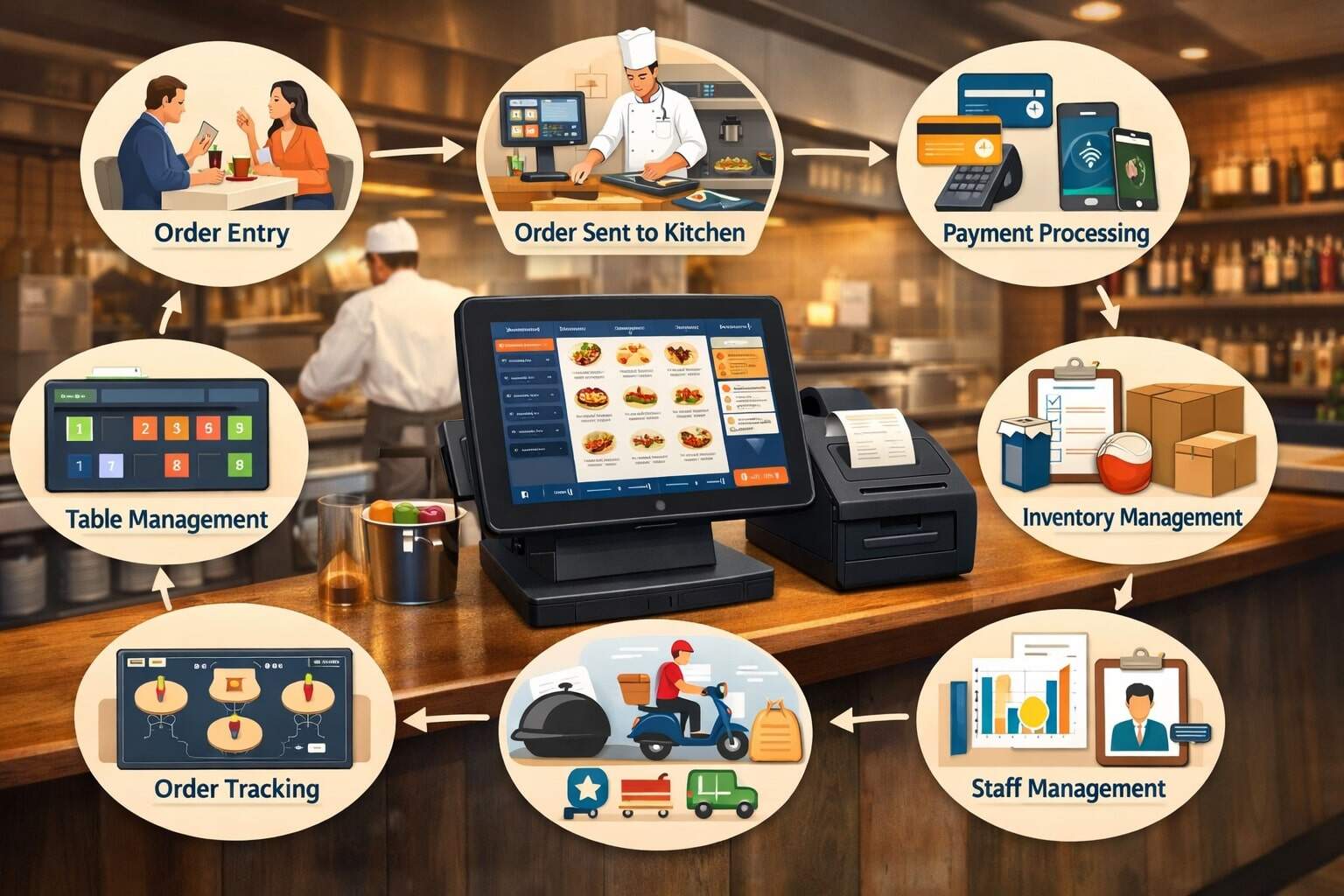
A restaurant POS system is the central “operating system” for a food business. It’s the combination of software and hardware that takes orders, routes them to the right prep stations, calculates taxes and tips, accepts payments, prints or displays receipts, and updates reporting in real time.
In modern operations, a restaurant POS system does more than ring up sales. It connects front-of-house service, kitchen production, delivery and pickup channels, loyalty, inventory, labor, and accounting into one workflow.
At its core, a restaurant POS system works by turning every guest interaction into structured data: an order is created, items are modified, tickets are fired, payments are authorized, and the sale is recorded.
Each step creates records that show what was sold, when it was sold, who sold it, how it was paid for, and what it cost you to make. That’s why the restaurant POS system is so valuable: it reduces manual work, minimizes mistakes, speeds up service, and produces clean reporting for decision-making.
Because payment technology and compliance rules evolve, a restaurant POS system also plays a critical role in keeping transactions secure.
For example, PCI DSS v4.0 introduced future-dated requirements that moved from best practices to mandatory after March 31, 2025, which impacts how businesses handle payment security controls and validation.
Below is a complete, practical walkthrough of how a restaurant POS system works—from the moment a guest opens a menu to the moment you close out the day.
What a Restaurant POS System Actually Includes
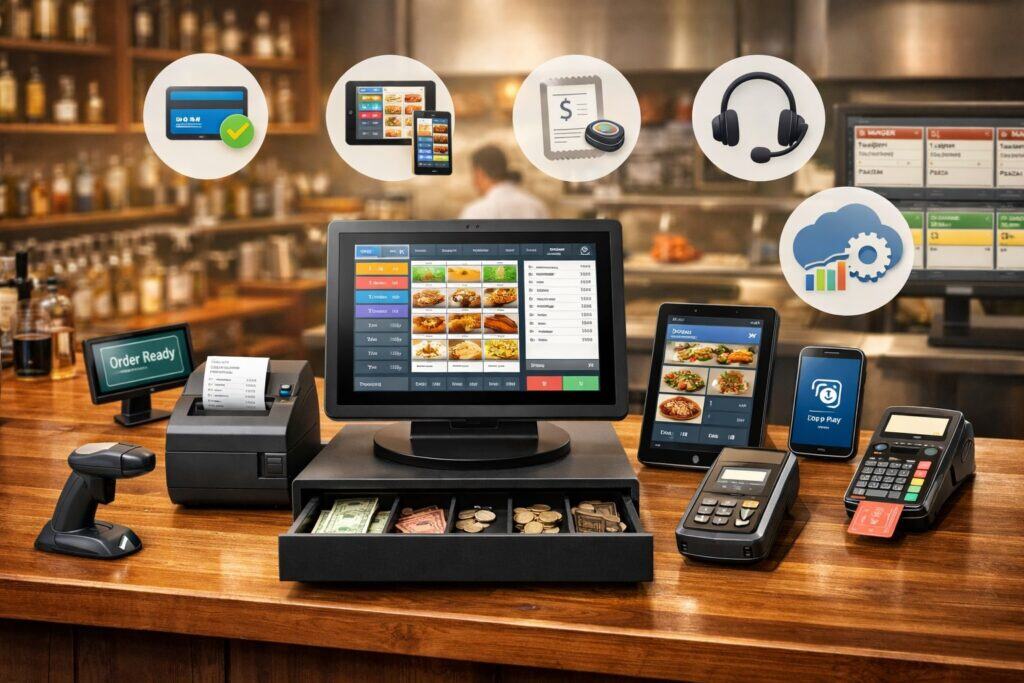
A restaurant POS system is not a single device. It’s an ecosystem made up of software, hardware, network services, and integrations.
The software is the “brain”: it holds your menu, pricing, taxes, service charges, discounts, modifiers, and employee permissions. The hardware is the “body”: terminals, tablets, handhelds, receipt printers, kitchen printers, cash drawers, card readers, and sometimes kiosks or customer-facing displays.
Most modern restaurant POS system platforms are cloud-based. That means transactions and settings are stored securely online and synced across devices.
Cloud platforms make it easier to push menu updates, add new locations, centralize reporting, and access performance dashboards remotely. Many operations still use a hybrid approach: the restaurant POS system runs locally for speed and continues taking orders even if the internet drops, then syncs once connectivity returns.
Integrations complete the ecosystem. Online ordering, delivery marketplaces, reservations, waitlists, loyalty programs, gift cards, accounting tools, inventory tracking, and payroll can connect to the restaurant POS system. The goal is simple: fewer “islands of data” and fewer manual re-entries.
A useful way to think about a restaurant POS system is as a set of pipelines:
- Order pipeline (guest → server/kiosk/online → kitchen)
- Payment pipeline (guest → card/wallet/cash → processor → settlement)
- Operations pipeline (sales → inventory/labor → reporting and forecasting)
When these pipelines are connected, the restaurant POS system becomes a true control center rather than just a cash register.
How Orders Start Inside a Restaurant POS System
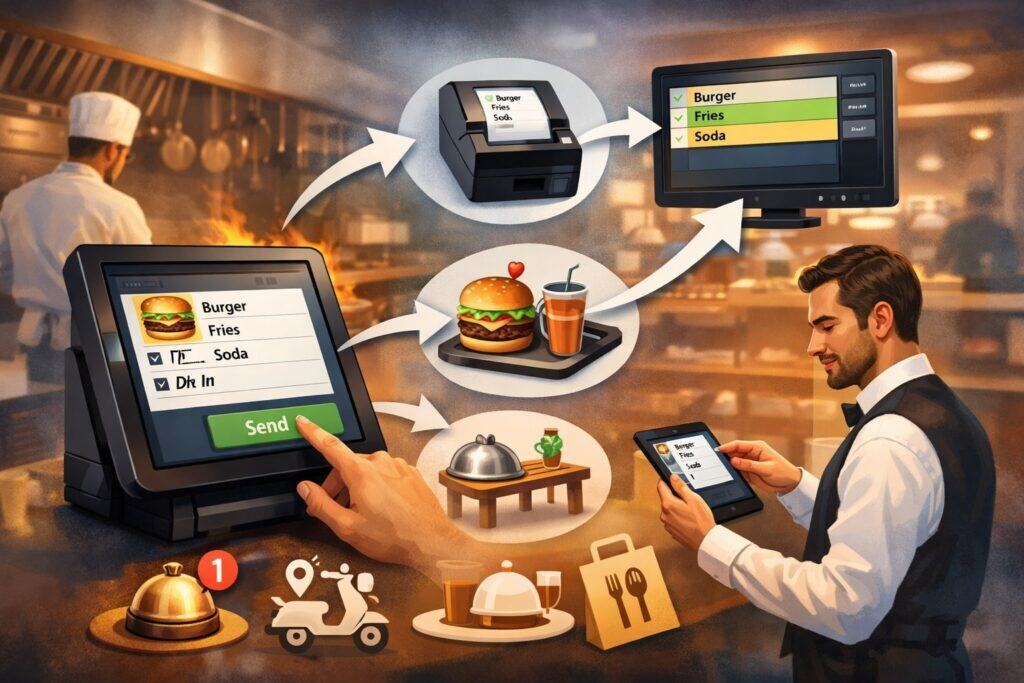
Everything begins with order capture. In a restaurant POS system, an order can be started in several ways: a server enters it on a terminal, a bartender starts a tab, a guest uses a QR code menu to order, a cashier rings it up at the counter, or an online ordering system injects the order directly.
Regardless of the entry method, the restaurant POS system standardizes the order into a common format so it can be routed, priced, taxed, and tracked consistently.
The menu setup is what makes order capture fast and accurate. Items are grouped into categories (appetizers, entrées, sides, drinks), and each item can include modifiers (temperature, add-ons, substitutions, allergies, cooking instructions).
A well-configured restaurant POS system uses forced modifiers when needed (like steak temperature) to prevent missing instructions. It can also use “combo builders” to bundle items and reduce ring time.
Once an item is selected, the restaurant POS system applies pricing rules: time-based pricing (happy hour), location-based pricing, staff-based discounts, or automatic promotions.
It then calculates taxes based on configured tax rates and rules (which can differ by item type and service method). If the operation uses service charges, the restaurant POS system can apply them automatically and route them correctly in reporting.
This order capture stage is where accuracy and speed are won or lost. The best restaurant POS system workflows keep taps to a minimum, highlight modifier prompts clearly, and prevent common mistakes like forgetting a side or sending an item to the wrong course.
Menu Data, Modifiers, and Why Configuration Matters
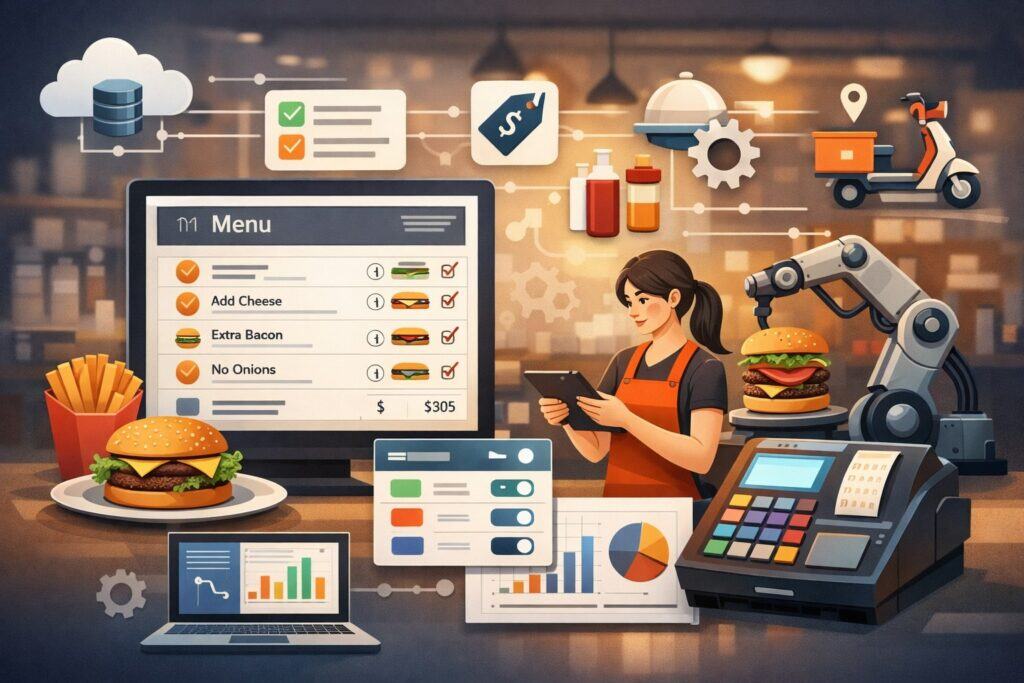
A restaurant POS system is only as strong as its configuration. Menu data is not just a list of items—it’s the rulebook that drives kitchen timing, ticket routing, food cost tracking, and reporting clarity.
When a restaurant POS system is configured properly, it becomes easier to train staff, reduce voids, and spot what’s actually profitable.
Modifiers deserve special attention. In a restaurant POS system, modifiers can be free (like “no onions”), paid (like “add bacon”), or conditional (like “choose one side”). Modifiers also need to be tied to the correct prep station.
For example, “no cheese” should show on the kitchen display, while “add lemon” might route to the bar or expo depending on your setup. Good routing prevents the classic issue where the kitchen never sees key instructions.
Another critical setup area is item-level reporting groups. If you want to know how many burgers you sold vs. how many chicken sandwiches you sold, the restaurant POS system must group them consistently.
This is also how inventory can be automated: each sale decrements ingredient counts based on recipes or bill-of-material definitions.
Many operators also use menu engineering inside the restaurant POS system: identifying high-margin winners, low-margin losers, and items that sell well but don’t make money. You can’t do this reliably if your menu items are inconsistent or if staff rings the same item multiple ways.
Finally, modern restaurant POS system menus often support multiple channels: dine-in, pickup, delivery, catering, and events. Each channel may need different pricing, packaging fees, lead times, and menu availability windows. Strong configuration makes omnichannel operations feel seamless rather than chaotic.
Ticket Routing: From the Front of House to the Kitchen
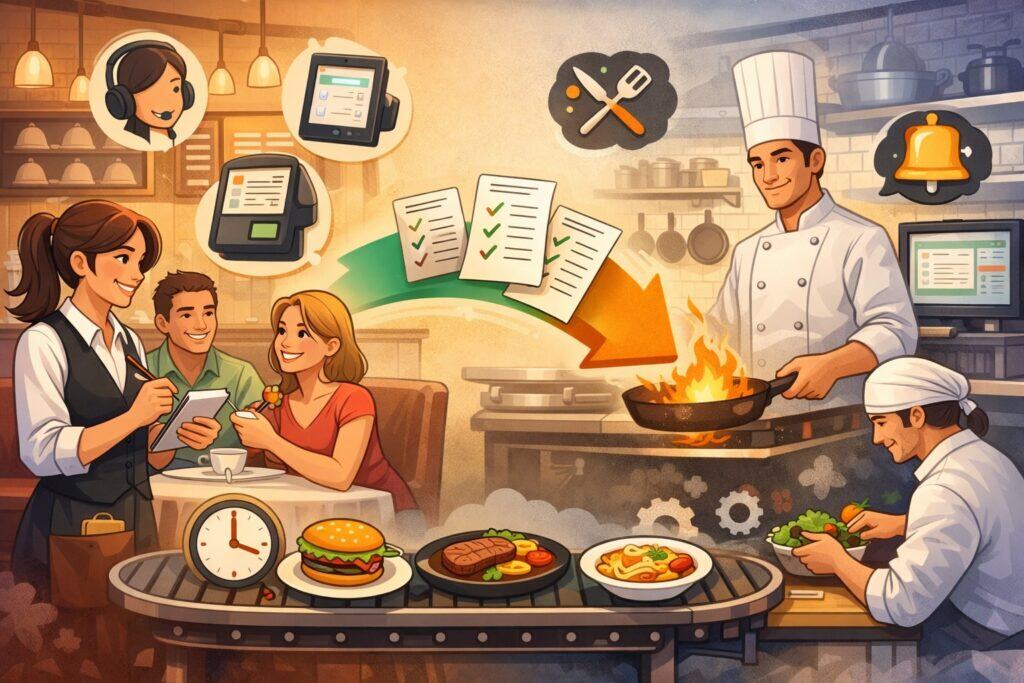
Once an order is entered, the restaurant POS system “fires” it to production. This is ticket routing—one of the most important reasons restaurants upgraded from paper-based registers to modern restaurant POS system setups.
Ticket routing works by sending different parts of the order to different stations. Grill items might go to the hot line, salads to garde manger, desserts to pantry, and drinks to the bar.
Routing is based on the menu configuration, the order mode, and the kitchen layout. When routing is correct, each station receives only what it needs, in the right sequence, with the right modifiers.
In many restaurants, ticket routing is powered by a KDS (Kitchen Display System) instead of paper tickets. A KDS shows orders on screens, often with color coding, timers, and station-specific views.
The benefit is control: the kitchen can bump items when complete, track ticket times, and coordinate plating with expo. KDS tools are widely discussed as a key operational trend because they cut errors and improve speed during rush periods.
Even if a restaurant uses printers, a restaurant POS system can still improve workflow by printing separate tickets per station, printing re-fires, and clearly labeling courses. Some systems also support “hold and fire” logic, where items are staged until a server triggers the next course.
When you’re evaluating performance, ticket routing data is gold. A restaurant POS system can show average prep times, delayed items, and stations that consistently bottleneck. That turns “it feels slow” into measurable reality.
Table Service Workflow in a Restaurant POS System
In full-service operations, the restaurant POS system is closely tied to tables and service pacing. A table is opened, guests are assigned, seats are tracked, and items can be organized by seat for accurate delivery. This matters for both service quality and payment accuracy.
A typical table-service flow looks like this:
- The host seats the party and opens the table in the restaurant POS system.
- The server starts the check, enters drinks, and sends to the bar.
- The server enters appetizers, sets coursing, and sends them to the kitchen.
- Kitchen prepares items; expo coordinates.
- The server adds more items during the meal.
- The server presents a check and collects payment.
The restaurant POS system helps in small but meaningful ways. It can prompt suggested modifiers, highlight allergies, mark “86’d” items, and show notes like “VIP guest” or “birthday.” It can also enforce comp and discount permissions so discounts aren’t casually applied without oversight.
Table management features also reduce “lost tables.” The restaurant POS system tracks how long a table has been open, average dining time, server sections, and table turnover. When paired with reservations or waitlist tools, the restaurant POS system gives a realistic view of capacity.
The biggest value is consistency. A standardized workflow in the restaurant POS system makes your service predictable—even when you’re training new hires or running short-staffed—because the system guides the sequence of tasks and reduces memory-based steps.
Counter Service and Quick-Service Workflow
In quick-service and counter-service formats, speed is everything. The restaurant POS system is designed around fast item entry, easy modifications, and quick payment acceptance. This workflow differs from table service because the check is usually paid immediately, and the order is fulfilled after payment.
A common quick-service flow:
- The cashier selects items rapidly using category buttons.
- Modifiers are chosen quickly (size, flavor, add-ons).
- The restaurant POS system calculates total, taxes, and prompts for tip if enabled.
- Payment is accepted (card, wallet, cash).
- The order is routed to the kitchen KDS or printer.
- Guests receive a receipt and order number (or a name-based label).
Many operations add a second layer: order-ahead and pickup. In this case, the restaurant POS system must coordinate timing, prep holds, and pickup alerts. Some systems use kitchen throttling—limiting how many orders can be scheduled per time slot—so the kitchen isn’t overloaded.
Quick-service setups often benefit from:
- Customer-facing displays for transparency and upsells
- Digital receipts to reduce paper
- Kitchen timers and bump screens to keep lines moving
Because counter-service checks are often smaller but higher volume, even tiny speed improvements in the restaurant POS system can make a measurable difference in throughput and daily revenue.
Online Ordering, QR Ordering, and Kiosks
Modern guest expectations have expanded beyond the counter and table. A restaurant POS system increasingly needs to support self-service ordering through online menus, QR codes, and kiosks. The key is integration: if these channels don’t sync cleanly, staff ends up re-entering orders, which defeats the purpose.
QR ordering typically works like this:
- A guest scans a QR code at the table.
- The digital menu loads with current prices and availability.
- The guest places an order and pays (or starts a tab).
- The restaurant POS system receives the order and routes it to the kitchen.
Many restaurants are improving QR ordering by tying it to loyalty, feedback, and personalization. Trend coverage in 2025 frequently highlights QR ordering integrations and more sophisticated guest experiences.
Kiosks follow a similar concept but are placed in-store. They reduce labor pressure and improve order accuracy because guests control their own selections. A restaurant POS system kiosk setup should support customization, upsells, and smooth payment acceptance.
Online ordering must also handle:
- Pickup times and promised time windows
- Delivery fees or service fees
- Menu channel differences (some items might be dine-in only)
- Instructions and special requests
- Refunds, cancellations, and partial fulfillment
The best practice is “one menu source of truth.” Your restaurant POS system should be the master menu so you aren’t updating five different places every time you change pricing or availability.
Payment Processing Inside a Restaurant POS System
Payment is the moment where technology, compliance, and guest experience collide. A restaurant POS system typically connects to a payment processor through an integrated gateway, enabling card-present transactions and digital wallet acceptance.
Here’s what happens during a card payment:
- The restaurant POS system sends the transaction amount to the payment device.
- The guest taps, inserts, or swipes a card (or uses a mobile wallet).
- The payment device encrypts the card data and sends it to the processor.
- The processor routes the request through the card network to the issuing bank.
- The issuer approves or declines.
- The approval returns to the restaurant POS system, which finalizes the sale.
When integrated properly, the restaurant POS system also handles tips, signatures (when needed), receipts, and refunds. For table service, the flow often includes authorization first (pre-auth) and capture later (when the tip is added). This reduces risk while keeping the checkout smooth.
Contactless payments matter more each year. Mobile wallets and tap-to-pay experiences reduce friction and can speed up checkout. Industry coverage continues to emphasize contactless adoption and NFC-driven payments as part of restaurant technology modernization.
From an operational standpoint, payments are not just about approval. A restaurant POS system must also support:
- Split checks and split tenders
- Partial payments
- Gift cards and store credit
- Refunds and void controls
- Offline mode strategies (with clear risk rules)
A smooth payment experience increases table turns, improves guest satisfaction, and reduces chargebacks—making payment optimization one of the highest-impact areas of a restaurant POS system.
Tips, Service Charges, and Payroll Implications
Restaurants handle gratuity in a variety of ways, and the restaurant POS system is where those rules must be enforced consistently. Tips can be collected on cards, in cash, through QR ordering, or via kiosks.
Service charges may be mandatory (like for large parties) and may have different legal treatment than tips depending on how they are structured and distributed.
At the federal level, tip rules under the Fair Labor Standards Act (FLSA) are enforced by the Wage and Hour Division of the U.S. Department of Labor, including guidance around tip credits, tip pooling, and who may keep tips.
Some interpretations and clarifications also appear in formal guidance, such as opinion letters addressing managers’ participation in tip pools under certain circumstances.
From a system perspective, a restaurant POS system must do several things well:
- Prompt for tips in a way that fits your service model
- Record tips by employee and shift
- Separate tips from service charges in reporting
- Support tip pooling rules and role-based eligibility
- Export clean data to payroll tools
Service charges are especially important to configure correctly. The restaurant POS system should label them clearly on receipts, report them separately from tips, and map them correctly for accounting and payroll. Misclassification can create tax and wage problems.
Good tip reporting also helps with labor forecasting. When a restaurant POS system shows tip trends by shift and by role, scheduling becomes easier because you can predict staffing needs and compensation patterns more accurately.
Inventory, Recipe Costing, and Purchasing Automation
A restaurant POS system can be connected to inventory in two main ways: basic stock tracking (simple item counts) and recipe-level depletion (ingredient-level tracking). The more detailed method is powerful, but it requires disciplined setup.
In a recipe-based approach, each menu item is linked to ingredients and quantities. When the item sells, the restaurant POS system decrements those ingredients automatically. Over time, this helps you:
- Estimate theoretical food usage vs. actual usage
- Detect waste, over-portioning, or theft
- Forecast reorders based on sales velocity
- Track food cost percentage more reliably
Inventory also connects to purchasing. Some platforms integrate with vendors so purchase orders can be generated based on par levels and forecasted demand. Even without direct vendor integration, a restaurant POS system can provide prep reports and low-stock alerts.
The main benefit is decision clarity. Instead of guessing why margins are down, you can use restaurant POS system reports to see if:
- A high-cost ingredient spiked in usage
- A modifier is being overused (extra cheese, extra protein)
- A popular item has poor margin compared to alternatives
Inventory is where the restaurant POS system shifts from transactional tool to profitability tool. When you treat the restaurant POS system as a data engine, it helps protect margins in an industry where a small cost swing can erase profit.
Labor Management and Permissions
Labor is one of the biggest controllable costs in food service, so a restaurant POS system often includes scheduling, time clock, and permission controls. Even if you use a separate scheduling tool, the restaurant POS system is usually the system of record for roles, shifts, sales per labor hour, and employee performance.
Time and attendance features typically include:
- Clock-in/clock-out on terminals or handhelds
- Break tracking
- Overtime alerts
- Role-based wage codes
Permission controls matter just as much. A restaurant POS system should let you define who can:
- Void checks or line items
- Apply discounts or comps
- Reopen closed checks
- Change cash drawer totals
- Issue refunds
This reduces shrink and protects revenue. It also makes accountability easy: every action is tied to a user. When there’s a spike in voids, you can see which shift and which user accounts were involved.
Labor reporting is where restaurant POS system data becomes truly actionable. You can track:
- Sales by labor hour
- Labor % by daypart
- Productivity by station (bar vs. dining vs. takeout)
- Staffing impact on ticket times and guest satisfaction
With this, scheduling becomes less emotional and more mathematical—helping operators maintain service quality without overstaffing.
Reporting, Closeout, and What “End of Day” Really Means
The end-of-day process is where the restaurant POS system turns a busy shift into clean numbers. This is often called closeout, end-of-day (EOD), or batch settlement, and it combines operational reconciliation with payment settlement steps.
Operationally, the restaurant POS system helps you reconcile:
- Cash drawer totals
- Paid out expenses
- Voids and comps
- Tip totals
- Server checkout summaries
On the payments side, transactions are typically “batched” and submitted for settlement so funds can be deposited. The restaurant POS system records what was paid, how it was paid, and what tips were captured. Clean batching reduces reconciliation issues and speeds up accounting.
High-quality reporting in a restaurant POS system usually includes:
- Sales summaries by category and item
- Hourly sales and peak periods
- Discount and comp tracking
- Payment type breakdowns
- Tax collected reporting
- Ticket time reports (especially with KDS)
This data should be easy to access and easy to export. If managers can’t find the right report quickly, the restaurant POS system becomes underused.
A well-run closeout process also supports future planning. When the restaurant POS system consistently captures accurate data, forecasting becomes reliable—helping you order smarter, schedule better, and adjust pricing with confidence.
Security, Compliance, and Why It Matters for POS
A restaurant POS system handles sensitive payment data, so security isn’t optional. Modern systems rely on encryption, tokenization, and secure payment devices to reduce exposure. In many setups, the restaurant POS system never stores raw card data; instead, it stores tokens that represent the payment method for refunds or future transactions.
PCI DSS compliance is a key part of payment security. PCI DSS v4.0 replaced older versions, and its future-dated requirements became mandatory after March 31, 2025, which impacts how organizations implement controls and validate compliance.
This matters to restaurants because even small operations can be affected by security questionnaires, required scans, and provider requirements—especially when using online ordering, remote access, or multiple integrations.
Security best practices for a restaurant POS system include:
- Strong user passwords and role-based access
- Multi-factor authentication for admin tools where supported
- Network segmentation (separate guest Wi-Fi from POS traffic)
- Regular software updates
- Approved, secure payment devices
- Clear offboarding procedures when staff leave
Security is not just about compliance—it’s about continuity. A compromised restaurant POS system can cause downtime, lost revenue, and reputation damage. Investing in good security practices keeps operations stable and protects guests.
How to Choose the Right Restaurant POS System for Your Operation
Choosing a restaurant POS system is less about flashy features and more about fit. A busy quick-service concept needs speed and throughput, while a full-service restaurant needs table management, coursing, and tip workflows. A bar needs tabs, fast modifiers, and reliable inventory integration.
When evaluating a restaurant POS system, focus on:
- Workflow fit: Does it match how you actually take orders and run service?
- Menu flexibility: Can you handle modifiers, combos, and multiple order channels cleanly?
- Kitchen execution: Is routing strong, and does KDS support your station setup?
- Payments: Are card-present and online payments stable and well-supported?
- Reporting depth: Can you see what you need without fighting the interface?
- Support quality: How fast do they respond during peak hours?
- Integration ecosystem: Do you need delivery, loyalty, reservations, payroll, or accounting links?
- Total cost: Software fees, hardware, processing rates, add-ons, and contract terms
It’s also smart to think about growth. If you add a second location, can the restaurant POS system centralize menus and reporting? If you add catering, can it handle lead times and deposits? If you expand into events, can it support custom packages?
The best restaurant POS system is the one your team will actually use correctly. A slightly less “powerful” platform that is intuitive and stable can outperform a complex platform that staff avoids or misuses.
Future Predictions: Where Restaurant POS Systems Are Headed
Restaurant POS system technology is evolving quickly, driven by labor constraints, guest expectations, and payment innovation. The near future is about reducing friction: fewer taps for staff, fewer waits for guests, and fewer manual back-office tasks for managers.
One major direction is more mobile-first operations. Handheld ordering and tableside payment reduce walking time and speed up checkout.
Contactless payments continue to expand, and improvements in NFC standards are aimed at making tap interactions easier and more reliable. This supports the broader trend of fast, secure transactions without the bottleneck of a fixed counter terminal.
Another direction is deeper automation. Expect the restaurant POS system to:
- Forecast sales and labor needs more accurately using historical patterns
- Suggest prep quantities based on reservations, weather signals, and event calendars
- Detect unusual voids or refund behavior (loss prevention)
- Optimize menus by highlighting high-margin items during peak periods
QR ordering and kiosk ordering will continue to mature, particularly as restaurants integrate loyalty and personalized offers into the ordering flow. More systems will also unify dine-in, pickup, and delivery so you can manage one menu and one set of reports rather than juggling separate platforms.
Finally, compliance and security demands will keep pushing restaurant POS system providers toward stronger defaults—especially as PCI DSS v4.0 expectations become routine operational reality. The winners will be systems that make secure behavior easy rather than complicated.
FAQs
Q.1: What is the difference between a POS and a payment processor?
Answer: A restaurant POS system is the software and hardware used to run orders, manage checks, and track sales data. A payment processor is the service that moves card payments through the networks to the issuing bank for approval and settlement. Many people confuse the two because they work together in the checkout flow.
In practice, your restaurant POS system sends payment requests to a payment device or gateway, and the processor handles authorization and settlement.
If your restaurant POS system is integrated, the payment result flows back automatically and closes the check without manual entry. If it’s not integrated, staff may need to type totals into a separate terminal, which increases errors and reconciliation headaches.
The cleanest setups are those where the restaurant POS system and payments are tightly integrated, with proper encryption and tokenization. This reduces risk, simplifies refunds, and improves reporting accuracy because every payment is matched to a specific check inside the restaurant POS system.
Q.2: Can a restaurant POS system work if the internet goes down?
Answer: Many modern systems are cloud-based, but a good restaurant POS system plan includes offline strategies. Some systems continue taking orders locally and store transactions until the connection returns, then sync automatically.
Others may allow limited payment acceptance offline, though that usually comes with risk (because approvals can’t be verified in real time).
The important part is to test your offline procedures before you need them. Your restaurant POS system provider should explain exactly what works offline: order entry, printing, KDS, card payments, and reporting.
You should also have a backup plan, such as a mobile hotspot, a secondary internet connection, or a manual payment fallback.
Even when offline mode exists, security rules still apply. Strong access control and secure payment device behavior remain essential, especially under modern compliance expectations such as PCI DSS v4.0.
Q.3: How does a restaurant POS system handle split checks and tips?
Answer: Split checks are handled at the check level. The restaurant POS system lets you move items between seats or separate checks, then apply payments to each portion.
This is common in table service where parties want separate payments. A strong restaurant POS system makes this fast, because slow splitting can delay table turns and frustrate guests.
Tips are handled differently depending on the service model. In table service, tips are often added at the end when the card is captured. In counter service, tips may be prompted immediately.
The restaurant POS system records tips by employee and by shift, and can export those totals to payroll. If tip pooling is used, the restaurant POS system may help track pooled totals and distribution rules, but operators still need to follow applicable wage and hour guidance.
Federal tip guidance is provided by the U.S. Department of Labor under the FLSA, including rules around tip credits and tip pooling restrictions.
Q.4: What is a KDS and how does it connect to a restaurant POS system?
Answer: A KDS (Kitchen Display System) is a set of screens that displays incoming tickets digitally instead of printing paper. The restaurant POS system sends orders to the KDS in real time, and stations bump items as they’re completed. KDS setups can show timers, prioritize orders, and separate views for grill, fry, expo, and other stations.
KDS is valuable because it improves speed and accuracy. No more lost tickets, fewer misreads, and clearer coordination during peak hours. Many restaurant technology trend discussions emphasize KDS as a key tool for reducing ticket times and smoothing kitchen workflow.
If your kitchen struggles with bottlenecks, a restaurant POS system paired with KDS reporting can reveal exactly where time is being lost, turning kitchen performance into something you can measure and improve.
Q.5: Is QR code ordering replacing servers?
Answer: QR code ordering is not a universal replacement for servers, but it is increasingly used to reduce wait time and offer convenience—especially for ordering additional rounds, quick reorders, or paying without waiting. In many operations, QR ordering supports staff rather than replaces them.
The success of QR ordering depends on execution. When integrated with the restaurant POS system, it can reduce order entry time, prevent menu mismatch, and route orders accurately. Trend coverage in 2025 frequently highlights deeper QR integrations, including loyalty and personalization.
For full-service dining, many restaurants use hybrid models: staff provide hospitality and guidance while the restaurant POS system supports optional self-service for speed and control.
Conclusion
A restaurant POS system works by connecting every step of service—orders, kitchen execution, payments, tips, labor, inventory, and reporting—into one coordinated process.
Orders are captured through servers, counters, kiosks, QR codes, or online channels, then routed to the kitchen through printers or KDS screens. Payments flow through secure devices and processors, and the restaurant POS system records everything for reconciliation and analytics.
When configured correctly, a restaurant POS system becomes more than a checkout tool. It becomes a performance engine: it speeds up service, reduces mistakes, protects margins, and gives you the data to make better decisions.
It also supports modern expectations like contactless payments, mobile ordering, and omnichannel menus—while keeping an eye on evolving security requirements such as PCI DSS v4.0’s now-mandatory future-dated controls after March 31, 2025.
Looking forward, the restaurant POS system will keep moving toward mobile-first service, deeper automation, smarter forecasting, and tighter security defaults.
Operators who treat the restaurant POS system as a strategic platform—not just a register—will be best positioned to grow profitably, serve guests faster, and adapt to whatever comes next.