The restaurant POS system cost can look simple on a sales page (“$0/month!” or “starting at $69”), but the real answer is almost always a blend of software, hardware, payment processing, and add-ons.
For many restaurants, the restaurant POS system cost ends up landing somewhere between a few hundred dollars per month for a small setup and well over a thousand dollars per month for a busy full-service operation—before you even consider payment processing volume.
A modern POS is no longer “just a register.” It’s your order workflow, menu management, staff permissions, reporting, inventory signals, online ordering connection, and sometimes your payroll and marketing engine.
That’s why the restaurant POS system cost depends heavily on your concept (quick-service vs full-service), number of terminals, and which features you actually turn on.
You’ll also see two very different kinds of quotes in the market:
- Transparent list pricing (common with some cloud POS providers) where you can estimate your baseline quickly, like plans that show monthly fees and processing rates. For example, Square lists in-person processing as 2.6% + 15¢ (with other rates for online and manual entry) and shows plan-based monthly fees by tier.
- Custom pricing (common with legacy systems and enterprise bundles) where your quote can be competitive—but only after careful review of contracts, support fees, and long-term processing terms.
This guide breaks down every major component of restaurant POS system cost, shows realistic ranges, highlights hidden fees, and includes future-looking predictions so you can budget smarter and avoid surprises.
What You’re Really Paying For in the Restaurant POS System Cost
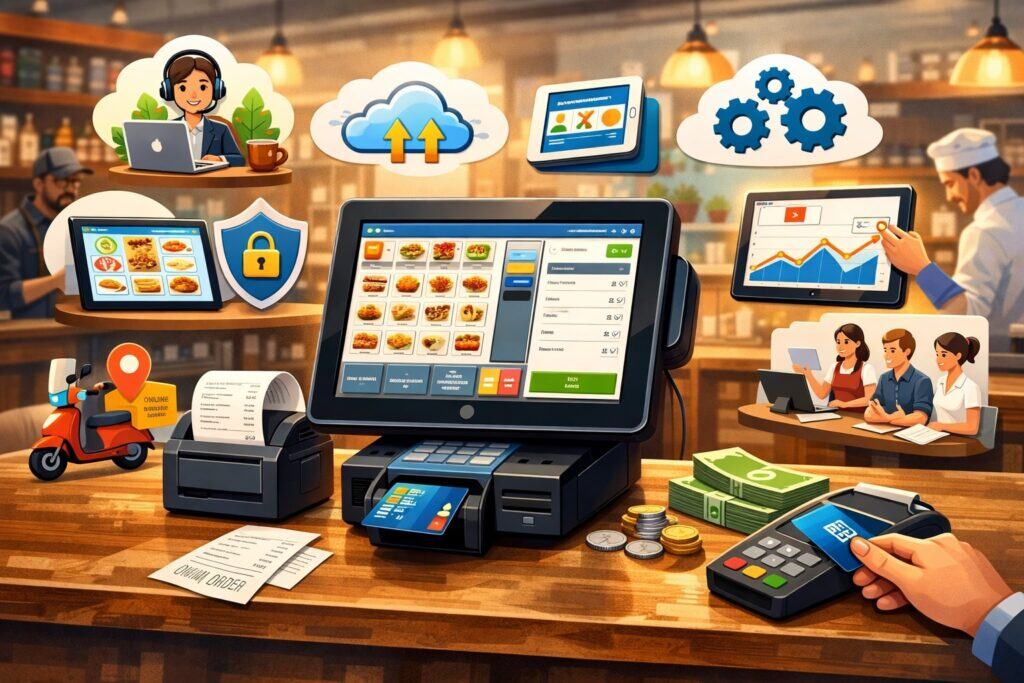
When someone asks “How much does a POS system cost for a restaurant?”, they usually mean the price of the app. But the true restaurant POS system cost is the total cost of running your payment and ordering stack every day.
Most restaurant owners will pay for four buckets: software subscription, hardware, payment processing, and operational extras.
First, software. Many modern restaurant POS providers charge a monthly fee that scales by feature tier, location, and sometimes device count. For example, Lightspeed Restaurant lists plan pricing that starts at $69/month and goes higher for more advanced tiers.
TouchBistro also states its pricing starts at $69/month, positioning it in a similar baseline range for software. Square, by contrast, is structured around plan tiers and fees that can be $0/month, $49/month, or $149/month per location depending on tier, with restaurant features and add-ons influencing what you actually need.
Second, hardware. Hardware is where “cheap POS” can get expensive fast. Terminals, stands, handhelds, printers, cash drawers, kitchen screens, and network gear can stack up quickly.
Square’s hardware store gives a good feel for real-world entry points (for example, a contactless/chip reader listed at $59, and some iPad-based hardware options listed around $149).
Third, payment processing. This is often the biggest long-term slice of restaurant POS system cost because it scales with sales volume. Square publicly lists the in-person card-present rate as 2.6% + 15¢ (with different rates for online and manual entry). Even small rate differences become meaningful when you run thousands of tickets a month.
Finally, operational extras. These include implementation, onboarding, integrations (delivery, accounting, loyalty), support plans, chargeback management, and optional modules like kitchen display screens, kiosk software, or advanced inventory.
Lightspeed, for example, shows a kitchen display system fee listed per screen per month. The point is: the restaurant POS system cost isn’t one number—it’s a stack of decisions.
Restaurant POS Pricing Models That Shape Total Cost
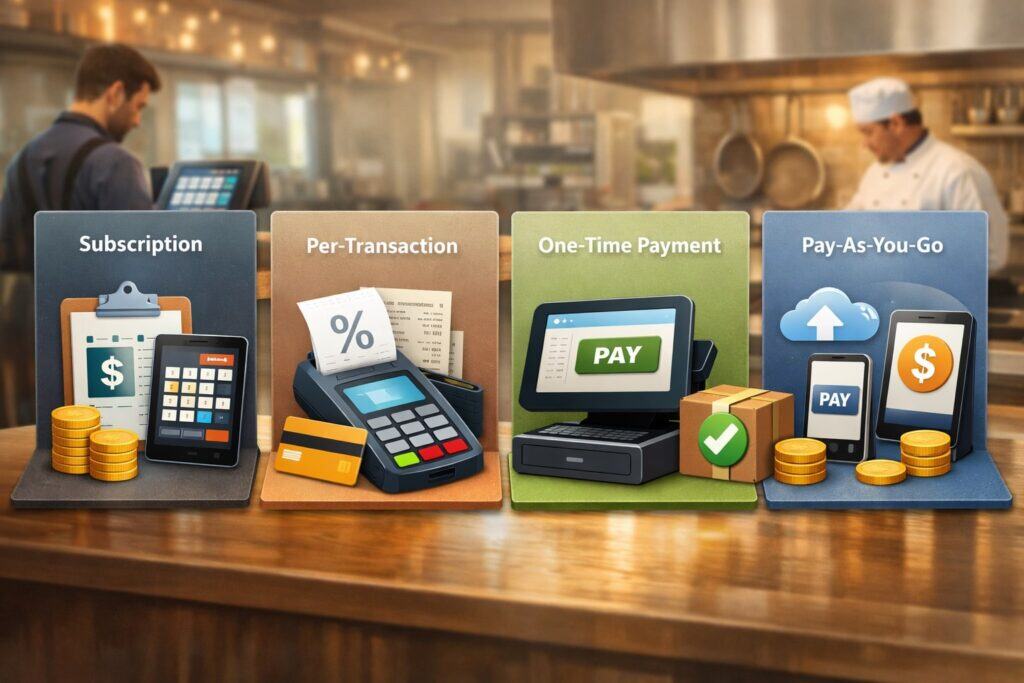
The restaurant POS system cost changes dramatically depending on the pricing model you choose. Two restaurants using the same brand can pay very different totals because pricing models reward different behaviors (high volume vs low volume, few devices vs many devices, bundled processing vs flexible processing).
At a high level, you’ll typically see:
- Software subscription (SaaS): You pay a monthly fee per location, sometimes per device, sometimes by feature tier. This is the most common cloud model in the market today. Lightspeed and TouchBistro both publicly present “starting” monthly prices, which is helpful for quick budgeting.
- Bundled pricing tied to processing: Some providers reduce or waive software/hardware costs if you process payments through them. This can lower upfront restaurant POS system cost, but you must compare the effective processing rate and contract terms. Over time, processing usually outweighs software fees.
- Traditional license + support: More common in legacy setups, where you pay larger upfront licensing and then maintenance/support. The upfront quote can look high, but sometimes it’s predictable for stable environments. The downside is upgrades, integrations, and remote features can become add-on heavy.
The model that’s “cheapest” depends on your restaurant’s ticket size, monthly volume, and the features you truly need. A low-volume counter-service shop might do well on a lighter plan with minimal devices.
A multi-station full-service restaurant often needs table management, courses, modifiers, split checks, handheld ordering, and robust reporting—pushing the restaurant POS system cost upward even before processing.
SaaS Subscription Pricing: What Monthly POS Fees Usually Include
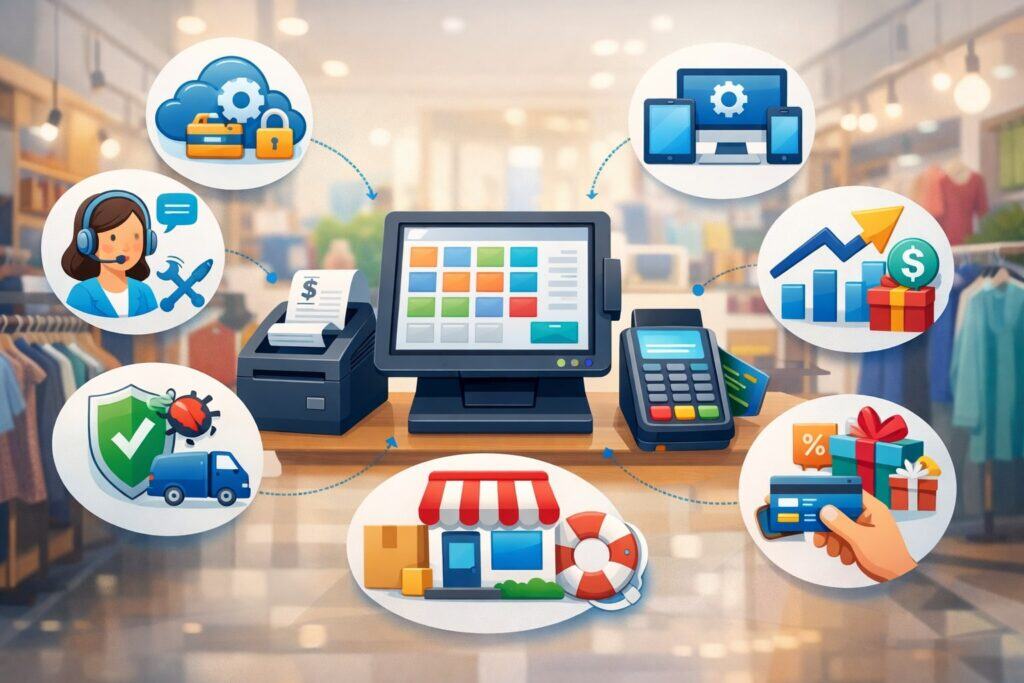
In a subscription model, your restaurant POS system cost typically includes the core app, basic reporting, menu tools, user permissions, and cloud updates. But restaurants often assume subscriptions include everything—then discover key workflows live behind higher tiers or add-ons.
A good example of transparent tiering is Lightspeed Restaurant’s published pricing: it lists Starter at $69, Essential at $189, and Premium at $399 (with an Enterprise quote option). What changes as you move up tiers is often the depth of operational control—multi-location management, advanced inventory, richer insights, and expanded service models.
Square’s restaurant POS pricing is structured differently, with tiered monthly fees per location shown as $0, $49, or $149 and additional line items for add-ons like KDS and kiosk apps.
This matters because restaurants commonly add at least one operational add-on as they grow (kitchen routing, online ordering, loyalty, labor tools). In practice, the restaurant POS system cost usually starts with a baseline plan and expands as you add channels and complexity.
To keep subscription costs under control, build a “must-have vs nice-to-have” list before demos:
- Must-have: menu modifiers, tax rules, discounts, void controls, tip handling, end-of-day reporting, offline mode expectations, basic inventory signals.
- Often-worth-it: kitchen display or kitchen printing automation, online ordering integration, labor insights, loyalty.
- Nice-to-have: advanced marketing tools, deep recipe costing, enterprise-level API access (unless you truly need it).
The best way to avoid subscription creep is to map features to actual workflows, not vendor checklists. That’s how you keep the restaurant POS system cost aligned with your reality.
Bundled Processing vs Flexible Processing: The Hidden Driver of POS Cost
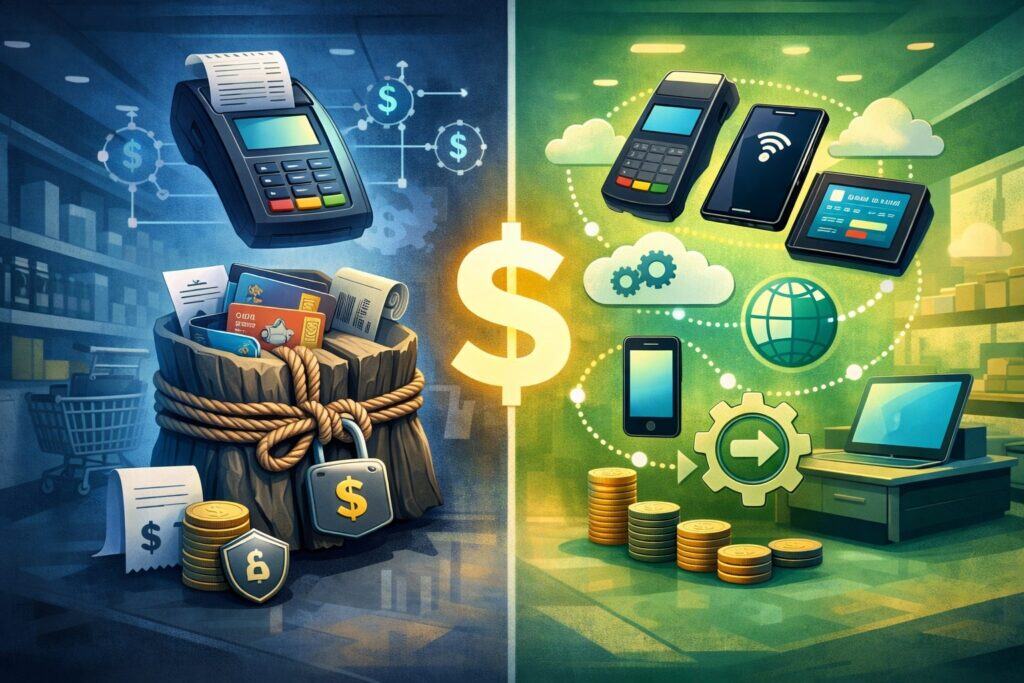
Many owners focus on monthly fees, but the biggest lever in restaurant POS system cost is usually payment processing. Why? Because processing scales with every sale, every day. A small difference in rate can dwarf your subscription cost over a year.
Square publishes processing fees directly. For in-person “tap, dip, or swipe,” Square lists 2.6% + 15¢ (with different rates for online and manual entry). That transparency makes it easier to model your true restaurant POS system cost: you can estimate processing by multiplying your projected monthly card volume by the rate and adding per-transaction cents.
With bundled processing models, the vendor might discount software or hardware but require you to use their processing. This can be a great deal for some restaurants—especially new openings that want lower upfront expenses. But you should compare:
- Effective rate by card type and acceptance method (present, keyed, online).
- Contract length and termination language.
- Funding speed and reserve/hold policies (how cash flow behaves matters).
Flexible processing (sometimes called “bring your own processor”) can be valuable if you have strong volume or specialized needs, but it may come with higher software fees. Either approach can be “best”—the point is you must model processing to understand real restaurant POS system cost, not just the monthly subscription.
Typical Restaurant POS System Cost Ranges by Concept and Size
A realistic way to think about restaurant POS system cost is to match it to the operational complexity of your concept. More service steps usually means more devices, more routing, and more feature requirements.
Food trucks, pop-ups, and micro-concepts
For a small operation with one point of sale and limited menu complexity, the restaurant POS system cost can stay relatively lean. You might run a single handheld or tablet with a reader, and your monthly software might be on a low tier.
Hardware can be minimal if you don’t need a cash drawer or kitchen printer. Square’s entry-level hardware pricing (like a $59 contactless/chip reader) shows how lightweight a starter setup can be from a device standpoint.
Where costs rise for mobile concepts is connectivity (reliable hotspot or backup), online ordering links, and staff tools if you scale beyond one person. If you do festivals or high-volume events, speed matters—so you may add a second device or a kiosk to keep the line moving. That bumps your restaurant POS system cost, but can pay back fast through higher throughput.
Quick-service and fast-casual
Quick-service restaurants often need multiple devices: front counter, expediter screen, maybe a drive-thru station, and kitchen routing.
Subscription plans like Lightspeed’s published tiers show how monthly software pricing can climb as feature demands expand. On top of that, QSR tends to have lots of small tickets, which means the “+ cents per transaction” part of processing rates matters more.
The biggest driver in QSR restaurant POS system cost is usually kitchen workflow: printers vs KDS, item timing, and modifiers. Many restaurants underestimate how much efficiency depends on good routing rules. Budgeting for the right kitchen setup is often more important than shaving $20 off a monthly fee.
Full-service restaurants, bars, and multi-location groups
Full-service environments typically have the highest restaurant POS system cost because they need table management, split checks, coursing, handheld ordering, bar tabs, pre-auth workflows, and stronger permissions.
They also tend to benefit from handhelds and pay-at-table, which increases hardware count. If you add online ordering, loyalty, or advanced inventory, your monthly spend grows further.
This is where modeling total cost of ownership matters: a full-service restaurant might pay more, but also gain labor savings and higher table turns. When owners only compare sticker price, they often pick a POS that’s cheap but slows down service—making the “low restaurant POS system cost” a false economy.
Hardware Costs: Devices and Equipment That Drive Upfront Spend
Hardware is the most visible part of restaurant POS system cost, and it’s also where quotes can vary wildly depending on whether you use tablets, purpose-built terminals, handhelds, kiosks, or a mix.
Terminals, tablets, and handheld ordering devices
A single “register” can be a full POS terminal, a tablet on a stand, or a handheld device. Tablet-based setups can reduce upfront costs, but you still need durable mounts, secure connectivity, and sometimes commercial-grade cases.
Square’s hardware catalog shows examples of iPad-based options listed around $149, alongside entry-level readers at $59—illustrating how a simple setup can start small and scale.
Handhelds are increasingly common in full-service dining because they reduce steps: servers can send orders instantly and take payment tableside.
The tradeoff is you may need several handhelds for peak shifts, which can become a meaningful part of restaurant POS system cost. If you’re considering handhelds, budget not just for devices but also charging docks, spare batteries (if applicable), and replacement strategy for breakage.
Kitchen printers, KDS screens, and routing equipment
Kitchen hardware is where many restaurants under-budget. If you run a printer-based kitchen, you’ll need receipt printers (or impact printers), cables, and sometimes multiple printer stations.
If you run KDS, you’ll need screens and mounts—and possibly recurring software fees. Lightspeed lists KDS as a priced add-on per screen per month, which highlights why kitchen hardware is both upfront and ongoing cost.
The right kitchen setup can reduce remakes, missed mods, and ticket confusion. So while it raises restaurant POS system cost, it often lowers food waste and increases speed—two things that directly improve profit.
Networking, routers, and redundancy
Restaurants live and die by uptime. Even cloud POS systems need stable local networking for devices to communicate. Budget for:
- Business-grade router
- Managed switch (if you have multiple wired devices)
- Separate guest Wi-Fi
- Backup internet option (secondary ISP or cellular failover)
This isn’t the most exciting line item in restaurant POS system cost, but it’s one of the most important. A “cheap” network can cost you more in lost sales than the entire software subscription.
Ongoing and Hidden Costs That Change Your Monthly POS Bill
If you want an accurate restaurant POS system cost, you have to account for recurring costs beyond the base subscription. These are the expenses that surprise owners six months after launch.
Processing costs, ticket mix, and “cents per transaction”
Processing is not just a percentage—it’s also per-transaction cents. That means a coffee shop with hundreds of small tickets will feel per-transaction fees more than a fine-dining venue with larger checks. Square’s published in-person processing rate includes both parts: 2.6% + 15¢.
To model accurately, estimate:
- Monthly card volume (how much is paid by card)
- Number of card transactions (how many tickets)
- Average ticket size
- Share of card-not-present (online orders, invoices) vs card-present
Once you do that, your “true” restaurant POS system cost becomes much clearer than any vendor’s “starting at” price.
Add-ons that restaurants commonly activate later
Most restaurants start with “just the POS,” then later add:
- Online ordering and delivery integrations
- Loyalty and marketing
- Payroll or advanced team tools
- Advanced inventory / recipe costing
- Kiosk mode
- Kitchen display licensing
Square’s restaurant pricing page shows add-ons as separate fees (for example, KDS and kiosk app fees are shown as monthly per device in addition to the plan). Lightspeed similarly shows add-on pricing behavior for kitchen screens.
These tools can be worth it, but they increase restaurant POS system cost slowly—until you look up and realize you’re paying far more than your original budget. The solution is to plan add-ons in phases and assign each one a measurable goal (fewer errors, higher online conversion, faster ticket times).
Support, onboarding, installation, and integration costs
Some providers include basic onboarding; others charge. Even when onboarding is “free,” you may pay in time and operational risk if you don’t configure menus, modifiers, and tax correctly. Third-party integrations (accounting, delivery, catering, reservations) sometimes involve separate fees from the integration partner.
A practical way to budget: assume you’ll invest either money or labor hours into implementation. If you’re not paying for setup, you’re paying with time. Either way, it’s part of the restaurant POS system cost—and it matters because a rushed POS rollout can disrupt service.
How to Calculate Total Restaurant POS System Cost (TCO) Before You Buy
The most reliable way to estimate restaurant POS system cost is to calculate total cost of ownership across 12–36 months. This stops you from choosing a POS that looks cheap in month one but expensive by month twelve.
Step 1: Build a simple POS cost formula
Use this structure:
Monthly POS cost = (Software fees + add-ons + support) + (Processing fees) + (Financed hardware, if any)
Then add upfront costs:
Upfront POS cost = (Hardware purchase) + (Installation/setup) + (Initial training time)
When you plug in real numbers, you’ll see why processing matters so much. If your POS subscription is $149/month but processing is several thousand per month, negotiating and modeling processing becomes a major lever in total restaurant POS system cost.
Use public pricing as anchors. For example:
- Square shows plan-based monthly fees per location (including a $0, $49, and $149 tier) and lists processing rates.
- Lightspeed shows published tier prices like $69, $189, and $399 and also shows add-on pricing behavior for KDS screens.
- TouchBistro states pricing starts at $69/month.
Step 2: Create two budgets—“lean” and “fully built”
A lean build is what you need to run day one. A fully built budget includes what you’ll likely add: kitchen optimization, online ordering, loyalty, and additional devices as you grow.
This matters because restaurants almost always expand their system after launch. The best POS buying decisions are made by comparing the future restaurant POS system cost, not just the day-one quote.
Step 3: Stress-test your cost with sales volume scenarios
Run three scenarios:
- Slow month (seasonality)
- Normal month
- Peak month
Because processing scales with volume, your restaurant POS system cost is not flat. If cash flow is tight, you should know what a peak month does to fees—especially if you add online ordering (card-not-present rates can be higher than card-present).
How to Lower Restaurant POS System Cost Without Slowing Service
Reducing restaurant POS system cost is not about finding the cheapest plan. It’s about eliminating waste—extra devices you don’t need, features you don’t use, and processing structures that don’t match your ticket profile.
Right-size your device count and station design
Many restaurants overspend on terminals when they could redesign workflows:
- Use one fixed counter device plus handhelds for line-busting.
- Use a single expo screen that consolidates tickets instead of multiple printers.
- Limit manager permissions and void/refund access so you don’t need a “manager-only” terminal.
Fewer devices can reduce hardware spend and sometimes subscription add-ons, lowering restaurant POS system cost without hurting speed.
Treat processing as a negotiable, model-driven decision
Even with published rates (like Square’s published in-person 2.6% + 15¢), your “best” processing setup depends on your sales mix.
If most of your orders are dine-in card-present, compare that to your online share. If you have high volume, some providers mention custom pricing paths (Square notes custom pricing discussions for higher annual processing).
Phase in add-ons and demand measurable ROI
Add-ons should earn their keep. Before paying for loyalty, kiosks, or advanced inventory, define what success looks like:
- Loyalty: higher repeat frequency or larger average check
- Kiosk: reduced labor at front counter or faster throughput
- KDS: fewer remakes and faster ticket times
Square’s restaurant pricing page makes it clear that certain apps are billed monthly per device in addition to base plans. That’s a reminder to turn on extras intentionally—because each one permanently changes your restaurant POS system cost.
Future Predictions: Where Restaurant POS System Cost Is Headed Next
The next few years will likely reshape restaurant POS system cost in two opposing ways: hardware gets more flexible, while software and automation become more subscription-heavy.
More handhelds, kiosks, and mobile-first ordering
Restaurants are moving closer to “order anywhere, pay anywhere.” Handheld adoption is accelerating because it reduces steps, improves table turns, and creates better guest experiences. Kiosks keep growing in quick-service because they shift ordering labor and can increase ticket size through upsells.
The financial impact on restaurant POS system cost is mixed:
- Upfront device costs rise (more endpoints).
- Labor efficiency improves (potentially reducing payroll pressure).
- Add-on software fees increase (kiosk apps, KDS apps, device licenses).
Because providers increasingly price add-ons per device (as shown on Square’s restaurant pricing page for KDS and kiosk apps), restaurants should expect per-endpoint fees to remain common.
More AI-assisted operations (and more “premium tiers”)
We’re already seeing POS platforms add AI features and “smart insights.” Over time, expect forecasting, automated prep suggestions, anomaly detection (voids, comps, theft signals), and menu optimization tools to move into premium tiers.
That means the baseline restaurant POS system cost may remain stable, but the “best-in-class” operating stack will cost more.
Square’s hardware ecosystem also signals another trend: vendors want to be an end-to-end operating platform, not just a register, offering everything from hardware to marketing to payroll. As these ecosystems grow, restaurants will have to decide whether bundling is worth it or whether modular best-of-breed stacks make more sense.
More pressure for transparent pricing and shorter contracts
Operators are increasingly skeptical of opaque fees. Many vendors now publish more pricing details publicly (like Lightspeed’s plan pricing and Square’s fees), and that trend should continue.
In the future, the restaurants that win will be the ones that model full restaurant POS systems early and choose a system that scales without surprise line items.
FAQs
Q1) What is the average restaurant POS system cost per month?
Answer: The “average” restaurant POS system cost depends on concept size, devices, and add-ons, but many restaurants end up paying a combination of monthly software + add-ons plus processing that scales with sales.
If you use published pricing as benchmarks, software can range from plans that start around $69/month (Lightspeed Starter and TouchBistro “starts at” pricing) to higher tiers like $189 or $399 for more advanced operation needs.
Square shows plan tiers that can be $0, $49, or $149 per location, with additional per-device app fees for tools like KDS or kiosk.
But the bigger monthly number is often processed. If your restaurant runs $80,000/month in card volume, even a “standard” published rate like 2.6% + 15¢ can translate into a large monthly processing cost.
That’s why the smartest way to define your “average” is to build your own 12-month forecast instead of relying on industry averages.
Q2) Is a “free POS” actually free for restaurants?
Answer: A “free” plan can mean “no monthly subscription,” but your restaurant POS system cost is rarely zero. Most “free POS” offers still require payment processing fees, hardware purchases, and often paid add-ons for advanced restaurant workflows.
Square, for example, can have no monthly subscription at certain tiers, but still lists processing rates (like 2.6% + 15¢ for in-person card-present) and shows paid plan tiers and add-ons.
Also, restaurants often outgrow free tiers once they need features like multi-device kitchen routing, higher-level reporting, or kiosk/KDS tools that carry recurring per-device fees.
If you choose a “free” starting point, treat it as a phase-one decision and model what you’ll need by month six—because that’s when “free” often turns into a higher restaurant POS system cost.
Q3) How much does restaurant POS hardware typically cost?
Answer: Hardware cost varies by brand and setup style (tablet vs terminal vs handheld). The best way to estimate restaurant POS system cost for hardware is to build a device list: front counter station(s), handhelds, printers, cash drawer, kitchen routing, and networking.
Public hardware catalogs can give you a sense of entry pricing—for example, Square lists a contactless/chip reader at $59 and shows some iPad-based hardware options around $149.
Your total hardware spend rises quickly when you add:
- Multiple service stations
- Handhelds for servers
- KDS screens (plus mounts)
- Redundant internet and better networking gear
Hardware is often paid upfront or financed, and financing can turn upfront costs into a monthly line item—changing your restaurant POS system cost structure. The “right” approach depends on cash flow and how quickly you expect to scale.
Q4) Why do restaurant POS quotes vary so much between vendors?
Answer: Restaurant POS quotes vary because vendors bundle different things into the number. One quote might include only software. Another might include hardware, installation, training, and processing incentives. A third might appear cheap upfront but have higher ongoing add-on fees.
You can reduce confusion by forcing every quote into the same framework:
- Monthly software + add-ons
- Processing assumptions (your volume, your ticket count, in-person vs online)
- Upfront hardware
- Implementation and support
- Contract and termination terms
When you normalize quotes this way, the true restaurant POS system cost becomes comparable across vendors—regardless of sales tactics.
Q5) What POS features increase cost the most for restaurants?
Answer: The biggest “cost multipliers” in restaurant POS system cost tend to be anything that adds endpoints or advanced workflows:
- KDS and kitchen routing (often per screen per month)
- Kiosks (often per device per month)
- Online ordering + delivery integrations
- Advanced inventory/recipe costing
- Multi-location management
- Payroll and labor analytics
Lightspeed, for example, clearly shows KDS priced per screen per month. Square’s restaurant pricing page also shows add-on apps priced monthly per device, on top of plan fees. The pattern is consistent: advanced operational tools tend to be recurring fees, which means they permanently raise your baseline restaurant POS system cost.
Q6) Should I lease POS hardware or buy it outright?
Answer: Leasing can lower upfront restaurant POS system cost, but it can increase your long-term total. Buying upfront usually costs less over time, but it can strain cash flow for new openings. Financing sits in the middle—spreading cost while still letting you own the equipment.
To choose, compare:
- Total paid over 24–36 months (not just monthly payment)
- Replacement/upgrade flexibility
- Warranty terms
- What happens if you switch POS platforms
If your concept depends on reliability and high-volume service, prioritize durable hardware and a clear replacement plan. Downtime costs more than the savings from a cheap lease.
Q7) How do I choose a POS that stays affordable as I grow?
Answer: To keep restaurant POS systems affordable at scale, choose a system that can expand without forcing unnecessary upgrades. Focus on:
- Pricing transparency (clear tiers, clear add-on costs)
- Device licensing rules (per device vs per location vs unlimited)
- Offline resilience and network design
- Integration ecosystem (so you’re not paying custom development later)
- Support quality and onboarding strength
Use published pricing references as anchors—Lightspeed lists plan tiers and add-on behavior; Square lists processing and plan-related monthly fees plus add-on app pricing. Then validate what you need: count devices, map workflows, and model growth. That’s the most reliable way to choose a system with a sustainable restaurant POS system cost.
Conclusion
The restaurant POS system cost isn’t one price—it’s a complete operating expense made up of software, hardware, payment processing, and recurring add-ons. If you only compare monthly subscription fees, you’ll miss the biggest cost driver (processing) and the most common surprise (add-ons that activate as you grow).
Use transparent pricing benchmarks to ground your model: Square publicly lists processing like 2.6% + 15¢ for in-person card-present and shows plan-based monthly fees per location, while Lightspeed publishes tier pricing like $69, $189, and $399 and shows per-screen KDS pricing behavior. TouchBistro also states pricing starts at $69/month, helping you calibrate baseline software expectations.