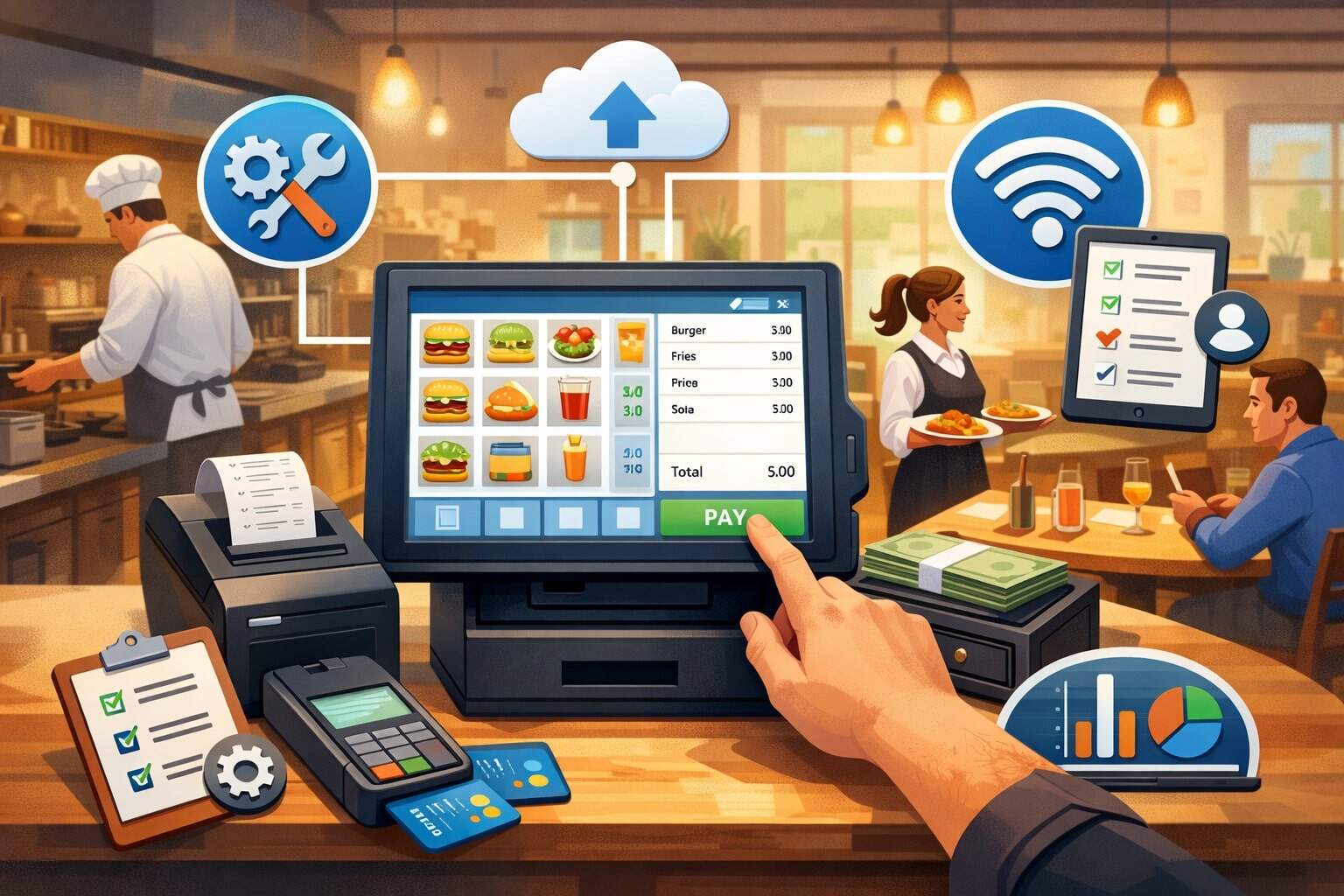
Setting up a restaurant POS system is one of the highest-impact upgrades you can make for speed of service, order accuracy, and profitability. The right setup does more than process payments—it becomes the “operating system” for your dining room, kitchen, takeout, delivery, payroll workflows, and reporting.
But a restaurant POS system only performs well when it’s configured around how your restaurant actually runs: your service style, your menu complexity, your peak hours, your staff roles, and your customer experience goals.
In today’s market, most modern restaurant POS system platforms are cloud-based and built to connect with handhelds, kitchen display systems (KDS), online ordering, loyalty, inventory, and accounting.
Trends in 2025 continue pushing restaurants toward mobile-first workflows, QR ordering, and tighter integration between front-of-house and back-of-house tools. That’s good news—if you plan the rollout correctly, you can shorten checkout lines, reduce comps from order mistakes, and get clearer insight into food cost, labor cost, and sales performance.
This guide walks you step-by-step through choosing, installing, configuring, testing, training, and optimizing a restaurant POS system for daily reliability—plus what to prepare for next as restaurant tech keeps evolving.
Define Your Restaurant Requirements Before You Buy
A successful restaurant POS system setup starts with requirements—not with demos. Before looking at hardware or pricing, document how your restaurant operates on a typical weekday, a peak weekend, and a holiday rush.
A restaurant POS system for a quick-service counter has very different needs than a full-service dining room, a bar, or a multi-unit group. Your goal is to create a checklist that prevents you from paying for the wrong features or missing the essentials.
Start by mapping your service model: counter service, table service, hybrid, delivery-only, food truck, or fine dining. Then list your order channels: in-person, phone, online ordering, third-party delivery, catering, and events.
A restaurant POS system should unify these channels so reporting isn’t split across multiple dashboards. Next, detail your kitchen workflow: do you need kitchen printers, a KDS, or both? Do you route tickets by station (grill, pantry, bar), by item type, or by dining area? If you run a bar program, note modifiers, open tabs, pre-auths, and shift controls.
Also include staffing realities: tip pooling or tip share, multiple pay rates, break rules, manager approvals, and role-based permissions. Labor rules around tipped work and tip credit can affect how you configure job codes, reporting, and audits in your restaurant POS system.
Finally, define your reporting “must-haves”: prime cost, item-level margin, voids, comps, discounts, tax breakdown, and server performance.
When you define requirements first, your restaurant POS system becomes a fit-for-purpose tool, not a generic checkout screen.
Choose the Right POS Type: Cloud, Hybrid, or Legacy On-Prem
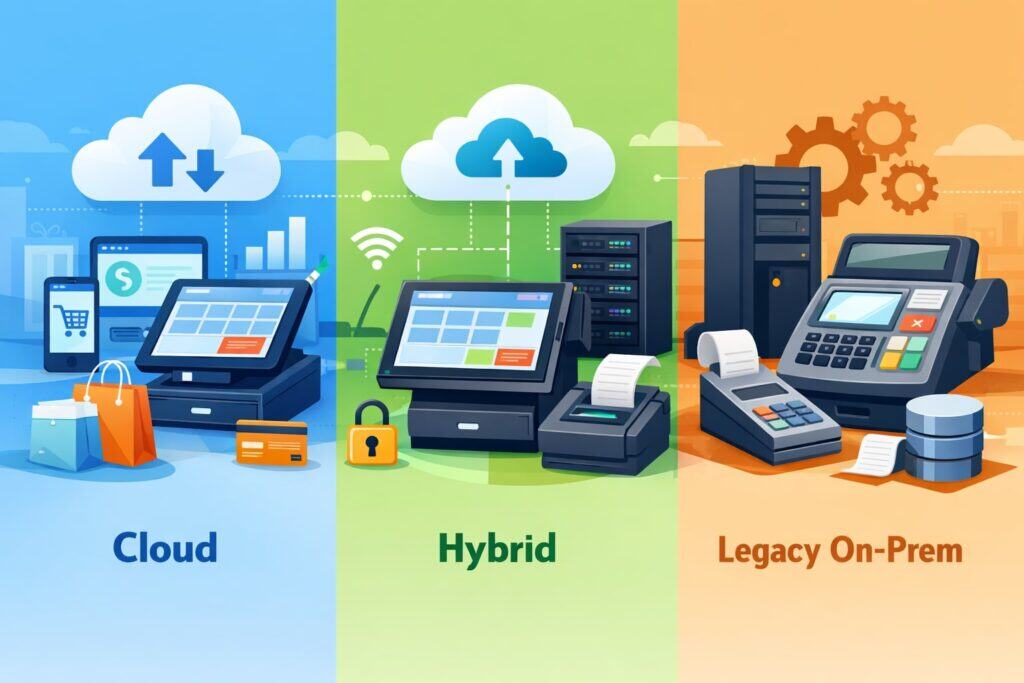
Most restaurants today lean toward cloud platforms, but you should choose the restaurant POS system architecture that matches your operational risk tolerance and connectivity reality. Cloud POS platforms typically update more frequently, integrate easily with online ordering and loyalty, and can be managed remotely.
Hybrid solutions may run core transactions locally while syncing to the cloud for reporting. Legacy on-prem solutions still exist in some high-volume environments, but they can limit innovation and integration options.
Cloud restaurant POS system setups shine when you have multiple order channels, need handheld ordering, run loyalty campaigns, or want fast feature releases.
Many 2025 restaurant operations trends point to deeper integration between POS, mobile ordering, KDS, and contactless payments as customer expectations continue to rise. If you’re expanding to multiple locations, cloud management simplifies menu updates and reporting consistency across stores.
However, cloud does not mean “no planning.” You need a stable network and a clear offline plan. Ask every vendor: What happens if the internet goes out? Can the restaurant POS system keep taking orders, saving payments, or operating in an offline mode? What limitations appear offline—gift cards, loyalty redemption, split payments, or inventory?
Hybrid models can be attractive if you want local reliability with cloud visibility. If your restaurant is in a location with unstable connectivity, a hybrid restaurant POS system may reduce downtime risk. The best answer depends on your service model, your risk profile, and your need for rapid innovation.
Build Your Budget: Total Cost of Ownership, Not Just Monthly Fees

A restaurant POS system budget is more than a subscription price. To avoid surprise costs, estimate the total cost of ownership for at least 24–36 months.
Include software, hardware, payment processing, installation, accessories, and ongoing support. Many restaurants underestimate the cost of networking, kitchen hardware, and replacements over time.
Start with software fees: base POS licenses, terminal licenses, handheld licenses, KDS licenses, and add-ons like online ordering, reservations, loyalty, gift cards, delivery dispatch, or advanced inventory.
Then price hardware: registers, tablets, stands, cash drawers, receipt printers, kitchen printers, KDS screens, bump bars, barcode scanners, handhelds, and payment devices. If you’re using tap-to-pay via phone-based acceptance in certain workflows, confirm device requirements and processor compatibility.
Payment processing is another major factor. Some restaurant POS system providers bundle processing and offer low headline rates—but you still need to compare effective rates, chargeback support, funding timelines, and contract terms.
Ask how tips, refunds, and voids flow through reporting. Include compliance costs too: payment security requirements evolve, and restaurant POS system setups should support strong authentication, access controls, and secure configurations aligned with current PCI expectations.
Future-dated requirements in PCI DSS v4.0 moved from “best practices” to mandatory after March 31, 2025, which can affect merchant and vendor responsibilities.
A well-built budget prevents you from choosing a restaurant POS system that looks affordable at checkout but becomes expensive in operations.
Pick Hardware That Matches Your Floorplan and Service Style
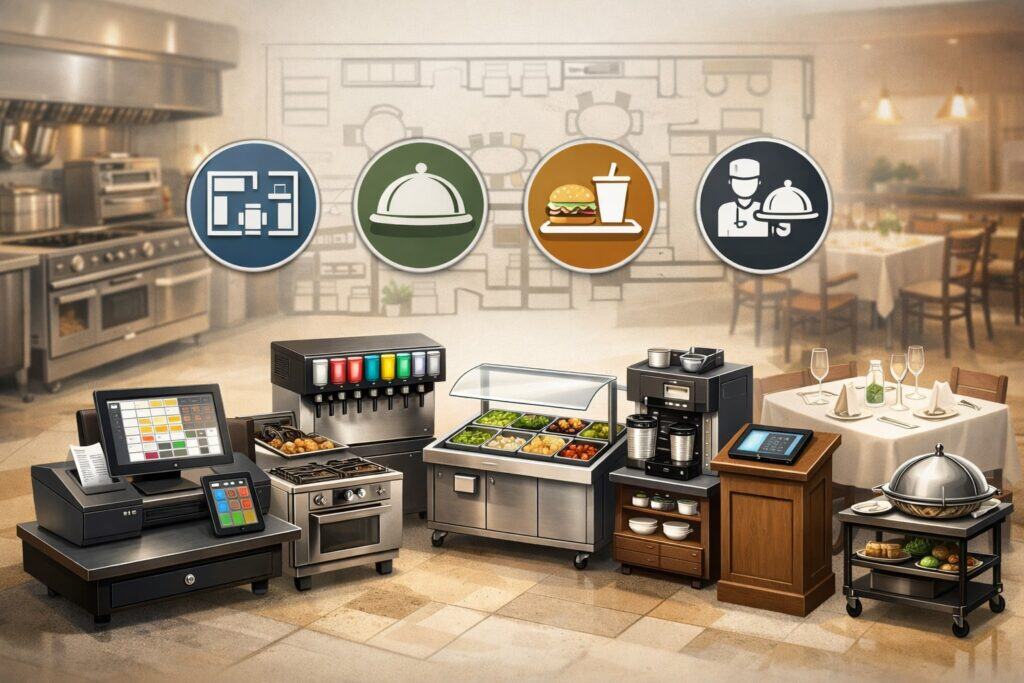
Hardware selection should be driven by ergonomics and throughput. The best restaurant POS system hardware is the equipment your team can use quickly during peak hours without bottlenecks. Start by walking your floorplan and identifying every point where orders are taken, modified, and paid.
For counter service, prioritize a fast order-entry interface, a reliable receipt printer, a customer-facing display (for transparency and upsells), and a payment device that supports contactless and chip transactions.
For full service, handheld ordering often increases table turns and reduces kitchen errors because orders go directly to prep stations. This is one reason handheld and mobile workflows keep showing up in restaurant POS system trend discussions for 2025.
For the kitchen, decide between printers, a KDS, or both. A KDS reduces paper waste, improves ticket visibility, and supports timing metrics (like prep time and late tickets). Printers can still be useful as backup or for specific stations.
If you run multiple prep areas, plan ticket routing carefully to avoid duplicate or missing tickets. For bars, consider dedicated printers, modifiers for cocktails, and tab workflows.
Also plan physical placement: Where do you mount screens? Where do you run power? How will you protect devices from spills? How do you keep cables out of walkways? Finally, build redundancy.
A restaurant POS system should not have a single point of failure. Keep spare receipt paper, backup chargers, and at least one fallback device ready for peak hours.
Set Up Your Network for POS Reliability and Security
Your network is the backbone of your restaurant POS system. Many “POS problems” are actually Wi-Fi, router, or cabling issues. Treat network setup as a core part of the project, not an afterthought. A stable, segmented network improves speed and reduces security risk.
Start with a business-grade router, properly sized for your square footage and device count. Add access points positioned to cover dining rooms, patios, and kitchens—especially if you use handhelds.
Avoid consumer-grade mesh systems that can struggle under heavy traffic. Wherever possible, hardwire fixed devices like registers, KDS screens, and printers using Ethernet. Hardwired connections reduce latency and prevent random disconnections.
Use network segmentation: put your restaurant POS system devices on a dedicated VLAN or secure network segment. Keep guest Wi-Fi separate. This separation helps reduce exposure if a guest device is compromised. Also configure strong Wi-Fi security, unique passwords, and regular firmware updates.
Payment security and access control matter more than ever. PCI DSS v4.0 timelines emphasize stronger security practices, and future-dated requirements became mandatory after March 31, 2025.
While many responsibilities fall on vendors and processors, merchants still need strong internal practices: unique logins, least-privilege access, and proper device handling.
Finally, plan for internet outages. Ask your provider about backup internet options like a secondary ISP or cellular failover. A restaurant POS system setup that includes a tested backup plan can turn a potential disaster into a minor inconvenience.
Configure Your Menu: Categories, Modifiers, Combos, and Pricing Logic
Menu build is where your restaurant POS system becomes “your” system. A sloppy menu setup creates slow ordering, mistakes, and messy reporting. A strong build makes service faster and data cleaner. Plan to invest time here—menu configuration is not just data entry.
Start with a menu structure that matches how staff think: categories (Appetizers, Entrées, Sides), subcategories (Burgers, Pasta), and buttons arranged in a logical flow. Keep high-volume items easy to reach.
Then build modifiers: temperatures, add-ons, substitutions, sides, sauces, allergy notes, and cooking instructions. Modifiers should be consistent across items to avoid confusion. Use forced modifiers when needed (like choosing a side) and optional modifiers for upsells.
Next, configure combos and bundles. If you sell meal deals, build them as true combos so inventory and reporting stay accurate. Set pricing rules: should modifiers add cost? Are substitutions free? Should size upgrades change price? Set taxes properly by item type (food vs. beverage) and plan for special fees where allowed.
Also build timing and routing logic. If certain modifiers change prep station routing, your restaurant POS system should send tickets to the right place. For example, “add bacon” might trigger a grill station, while “extra dressing” routes to the pantry. The better your routing, the fewer verbal corrections your kitchen needs.
Finally, confirm online ordering mapping. If your restaurant POS system connects to online ordering, ensure item names, modifiers, and photos display correctly and don’t create ambiguous choices for guests.
Set Up Payments: Terminals, Contactless, Tips, and Fraud Controls
Payments are the most sensitive part of a restaurant POS system rollout. You’re not just “turning on card acceptance”—you’re defining checkout speed, tip capture, refunds, and dispute handling.
Start by choosing payment devices that support chip, swipe (where still needed), and contactless. Customer expectations for contactless continue rising, and many restaurant operations discussions in 2025 emphasize NFC and QR-enabled experiences.
If you’re considering phone-based acceptance (tap-to-pay on a compatible phone), confirm your processor and POS compatibility, supported devices, and operational fit. Tap-to-pay on phones is expanding and promoted by payment providers as a way for merchants to accept contactless payments without separate card readers in specific contexts.
For restaurants, it can help with line-busting, pop-up events, and curbside—but you still need to decide where dedicated terminals remain best (busy counters, bars, high-volume checkout).
Next, configure tipping flows. Decide: tip on screen, tip on printed receipt, or tip on handheld. Ensure tips are captured accurately by employee, shift, and job code. If you use tip pooling or tip share, confirm your reporting supports audits.
Also align your setup with wage and tip credit rules and documentation requirements. The wage and hour framework for tips under the Fair Labor Standards Act is a key reference point, and court decisions can affect enforcement of specific interpretations.
Add fraud controls: require manager approval for large refunds, enable duplicate payment warnings, set high-risk transaction alerts if available, and ensure batch settlement timing is understood. A well-configured restaurant POS system reduces both payment friction and financial risk.
Integrate Kitchen Operations: KDS, Printers, Prep Timing, and Expo
Kitchen integration is where a restaurant POS system turns sales into execution. The goal is simple: every order arrives clearly, quickly, and in the right sequence, with minimal need for verbal clarification. To get there, you need to design your ticket flow like a system—not like a random collection of printers.
If you use a KDS, define screens by station and by function. A grill station screen should not be cluttered with bar tickets. Many restaurants use an expo screen that consolidates tickets for final assembly and pacing.
Configure item routing rules, coursing rules (apps first, entrées later), and “hold fire” options where needed. For printers, ensure each station has the right templates: large fonts, clear modifiers, and highlighted allergy notes.
Set up prep timing features if your restaurant POS system supports them. Timing data can identify bottlenecks and improve staffing. Use ticket throttling rules cautiously: throttling can protect the kitchen, but it can also create long waits if not calibrated.
If you run online ordering, consider capacity controls—limit orders per time slot, throttle prep-heavy items, and adjust lead times during peak.
Make expo workflows realistic. Can expo bump items? Can expo reprint tickets? Who can void or modify once a ticket is sent? Build permissions that keep control tight but don’t slow service. Remember: kitchen issues are often “data issues.” The cleaner your menu, modifiers, and routing are in your restaurant POS system, the smoother your kitchen will run.
Configure Employee Roles, Permissions, and Shift Controls
A restaurant POS system is also a control system. Proper roles and permissions protect revenue and reduce shrinkage without making staff feel micromanaged. The key is matching permissions to responsibilities and building manager checkpoints for high-risk actions.
Start by defining roles: server, bartender, cashier, host, shift lead, manager, and admin. Then assign permissions: who can apply discounts, comps, voids, refunds, price overrides, open cash drawer, reopen closed checks, transfer checks, or edit tips.
Require manager approval for actions that affect revenue, such as voiding after sending to the kitchen or applying large discounts.
Next, set up shift controls and audits. Configure employee clock-in/out, break tracking if supported, and shift notes. Set cash drawer reconciliation processes: opening drawer count, paid outs, tips paid, and end-of-day counts. For bars, build tab controls and require closure rules to prevent forgotten open tabs.
Tip reporting accuracy is also critical. Configure employee IDs correctly and ensure tips are tied to the correct staff member and shift. Wage and tip compliance references and interpretations can change over time, so keep your policies documented and your reporting consistent.
Finally, set up alerts and logs. Many restaurant POS system platforms record who did what and when. Use these logs to coach and improve processes—not just to “catch mistakes.” When staff trust the system, adoption becomes faster and smoother.
Connect Key Integrations: Online Ordering, Delivery, Inventory, Loyalty, Accounting
Integrations are often the difference between a restaurant POS system that feels modern and one that feels like a cash register with extra steps. But integrations should be chosen carefully. Each additional integration adds value—and also adds complexity. Start with the integrations that directly improve guest experience or reduce labor.
Online ordering is often first. Ensure your restaurant POS system can sync menu items, modifiers, pricing, and availability. Set lead times and capacity rules so the kitchen isn’t overwhelmed.
If you use third-party delivery platforms, decide whether to integrate or keep them separate. Integration can reduce manual re-entry, but you must verify mapping accuracy (items, modifiers, taxes, tips, refunds). A single mapping error can create dozens of wrong orders.
Inventory and recipe costing integrations can help you track food cost and reduce waste. The best workflows connect sales to ingredient depletion and alert you when reorder thresholds are hit. If you’re not ready for full inventory, at least track top sellers and high-cost items.
Loyalty integrations can drive repeat visits, but only if enrollment is easy and redemption is fast. The loyalty flow should be embedded into the checkout experience in your restaurant POS system, not buried in extra screens.
Accounting integrations matter for clean bookkeeping. Confirm how your restaurant POS system exports sales, tips, taxes, and payouts. Make sure the export format matches your accountant’s workflow so reconciliation is straightforward.
Plan Data Migration and Parallel Testing to Prevent Chaos
If you’re switching from an older setup, migration planning protects you from “day one” surprises. Migration isn’t only about moving data—it’s about verifying that your new restaurant POS system matches real-world conditions. Even new restaurants should treat this as a test phase, not a formality.
If migrating, prioritize what actually matters: menu items and modifiers, taxes, employees, permissions, house accounts, gift cards, and historical reports (if needed).
Some data is better left behind, especially if it’s messy. Confirm what can be imported automatically and what must be rebuilt manually. Then validate every imported item in a staging environment.
Parallel testing is essential. Run the restaurant POS system in a test mode or on a spare device and simulate real workflows: open checks, split checks, transfer tables, apply discounts, send to kitchen, void items, process refunds, close tabs, adjust tips, print reports, and reconcile the drawer.
Test edge cases like large parties, happy hour pricing, comp policies, and offline scenarios. Also test online ordering end-to-end: place test orders, confirm routing, timing, and ticket formatting.
Document issues and fix them before launch. A restaurant POS system rollout should not rely on staff “figuring it out” during a Friday dinner rush. Make testing part of the schedule and treat every correction as a future hour saved.
Train Your Team for Speed, Accuracy, and Confidence
Training is where the restaurant POS system becomes a habit. Without training, even the best system becomes a source of frustration and workarounds. The most effective training is role-based, scenario-based, and short enough to retain.
Start with managers and shift leads. They need deeper knowledge: troubleshooting printers, overriding discounts, handling refunds, adjusting tips, running reports, and managing employee permissions.
Then train front-of-house roles separately: servers learn table management, coursing, modifiers, and split payments; cashiers learn quick order entry, barcode workflows if used, and customer-facing checkout; bartenders learn tabs, transfers, and tip handling. Back-of-house training focuses on KDS usage, bumping tickets, re-firing items, and expo workflows.
Use real scenarios: “Guest wants half no onions,” “Table 12 is splitting by seat,” “We compped dessert due to a delay,” “Customer requests a refund,” “Third-party delivery order missing an item.” The more realistic the training, the less panic on launch day.
Create a one-page cheat sheet for each role, plus a short troubleshooting guide: “printer offline,” “payment declined,” “ticket not showing,” “device disconnected.” Encourage staff to practice during off-peak hours with training checks.
Training should also include security basics. Remind staff not to share logins and to follow checkout procedures consistently. PCI timelines and security expectations continue to evolve, and good habits matter. A restaurant POS system is only as strong as the habits around it.
Launch Day Checklist: Soft Opening, Support Plan, and Contingencies
A restaurant POS system launch should feel controlled—not like a cliff jump. The best approach is a soft launch: choose a slower service period, limit menu complexity temporarily if needed, and have support on standby. Even if you’re experienced, assume something small will need adjustment.
Start with a pre-launch checklist. Confirm all devices are charged, printers have paper, KDS screens are working, and the network is stable. Verify employee logins and roles. Run a final payment test with chip and contactless. Ensure taxes are correct. Confirm kitchen routing for top-selling items. Print or save quick-reference guides at each station.
Have a support plan. Know how to contact the POS support team quickly. If your vendor offers on-site launch support, use it. If not, assign an internal “POS captain” per shift.
Prepare contingency procedures: how to take orders if one device fails, how to run cards if the main terminal goes down, and how to record orders manually if needed. Your contingency plan should be simple, written, and practiced.
During the first week, hold quick daily debriefs: what slowed us down, what caused mistakes, what reports we need, what buttons should move. Restaurant POS system setups improve rapidly in week one when feedback is captured and applied. Treat launch as the start of optimization, not the finish line.
Optimize After Setup: Reporting, Menu Engineering, Labor, and Guest Experience
Once your restaurant POS system is live, the real value comes from optimization. Most restaurants use only a fraction of what their system can do. The goal is to turn data into decisions: pricing, staffing, inventory, marketing, and guest experience improvements.
Start with reporting routines. Review daily sales by category, payment type, and hour. Track voids, comps, and discounts by employee to spot training gaps or policy issues. Monitor top sellers and low sellers to guide menu engineering. Analyze modifier usage to see which upsells are working. Use kitchen timing data (if available) to improve pacing and identify prep bottlenecks.
Then optimize labor. Compare sales by hour against labor scheduled. Tighten staffing during slow periods and reinforce coverage during spikes. If your restaurant POS system supports scheduling integration, use it to reduce time spent building schedules. Align labor practices with tip policies and documentation requirements.
Improve guest experience using the tools you already have: faster checkout, contactless options, digital receipts, loyalty enrollment at checkout, and accurate quoting for takeout times. Trends suggest ongoing growth in contactless, mobile ordering, and deeper POS-centered operations in 2025 and beyond.
Optimization is ongoing. A restaurant POS system is not “set and forget.” It’s a living system that should evolve with your menu, staffing, and customer expectations.
Security, Compliance, and Data Practices You Should Not Skip
A restaurant POS system touches payments, employee data, and customer behavior—so security is non-negotiable. The good news is you don’t need to be a security expert to do the basics well. You just need consistent practices.
Use unique logins for every employee. Disable shared manager PINs. Apply least-privilege permissions so staff can’t access sensitive functions they don’t need. Turn on automatic lock screens and require re-authentication for high-risk actions like refunds and large comps. Keep devices updated and apply security patches promptly.
Payment security standards evolve. PCI DSS v4.0 introduced future-dated requirements that became mandatory after March 31, 2025, which is a practical milestone for merchants and vendors to ensure secure authentication and control practices are in place.
You should also secure your network by separating guest Wi-Fi from POS traffic and using strong passwords and updated firmware.
Finally, treat reporting access like financial access. Limit who can export reports, see employee data, or view detailed payment logs. Backup your critical data, and confirm how your restaurant POS system vendor handles incident response, data retention, and uptime transparency.
Security isn’t only about avoiding breaches. It’s about protecting your ability to serve guests without disruptions.
Future Predictions: Where Restaurant POS Systems Are Headed Next
The restaurant POS system category keeps shifting from “checkout software” toward “restaurant commerce platforms” that unify ordering, payments, kitchen operations, marketing, and analytics. The next wave is likely to be less about flashy features and more about removing friction across the guest journey and the staff workflow.
Mobile-first operations will keep growing. Handheld ordering, line-busting, curbside workflows, and contactless payments are becoming baseline expectations in many segments. QR ordering and dynamic menus are also evolving beyond simple PDF menus into interactive experiences that integrate with POS, loyalty, and feedback loops.
Expect more automation in menu management and reporting. Restaurant POS system platforms are adding smarter prompts for upsells, better forecasting, and more automated anomaly detection (like unusual void patterns or suspicious refunds).
Kitchen operations will keep moving toward real-time visibility—timing metrics, station load balancing, and tighter integration with prep systems.
On the compliance side, security requirements and best practices will continue tightening, especially around authentication, access controls, and operational logging. Restaurants that set up clean roles, secure networks, and disciplined device practices will be better positioned for whatever changes come next.
The strongest strategy is to choose a restaurant POS system with a proven roadmap, stable support, and open integrations—so your setup can grow without expensive rebuilds.
Frequently Asked Questions
Q.1: What is the best restaurant POS system setup for a small restaurant?
Answer: The best restaurant POS system setup for a small operation is one that prioritizes reliability and speed: one primary terminal, one backup device, a receipt printer, a secure network, and a payment setup that supports chip and contactless.
Add handhelds only if they clearly improve throughput. Keep the menu simple and well-organized with consistent modifiers. Then add online ordering or loyalty only after the core workflows are stable.
Many restaurants waste money by buying advanced add-ons before they have a clean menu and staff workflows. A small restaurant wins by getting the fundamentals right: fast order entry, accurate kitchen tickets, secure payments, and clear reporting.
Q.2: How long does it take to set up a restaurant POS system?
Answer: A restaurant POS system setup timeline depends on complexity. A simple counter-service setup can be configured in days, while a full-service restaurant with a large menu, complex modifiers, KDS routing, online ordering, and integrations can take several weeks.
The biggest drivers are menu build, integration mapping, and staff training. Build extra time for testing and fixes—parallel testing prevents launch-day surprises. If you plan a soft launch and do realistic scenario training, your restaurant POS system rollout will feel smoother even if the calendar timeline is similar.
Q.3: Do I need a KDS or are kitchen printers enough?
Answer: Kitchen printers can work well, especially for smaller kitchens or simple menus. A KDS becomes more valuable when you have multiple stations, high volume, frequent modifiers, and a need for timing visibility.
KDS systems reduce paper waste and can improve accuracy, but they require thoughtful routing and staff buy-in. Many restaurants use both: a KDS for primary workflow and a printer as backup. Your restaurant POS system should support whichever path you choose without forcing an all-or-nothing approach.
Q.4: What internet speed do I need for a restaurant POS system?
Answer: There is no single number that fits every restaurant POS system because device count and order channels matter. More important than raw speed is stability, low latency, and strong Wi-Fi coverage—especially if you use handhelds.
Use business-grade networking, separate guest Wi-Fi, and hardwire fixed devices when possible. Also build an outage plan. A restaurant POS system should have a tested offline mode or fallback procedure so you can keep operating during connectivity issues.
Q.5: What payment security steps should I follow for my POS?
Answer: Use unique employee logins, restrict permissions, secure your network, keep devices updated, and follow vendor guidance for secure configurations.
PCI expectations continue evolving, and future-dated PCI DSS v4.0 requirements became mandatory after March 31, 2025—so it’s important to keep authentication and access controls strong and documented. Work closely with your processor and POS provider to understand what is handled by them versus what is handled by you as the merchant.
Q.6: How do I make sure my staff actually uses the POS correctly?
Answer: Make training role-based and scenario-based. Provide cheat sheets, practice during slower hours, and set manager checkpoints for high-risk actions like refunds and large discounts.
Use reporting to coach, not punish. If you see frequent voids or modifier mistakes, adjust the menu layout or retrain. A restaurant POS system works best when the interface matches how staff think during rush periods.
Conclusion
Setting up a restaurant POS system is a business transformation project, not just a hardware purchase. When you define requirements, choose the right architecture, invest in network reliability, build a clean menu, configure secure payments, integrate kitchen workflows, and train staff with real scenarios, your restaurant POS system becomes a competitive advantage.
It helps you serve faster, reduce errors, protect margins, and understand performance at a deeper level.
The most important mindset is continuous improvement. Launch with a solid core, then optimize with reporting, menu engineering, and targeted integrations. Keep security and compliance practices current—especially as payment security standards evolve and timelines like PCI DSS v4.0 requirements shape expectations.
Finally, design your restaurant POS system around the guest and the team. The smoother the workflow feels during peak hours, the more consistent the service will be—and consistency is what builds repeat customers, stronger reviews, and sustainable growth.