Running a restaurant means running a high-velocity payments environment: taps at the bar, handhelds on the floor, kiosks in the lobby, QR codes on tables, online orders coming in nonstop, and staff rotating through shifts.
That’s why restaurant payment system security can’t be a once-a-year “IT task.” It has to be an operational habit—simple enough to execute daily, and strong enough to stop the most common attacks.
This guide shows you how to secure your restaurant payment system with practical steps that protect revenue, reduce downtime, and make securing credit card payments in restaurants feel manageable—even if you don’t have a dedicated security team.
You’ll learn what matters most for restaurant POS payment security, how to reduce fraud and chargebacks, how to handle terminals safely, and how to build a realistic plan you can implement over the next 30/60/90 days.
You’ll also see where compliance fits in, how modern protections like point-to-point encryption (P2PE) and tokenization reduce risk, and what to do if you suspect a breach. This is general guidance—not legal advice—but it’s designed to align with current payment security expectations and good operational controls.
What a “restaurant payment system” includes in 2026
A restaurant’s “payment system” is not just a card reader. In most locations today, it’s a connected ecosystem with multiple entry points—each one a potential path for fraud, data exposure, or downtime if it’s not managed carefully.
At a minimum, your payment system usually includes:
- POS software and POS back office (reports, menu management, discounts, employee settings)
- Payment terminals (countertop, integrated, wireless, handheld, kiosk, self-order)
- Network infrastructure (router, firewall, switches, access points, guest Wi-Fi, staff Wi-Fi)
- Online ordering (your own site/app and embedded widgets)
- Third-party integrations (delivery marketplaces, loyalty, gift cards, reservations, accounting, kitchen display systems)
- Mobile devices (tablets, phones used for mobile POS and manager functions)
- People and processes (how staff login, handle refunds, deal with disputes, close batches, and respond to suspicious activity)
A key reality: attackers don’t care which component is “the POS.” They look for the easiest doorway—often Wi-Fi, weak passwords, outdated devices, remote access, or third-party plugins. Strong restaurant payment system security is about reducing the number of doorways and strengthening the ones you must keep.
Top Risks: the threats restaurants face most often
Restaurants are attractive targets because payments happen fast, staff turnover is high, and many systems run “all day, every day.” The good news is that most incidents follow predictable patterns—meaning you can prevent a lot with consistent basics.
Here are the top risks to plan for:
- Skimmers and tampered terminals: Criminals may swap, overlay, or tamper with terminals and cables—especially in busy front-of-house environments or during deliveries and shift changes.
- POS malware and skimming: Malware can enter through compromised credentials, insecure remote access, or unpatched systems, then scrape payment data or manipulate transactions.
- Weak Wi-Fi and shared networks: When POS devices and guest Wi-Fi share the same network (or can “see” each other), one infected device can become a bridge to payment systems.
- Credential theft and insider risk: Shared logins, weak passwords, missing MFA, and excessive permissions make it easy for attackers—or disgruntled staff—to create refunds, run manual entries, or change banking settings.
- Third-party delivery/ordering integrations: Integrations can expand your “attack surface.” If a vendor is breached—or if your API keys/admin accounts are stolen—your restaurant can still suffer financial loss and customer trust damage.
- Phishing and social engineering: Restaurants often get targeted with “vendor support” calls, fake chargeback notices, fake refund requests, or “urgent” password reset scams.
- Chargebacks and dispute abuse: Friendly fraud and dispute manipulation (especially around delivery and tips) can drain revenue and create operational chaos.
PCI DSS is designed to reduce these risks, but compliance checklists alone don’t stop real-world incidents. You need day-to-day controls that staff can follow under pressure.
The Minimum Security Baseline (do this before you “optimize” anything)
This baseline is the simplest set of controls that should be in place for almost every restaurant—quick-service, full-service, cafés, bars, and food trucks included. Think of it as your “minimum viable protection” for restaurant POS payment security.
Minimum Security Baseline Checklist (quick scan)
- Use EMV chip and contactless payments for card-present transactions; disable swipe fallback unless needed for specific scenarios.
- Prefer a processor/POS setup that supports P2PE and tokenization to reduce card data exposure.
- Separate POS network from guest Wi-Fi (network segmentation for POS).
- Use a business-grade router/firewall with secure configuration (no default passwords, remote admin locked down).
- Enable WPA3 (or strong WPA2) on staff networks; never run POS over open Wi-Fi.
- Unique logins for every staff member; no shared “server” accounts.
- Password policy and MFA for admin, back office, and any remote access (MFA is now a practical expectation in modern standards).
- Limit user roles and permissions (least privilege) and review access regularly.
- Patch management: update POS devices, tablets, and back-office systems on a schedule.
- Maintain audit logs and monitoring for refunds, voids, manual entries, and login events.
- Vendor list + ownership map: who is responsible for what (POS vendor vs. processor vs. your team).
- Incident response plan (simple steps, printed, and practiced).
If you’re missing several items, don’t panic. The goal is to move from “hope-based security” to “routine-based security” with a plan.
PCI DSS compliance for restaurants (Updated expectations)
Most restaurant operators hear “PCI” and think “paperwork.” But PCI DSS compliance for restaurants is best understood as a practical safety standard: reduce where card data can exist, restrict who can access systems, and prove you’re managing risk.
A few important points:
- You usually still have PCI responsibilities even with a modern POS. Many hosted or cloud POS systems reduce your scope, but they don’t eliminate it. You’re still responsible for how you handle terminals, networks, staff access, passwords, and whether card data is ever stored or written down.
- PCI DSS v4.x is the current generation standard, and the ecosystem has shifted toward stronger authentication, better monitoring, and more consistent risk-based controls. PCI DSS v4.0.1 was published as a limited revision and is the active reference set in the v4 line.
- Your risk drops dramatically when card data never touches your systems. That’s why P2PE and tokenization matter: they change what your environment has to protect.
What PCI typically expects from a restaurant environment (simplified):
- Use secure payment acceptance (chip/contactless; modern terminals)
- Protect network paths and segment systems
- Control access (unique IDs, strong authentication, least privilege)
- Keep systems updated and protected against malware (where applicable)
- Monitor logs and respond to incidents
- Maintain policies and prove you do the above
This is not about becoming a cybersecurity expert. It’s about building habits that match how payments are actually attacked.
EMV chip and contactless payments: safer defaults for card-present transactions
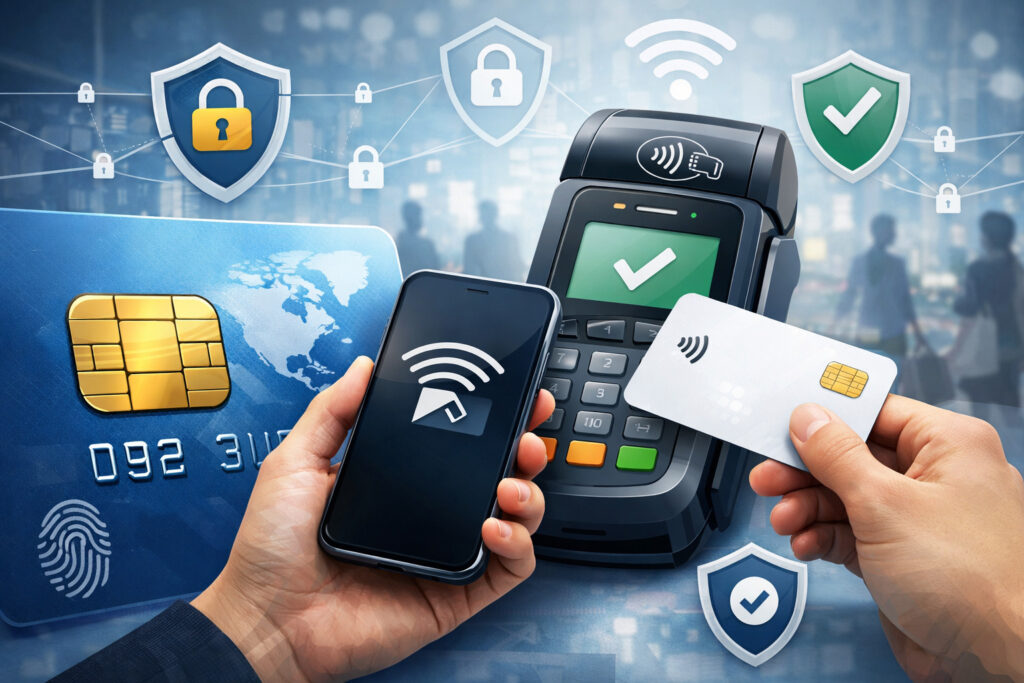
Card-present fraud prevention starts at the terminal. The biggest “win” most restaurants can get is consistent use of EMV chips and contactless payments—and reducing scenarios where magstripe swipe is allowed.
Why EMV and contactless help
- EMV chips make counterfeit card fraud much harder because the transaction uses dynamic cryptography rather than static stripe data.
- Contactless (tap) typically uses tokenized or dynamic transaction data, and it reduces physical handling of cards, which lowers certain operational risks (lost cards, card skimming attempts via handling, etc.).
What to implement operationally
- Set chip/tap as the default for counter service and pay-at-table.
- Disable swipe fallback where possible. If your system allows “swipe when chip fails” too easily, fraudsters exploit that path.
- Train staff to recognize suspicious “chip not working” stories. If a customer insists on swiping repeatedly, staff should know the script: “We can try another terminal or another payment method.”
- Use prompt tip and receipt settings carefully. Fraud disputes often involve tip amounts and customer confusion. Make sure tip screens are clear and consistent.
When swipe still happens
Some legacy cards, damaged cards, or specific workflows might still require swipe. If you must allow swipe:
- Keep it limited to specific roles (manager approval)
- Log those transactions
- Review swipe usage weekly
Point-to-point encryption (P2PE), end-to-end encryption (E2EE), and tokenization
Restaurants often hear these terms from vendors, but the differences matter because they change your risk.
What these terms mean in practice
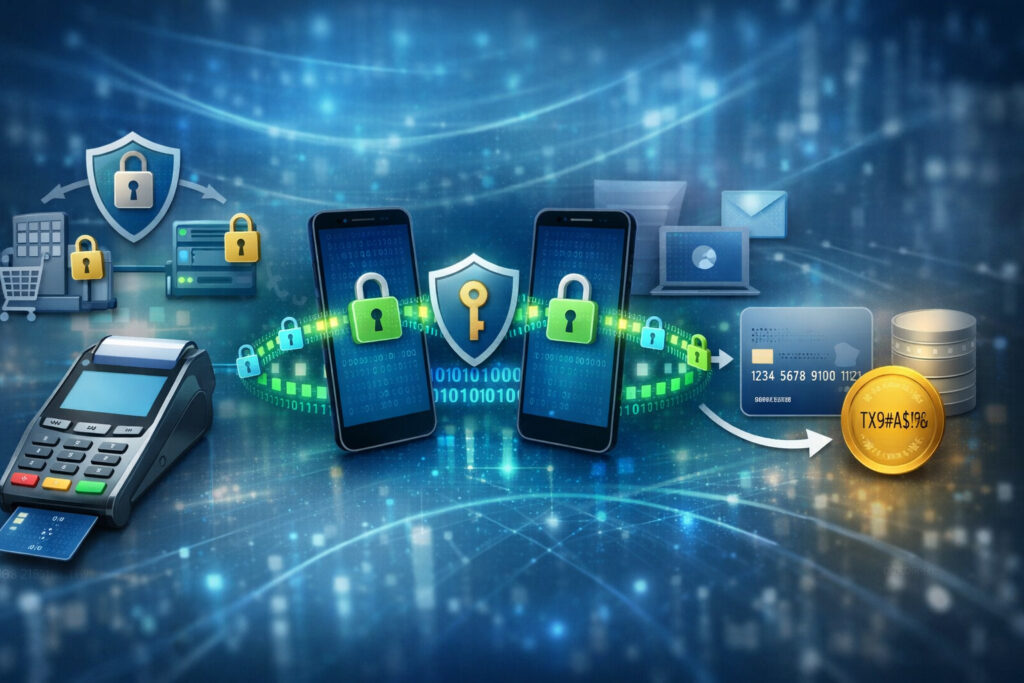
- Point-to-point encryption (P2PE): Card data is encrypted at the terminal (or within an approved reading device) and stays encrypted until it reaches a secure decryption environment. The key benefit: your internal network and POS may never see usable card data.
- End-to-end encryption (E2EE): A broader term often used in different ways. In payments, vendors may say “E2EE” to mean card data is encrypted from the device through processing. The details vary—so you must ask what is validated and where decryption happens.
- Tokenization: Replaces sensitive card data with a token (a surrogate value). Tokens can be used for refunds, recurring charges, and analytics without storing the card number.
Why these reduce risk (and stress)
With P2PE + tokenization:
- A malware infection on your POS is less likely to expose card numbers
- Your PCI scope may shrink
- A stolen receipt or database is less likely to reveal card data
- You reduce the temptation for staff to “write down a card number” for later
What to ask your provider
- Is your solution validated P2PE or simply “encrypted in transit”?
- Are tokens used for refunds and recurring transactions?
- Where is card data decrypted (if at all) in the merchant environment?
- What is the process for terminal replacement (so encryption keys and chain-of-custody remain intact)?
Secure terminal handling and tamper checks (simple procedures that work)
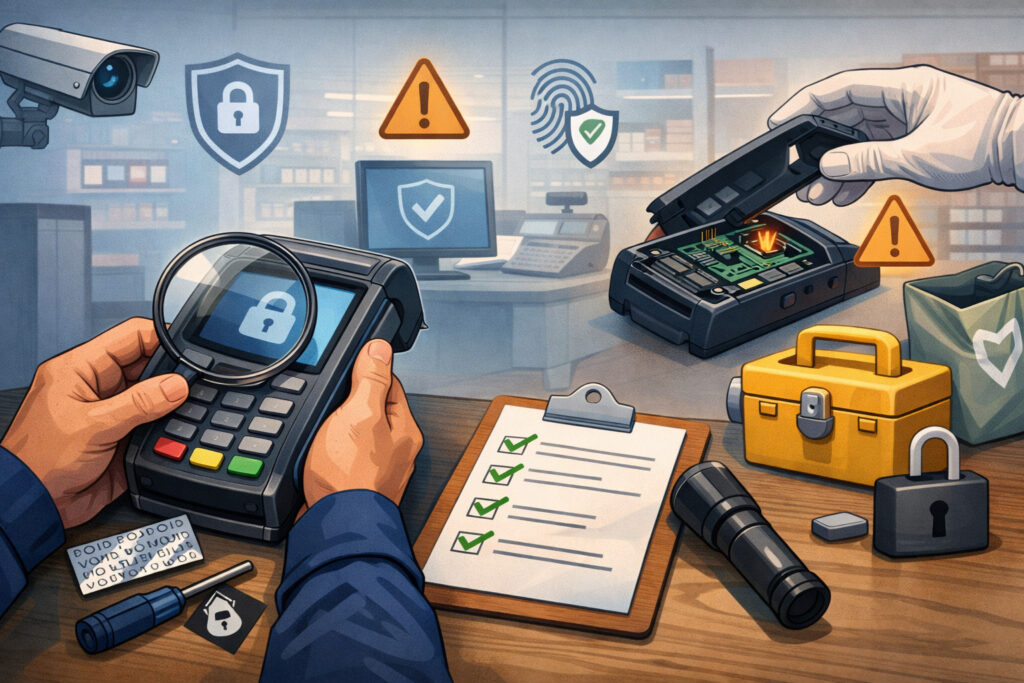
Skimmers and tampered terminals are a real operational threat because restaurants are busy and terminals are accessible. The solution isn’t expensive—it’s consistent handling and quick checks.
The goal
You want to prevent:
- Unauthorized terminal swaps
- Added overlays or hidden skimming devices
- Tampering with cables, ports, or mounting hardware
Practical control ideas
- Assign terminal ownership per shift: One person is accountable for where devices are at open/close.
- Use a “known-good” device list: Model, serial number, physical location, and a photo of each terminal.
- Lock down spares: Store backup terminals in a locked area with controlled access.
- Inspect before opening and during slow periods: A two-minute check beats a two-week incident.
Sample terminal tamper check procedure (copy/paste friendly)
- Verify device identity: Confirm the serial number matches your device list.
- Check seals and casing: Look for broken seals, gaps, cracks, glue residue, or misaligned panels.
- Inspect the card slot/tap area: Look for overlays, unusual thickness, or “wiggle.”
- Check cables and connections: Ensure cables are firmly seated and not rerouted through unknown adapters.
- Check mounting: Make sure the terminal stand or mount hasn’t been loosened or swapped.
- Test a small transaction (if your policies allow): Confirm normal behavior and prompts.
- Report anomalies immediately: Stop using the terminal and swap with a locked spare.
Network segmentation for POS and secure Wi-Fi for restaurants
If you want one technical change that dramatically improves restaurant payment system security, it’s this: separate your POS network from guest Wi-Fi. Shared networks are a common cause of preventable incidents because they allow “lateral movement”—a problem where an attacker enters through a weak device and moves to sensitive systems.
Modern best practice is straightforward: segment business devices (POS/terminals/back office) away from guest traffic using VLANs and firewall rules, and apply strong Wi-Fi security (WPA3 where possible).
How to segment without overcomplicating it
You don’t need a complex enterprise setup. You need clear separation:
- Guest Wi-Fi: Internet access only. Guests should not be able to discover internal devices.
- POS/Payments network: Only payment devices and required services. No general browsing.
- Back office/admin network: Manager laptops, reporting, accounting, cameras (as needed).
- IoT network (optional but helpful): TVs, music systems, smart devices—kept away from POS.
Secure Wi-Fi settings that matter
- Use WPA3 for staff networks when available; otherwise strong WPA2 with a long passphrase.
- Rotate staff Wi-Fi passwords when management changes (not every month “just because”).
- Disable outdated encryption modes and insecure compatibility settings.
- Create separate SSIDs for guest vs. staff vs. POS (or use wired where possible for POS).
Firewall and router configuration: the “boring” settings that prevent disasters
Routers and firewalls are often installed once and forgotten—which is exactly what attackers hope for. A few configuration changes create a major security improvement with minimal operational impact.
Recommended router/firewall practices (restaurant-friendly)
- Change default admin credentials immediately.
- Disable remote administration from the public internet. If remote access is required, use a secure method approved by your IT support and protect it with MFA.
- Allow only necessary outbound traffic from POS devices (your vendor can provide required domains/ports).
- Block inbound connections by default.
- Enable automatic firmware updates if your device supports them reliably.
- Turn on basic intrusion protections if available (without breaking payment connectivity).
- Log and review critical events (failed logins, configuration changes).
Practical oversight
If you use a managed IT provider, ask for:
- A quarterly “config snapshot” review
- A list of open ports and why they exist
- Documentation of segmentation and SSIDs
Access controls: password policy, MFA, user roles, and permissions
Credential theft is a top driver of payment system problems—everything from fraudulent refunds to online ordering account takeovers. Your goal is to ensure that a stolen password doesn’t become a full-scale incident.
The rules that work in real restaurants
- Unique logins for every user (front-of-house, bar, manager, admin).
- Least privilege: Staff should only see what they need for their role.
- MFA for admins (back office, reporting, online ordering, banking changes). Phishing-resistant MFA options are increasingly recommended in modern authentication guidance.
- No shared accounts (even for “just the lunch shift”).
- Fast offboarding: remove access immediately when someone leaves.
Password policy that staff can actually follow
Avoid overly complex rules that lead to sticky notes. A workable policy:
- Long passphrases (easy to remember, hard to guess)
- No password reuse for admin accounts
- Password manager for managers/owners (especially for vendor portals)
- MFA to reduce reliance on password perfection
Onboarding/offboarding checklist
Onboarding
- Assign role-based permissions
- Set unique login and temporary password
- Require password change at first login
- Enable MFA for any elevated role
- Train on refund/void rules and social engineering basics
Offboarding
- Disable POS login immediately
- Remove from online ordering/admin portals
- Rotate shared secrets (Wi-Fi passphrase, safe codes) if they had access
- Review recent activity (refunds/voids/manual entries)
POS and device hardening: patch management, malware protection, and port control
Keeping devices updated and locked down is foundational restaurant POS payment security. Attackers love environments where updates are delayed because “we can’t risk downtime.” The fix is to plan updates, test them, and schedule them.
Patch management (simple, reliable approach)
- Set a monthly update window for POS tablets, back-office PCs, and networking gear.
- Use vendor guidance: apply POS updates as recommended, and avoid “skipping versions” for too long.
- Track what’s updated: a simple spreadsheet is enough (device, version, last updated, owner).
- Prioritize security fixes: if your vendor flags a security patch, treat it as high priority.
Malware protection (when applicable)
Not every POS device supports traditional antivirus, but many back-office computers do. Consider:
- Endpoint protection/EDR on back-office PCs and manager laptops (especially if they access POS admin portals)
- Application controls that prevent random software installs
- Safe browsing controls to reduce phishing and drive-by downloads
USB/port control
POS malware and skimming sometimes involve physical access:
- Disable unused USB ports where possible
- Use port blockers on exposed terminals/tablets
- Restrict who can connect peripherals (printers, barcode scanners) and keep an approved list
Mobile POS and handheld security (table-side devices, kiosks, and food trucks)
Handhelds and mobile POS increase speed and tips—but they also increase risk if devices roam, share logins, or connect to insecure networks.
Mobile device controls that matter most
- Device passcodes required (and short auto-lock timeouts)
- No shared device PINs for admin functions
- MDM or device management if you operate many devices (even lightweight controls help)
- Approved apps only on POS tablets/phones
- Secure charging and storage (locked drawer, manager check-in/out)
- Lost device procedure (who to call, how to disable, how to replace)
Food trucks and pop-ups: connectivity pitfalls
Mobile operations often rely on hotspots. Your priorities:
- Use a dedicated hotspot/router with strong security (not a personal phone hotspot as the default)
- Separate guest access from payment connectivity
- Keep devices physically secured when stepping away
Online ordering security, third-party integrations, and QR code ordering safety
Online ordering is a growth channel—and a common target. Attacks here often aim for account takeover, fake bank account changes, fraudulent refunds, or data exposure through misconfigured integrations.
Secure integrations (what “good” looks like)
- Use vendor-approved integrations (avoid “mystery plugins”)
- Restrict API keys and rotate them if staff changes or exposure is suspected
- Give each vendor the minimum access needed (no blanket admin access)
- Disable unused integrations—every unused connection is unnecessary risk
Protecting customer data
- Don’t store full card numbers or sensitive verification data
- Minimize what customer data you collect and retain
- Ensure access to customer lists/order history is role-based and logged
- Train staff not to share customer details over phone/social messages
QR code ordering safety tips (simple and effective)
QR code scams are usually physical: someone places a malicious QR sticker over yours. Reduce risk by:
- Using branded QR codes with your logo and a short, recognizable URL
- Placing QR codes behind protective covers or printing them in ways that show tampering
- Training staff to spot “new stickers” and remove them immediately
- Encouraging customers to verify the domain name before entering payment details
Monitoring: audit logs, spotting fraud patterns, and dispute management
Security isn’t just prevention; it’s detection. You want to spot issues early—before they become a week of chargebacks or a system shutdown.
What to monitor weekly (even in small restaurants)
- Refunds, voids, and no-sale activity (by employee and time)
- Manual card entry frequency (should be rare and explainable)
- Unusual tip patterns (very high tips, repeated round numbers)
- After-hours logins to admin portals
- Multiple failed logins or lockouts
- New devices or terminals added unexpectedly
- Chargeback reason codes trends (especially “no authorization” or “fraudulent”)
Chargebacks and dispute management basics
Disputes are not just “paperwork”; they’re a signal:
- Keep receipts and order proof organized (digital where possible)
- Ensure policies are clear (refunds, delivery issues, cancellations)
- Respond on time with clean documentation
- Use your POS reporting to show consistent tipping prompts and authorization steps
Vulnerability scanning and security validation (right-sized for restaurants)
You don’t need enterprise tools to validate security, but you do need periodic checks—especially if you manage your own network or use on-prem components.
What “right-sized” validation looks like
- Quarterly internal review: network segmentation still working, no new “mystery” devices, admin access still limited
- Vulnerability scanning (if required by your environment or recommended by your provider): focus on internet-facing systems and back-office devices
- Wireless review: confirm guest Wi-Fi isolation, confirm WPA3/WPA2 settings
- Vendor security check-ins: confirm POS software versions and end-of-support timelines
If your POS/processor or IT provider offers a packaged security review, ask what it includes and request a short report you can keep with your compliance records.
Incident response plan: step-by-step for restaurants (and what to do after a suspected breach)
When something feels “off,” speed and clarity matter more than technical perfection. Your incident response plan should be short, printed, and actionable during a busy service.
Step-by-step incident response plan (restaurant-friendly)
- Recognize triggers: unexpected terminal behavior, missing devices, suspicious refunds, vendor portal lockouts, customer fraud complaints, new QR stickers, unusual network outages.
- Contain immediately:
- Stop using suspicious terminals
- Remove affected devices from the network (unplug ethernet / disconnect Wi-Fi)
- Preserve evidence (don’t factory reset yet unless instructed)
- Notify internal leadership: owner/operator + manager on duty.
- Contact your processor/POS support: report suspected compromise and follow their escalation path.
- Change credentials safely: rotate admin passwords and disable suspicious accounts; enable MFA if not already.
- Document everything: times, device serials, employee names, what was observed.
- Coordinate next steps: your provider may require forensics or specific procedures.
After a suspected breach (containment + notification + recovery)
- Follow your processor’s instructions and timelines
- Avoid guessing publicly—stick to documented facts
- Keep devices isolated until cleared
- Plan a controlled return-to-service (known-good terminals, verified network)
PCI and payment partners may have specific requirements for investigations. That’s why early notification matters: it aligns your actions with what they need. Keep this as general guidance, and rely on your provider’s breach playbook for the formal steps.
Third-party vendor risk: processors, POS vendors, and integrations
Restaurants rely on vendors, but outsourcing doesn’t remove accountability. You want a clean understanding of who owns what—especially for security and uptime.
Questions to ask your POS vendor/processor (copy/paste list)
- Do you support validated P2PE? If yes, what is required to maintain it?
- How is tokenization handled for refunds, recurring payments, and online ordering?
- What encryption is used in transit and at rest? Where is decryption performed?
- What is your patch/update policy, and how are security fixes communicated?
- Do you support MFA for admin and back-office portals?
- What audit logs are available (refunds, voids, permission changes, login events)?
- What is your incident response process, and how do we report suspected compromise?
- How do you secure remote support access?
- What are the end-of-support dates for terminals and POS versions we use?
- What integrations are approved, and how is third-party access controlled?
Contract and responsibility clarity
At minimum, ensure you understand:
- Who manages network equipment (you, IT provider, or POS vendor)
- Who is responsible for device replacement and chain-of-custody
- Support hours and emergency escalation paths
- Data retention and access policies for customer/order data
Common mistakes to avoid (that quietly break security)
Most restaurant payment incidents don’t start with advanced hacking. They start with everyday shortcuts that seem harmless until they compound.
Avoid these common mistakes:
- Shared passwords and shared logins: makes accountability impossible and enables insider abuse.
- POS on the same network as guest Wi-Fi: one of the biggest preventable risks.
- Delaying updates indefinitely: “We’ll do it later” becomes “We got hit.”
- Storing card data or writing card numbers down: creates serious exposure (and often violates payment rules).
- Leaving remote access open: especially if protected only by a password.
- Giving everyone manager permissions: speed today, fraud tomorrow.
- Ignoring small fraud signals: a few odd refunds now can become weeks of chargebacks later.
- Paper receipts and data exposure: leaving receipts with full details accessible, or discarding without shredding where sensitive data could appear.
Practical tools: daily/weekly/monthly security checklist
Security works when it’s routine. Use the following as an operational checklist. Assign tasks to roles (opening manager, closing manager, operator, IT/vendor contact).
Daily (5–10 minutes total)
- Terminal tamper check (quick visual + serial check for high-risk areas)
- Confirm no “new” QR stickers or replaced table tents
- Review exception events: unusual refunds/voids/manual entries
- Ensure spares are locked and accounted for
Weekly (15–30 minutes)
- Review user accounts (anyone who shouldn’t have access?)
- Check guest Wi-Fi isolation still works (spot test from a phone)
- Review chargebacks/disputes and identify patterns
- Confirm audit logs are available and being generated
Monthly (30–60 minutes)
- Patch management: POS devices, tablets, back office, router/firewall firmware
- Password/MFA review for admin accounts
- Reconfirm vendor contacts and escalation steps
- Inventory update: devices, serials, locations, photos
- Review integrations: remove anything unused
30/60/90-day security action plan (small restaurant rollout)
This plan is designed for real operations: minimal disruption, high impact first.
First 30 days: stabilize and close the biggest gaps
- Inventory all payment-touching devices (terminals, tablets, kiosks, admin logins)
- Separate POS network from guest Wi-Fi (network segmentation for POS)
- Turn on MFA for admin/back-office/online ordering portals
- Eliminate shared accounts; implement unique logins
- Create a basic incident response plan and print it
- Implement the daily tamper check procedure
Success looks like: you’ve removed the biggest “easy doors” and created visibility.
Days 31–60: harden devices and reduce fraud exposure
- Establish patch management windows and update lagging devices
- Lock down router/firewall settings (remote admin, firmware updates, logging)
- Tighten roles and permissions; restrict refunds/voids to appropriate staff
- Set up weekly monitoring for fraud signals and dispute trends
- Review third-party integrations and remove unused access
Success looks like: fewer risky exceptions, better accountability, and fewer surprises.
Days 61–90: mature and document
- Confirm P2PE/tokenization options with your processor/POS
- Formalize onboarding/offboarding steps (including Wi-Fi and portal access)
- Add vulnerability scanning or periodic security validation (as appropriate)
- Run a “tabletop” incident drill: tampered terminal, stolen admin password, online ordering takeover
- Document vendor responsibilities and escalation paths
Success looks like: security is now an operating system, not a one-time project.
FAQs
Q1) Do restaurants need PCI compliance even with a modern POS?
Answer: Yes. A modern POS can reduce your PCI scope, but you still have responsibilities—especially around network security, terminal handling, staff access, and not storing card data. PCI DSS v4.x expectations emphasize strong access controls and consistent risk management.
Q2) What is P2PE and do I need it?
Answer: P2PE (point-to-point encryption) encrypts card data at the payment device and keeps it encrypted until it reaches a secure decryption environment. If you’re eligible for a validated P2PE solution, it can significantly reduce card data exposure and simplify your compliance effort.
Q3) How can I tell if a terminal has been tampered with?
Answer: Use a repeatable tamper check: verify serial numbers, inspect seals/casing, check the card slot and cables, compare against reference photos, and remove suspicious devices from service immediately. Consistency matters more than “expert eyes.”
Q4) Is contactless safer than swiping?
Answer: In most modern deployments, yes. Contactless and EMV chips reduce counterfeit fraud compared to swipe. Swipe relies on static data and is easier to abuse, especially when “fallback to swipe” is too permissive.
Q5) Can I use the same Wi-Fi for guests and my POS?
Answer: You shouldn’t. Guest devices are untrusted by default. Keep POS/payment devices on a separate segmented network from guest Wi-Fi to reduce the risk of lateral movement.
Q6) How often should I update my POS system?
Answer: Follow your vendor’s guidance, but aim for a predictable schedule (monthly is a common cadence) and prioritize security fixes. The bigger risk is long delays that leave known vulnerabilities unpatched.
Q7) What should I do if a customer disputes a charge?
Answer: Respond quickly with clear documentation: receipts, order details, timestamps, and any proof of service/delivery. Track patterns—disputes can reveal fraud attempts, confusing descriptors, or inconsistent tipping flows.
Q8) Are QR code menus and pay-at-table safe?
Answer: They can be safe when managed properly. The biggest QR risk is physical sticker replacement that leads to a malicious site. Use branded codes, train staff to spot tampering, and keep QR placements consistent and protected.
Q9) What security features should I ask my POS provider about?
Answer: Ask about validated P2PE, tokenization, MFA support, audit logs, role-based permissions, secure remote support, update policies, device replacement procedures, and incident response.
Q10) How much does restaurant payment security cost?
Answer: Many high-impact controls are low-cost (segmentation, MFA, unique logins, procedures). Costs rise when you add managed firewalls, device management, and professional security services—but these can often be scaled to your size.
Q11) What’s the biggest “quick win” for restaurant POS payment security?
Answer: Segregate POS from guest Wi-Fi and lock down admin accounts with MFA. Those steps remove two of the most common compromise paths.
Q12) Do paper receipts create a risk?
Answer: They can. Avoid printing unnecessary card details, store receipts securely, and dispose of sensitive materials responsibly. Also train staff not to write down card numbers.
Q13) What are signs of POS malware and skimming?
Answer: Red flags include unusual terminal prompts, unexpected reboots, network slowdowns tied to payment activity, spikes in disputes, or terminals that look “slightly different.” Treat any suspicion seriously and follow a containment-first response plan.
Q14) How do I reduce insider risk without hurting service speed?
Answer: Use role-based permissions, limit high-risk actions (refunds/voids/manual entry), require manager approval for exceptions, and rely on logs for accountability. Staff can still move fast—just within safe guardrails.
Q15) If my vendor is secure, am I still at risk?
Answer: Yes. Your local environment—Wi-Fi, credentials, devices, and procedures—can still be exploited. Vendor security helps, but it doesn’t replace operational controls.
Conclusion
To secure your restaurant payment system in 2026, focus on what actually prevents real incidents: segmented networks, secure access controls, consistent terminal handling, modern acceptance methods (chip/contactless), and a plan for updates and response.
Strong restaurant payment system security reduces fraud, reduces chargebacks, and—most importantly—keeps you selling when others are stuck in outages or disputes.