By breadpointofsale February 18, 2026
Running a restaurant on gut instinct alone is like cooking without tasting as you go. You might get lucky, but you’ll also miss problems that are hiding in plain sight—like a “popular” item that barely makes money, a discount habit that’s quietly eroding margins, or a lunch daypart that’s overstaffed and underperforming.
In 2026, the strongest independent operators and multi-location brands are winning with objective menu decisions—not guesses. The fastest way to get that objectivity is to use POS data to optimize your menu.
When you focus on real sales behavior (what guests actually buy, when they buy it, and what it costs you to serve), your menu becomes easier to manage, easier to sell, and more profitable to run.
This guide shows you using POS data for menu optimization the practical way: which reports matter, how to interpret them, how to build a menu engineering matrix, and how to analyze POS data for better menu pricing without scaring off guests.
We’ll also cover Restaurant menu optimization using POS reports for promotions, inventory, and waste reduction—plus a 30-day action plan you can run like a project.
Why gut instinct isn’t enough in 2026
Most owners and GMs have strong intuition—and it’s valuable. The problem is that intuition is usually based on the loudest signals: a server’s opinion, a few regulars, or what you personally like. Meanwhile, the POS captures thousands of quiet signals every month.
When you rely only on instinct, common “menu myths” creep in:
- “That item is our signature, it must be profitable.”
- “Guests won’t pay more than this.”
- “Those comps are just hospitality—no big deal.”
- “We don’t need to change anything; we’re busy.”
Busy doesn’t always mean healthy. If your best-selling menu items are low-margin, your kitchen is strained, and discounts are frequent, you can feel slammed and still underperform financially.
POS data gives you a reality check. It reveals:
- What sells (and what doesn’t)
- What makes money (and what simply creates workload)
- Where your kitchen and labor are misaligned with demand
- How guest ordering trends are shifting—before your competitors notice
What POS data can tell you about menu performance
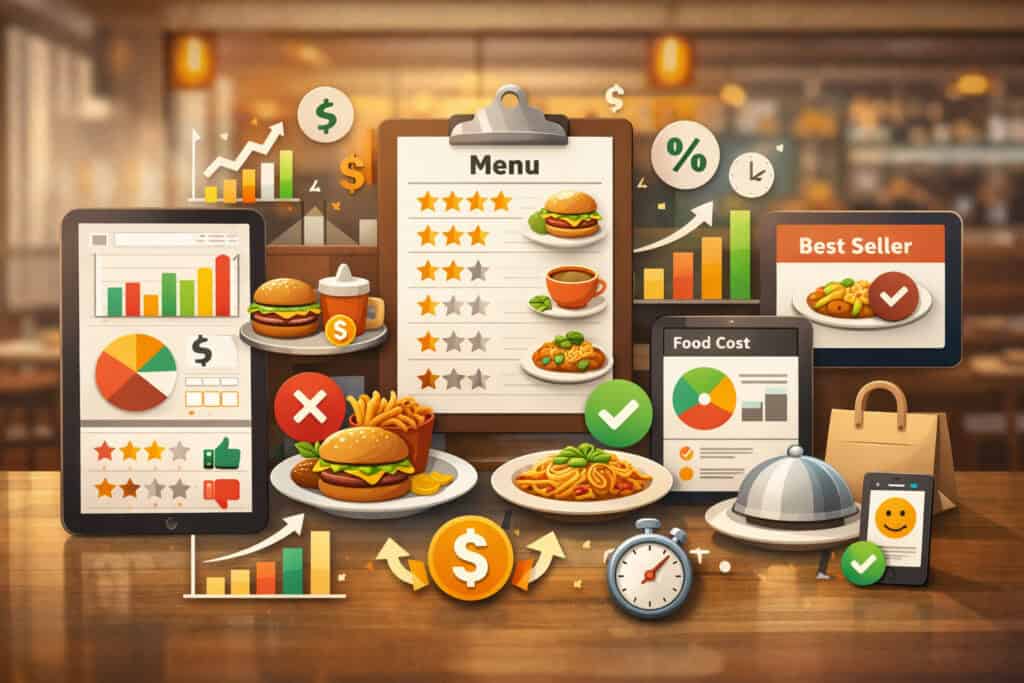
When you look at POS data with the right lens, you stop arguing opinions and start making decisions. Here are the most useful insights you can pull from everyday POS reporting tools—without turning into a data scientist.
Sales mix and item popularity
Your sales mix report (or product mix report) shows how each item contributes to total units sold and total sales dollars. This is the foundation of menu performance analysis because it tells you what guests choose most often.
Item popularity isn’t just “what sold.” It’s also:
- How items perform by daypart (lunch vs dinner)
- Whether items are seasonal “spikes” or steady sellers
- Whether add-ons/modifiers are driving the ticket or cluttering it
Popularity helps you protect what guests love—but it can also expose underperforming menu items that are taking up space, prep, and inventory.
Profit margins and item profitability analysis
Popularity alone can mislead you. Some high-volume items have weak margins due to portion size, protein cost, or heavy modifier usage (like “extra” everything). POS data becomes powerful when you combine sales with inventory and recipe costing and calculate contribution margin.
Once you can see item-level contribution, you can:
- Identify “workhorses” that keep you busy but don’t pay you back
- Spot “puzzles” that are profitable but not selling
- Build a menu pricing strategy that’s grounded in costs—not fear
Daypart performance and customer ordering trends
Daypart analysis shows you when demand peaks and what guests prefer at each time window. In many restaurants, lunch guests behave differently than dinner guests:
- Faster decisions
- More combos, fewer appetizers
- Higher beverage attachment at specific times
- Different sensitivity to price and portion
Understanding dayparts helps you structure menu sections and even test targeted pricing or bundles.
Modifier trends and upsell opportunities
Modifiers are a goldmine. They tell you what people really want:
- Protein swaps
- Sauce add-ons
- Premium sides
- “Make it a combo” patterns
- Allergens or preferences driving substitutions
Modifier trends also expose operational issues, like guests constantly removing ingredients (a clue the build might be off) or adding extras because the base portion feels light.
Server performance (briefly)
Server metrics are useful, but keep them in perspective. You’re not trying to micromanage—you’re looking for coaching opportunities:
- Who sells the highest average check size
- Who has the best attachment rate (apps, desserts, beverages)
- Who is discount-heavy (often a training issue, not dishonesty)
Core POS reports to analyze for restaurant menu optimization using POS reports
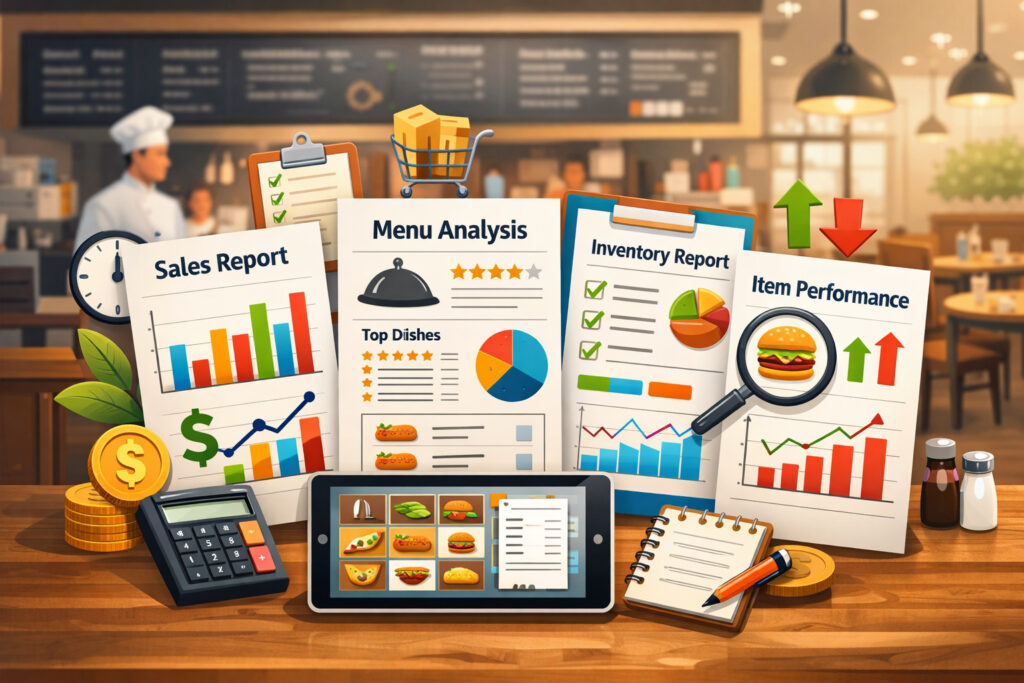
Most POS systems offer dozens of reports. You don’t need all of them. You need the few that directly support menu performance analysis, pricing, and operational decisions. Below are the core reports I recommend reviewing on a monthly cadence, plus a few weekly checks.
Sales summary report
Your sales summary is the “health dashboard”:
- Total sales by day and by daypart (if available)
- Category sales (food, beverage, alcohol if applicable, retail, etc.)
- Discounts, comps, promos
- Net sales vs gross sales
- Taxes and service charges (if used)
This report tells you where the business is going—up, down, or flat—and whether promotions or discounting are creeping upward.
Keep paragraphs short in your own notes. You’re looking for patterns like:
- “Weekends strong, weekdays soft”
- “Lunch dipped after we changed the menu”
- “Discounts spiked during slow weeks”
Item-level sales report
This is where menu decisions start. You want item-level units and dollars, ideally with:
- Units sold
- Gross sales
- Net sales (after discounts)
- Refunds/voids (if tied to item)
- Optional: item cost (if your system supports it)
If the POS doesn’t store costs, export the item report and merge with your recipe costing sheet.
This report highlights:
- Best-selling menu items (units)
- Biggest revenue drivers (dollars)
- Underperforming menu items (low units and/or low dollars)
- Items that look successful but are discount-dependent
Product mix report (sales mix report)
A product mix report ranks items and shows their share of sales. It’s essential for menu engineering because it supports the “popularity” axis.
What you’re looking for:
- The top 10–20% of items that drive most volume
- Items with stable sales month-to-month
- Items that fluctuate heavily (seasonality, marketing dependency, inconsistency)
Discount/void report
Discounts, comps, and voids can quietly break your margins. Your discount/void report should show:
- Total discount dollars by type
- Discount frequency (count)
- Voids by employee or terminal
- Items most frequently discounted
High discount frequency often points to:
- Pricing not aligned with perceived value
- Staff using discounts to “fix” service issues
- Confusing modifiers or inconsistent builds
Inventory and cost reports
If your POS integrates with inventory, you may have cost of goods sold (COGS), theoretical vs actual usage, and waste tracking. If it doesn’t, you still need:
- Ingredient costs (updated regularly)
- Recipe costing by portion
- Key inventory counts for high-cost items
Inventory and recipe costing are what make menu engineering real, because they connect sales behavior to food cost percentage and contribution margin calculation.
Labor vs sales comparison (briefly)
Labor isn’t a menu report, but it’s related. If your menu drives labor-heavy prep without margin payoff, you’ll feel it.
A simple labor vs sales check helps you see:
- Whether a daypart is overstaffed for its sales
- Whether a menu change increased ticket times (and labor hours)
Menu engineering basics: popularity vs profitability (2026 approach)
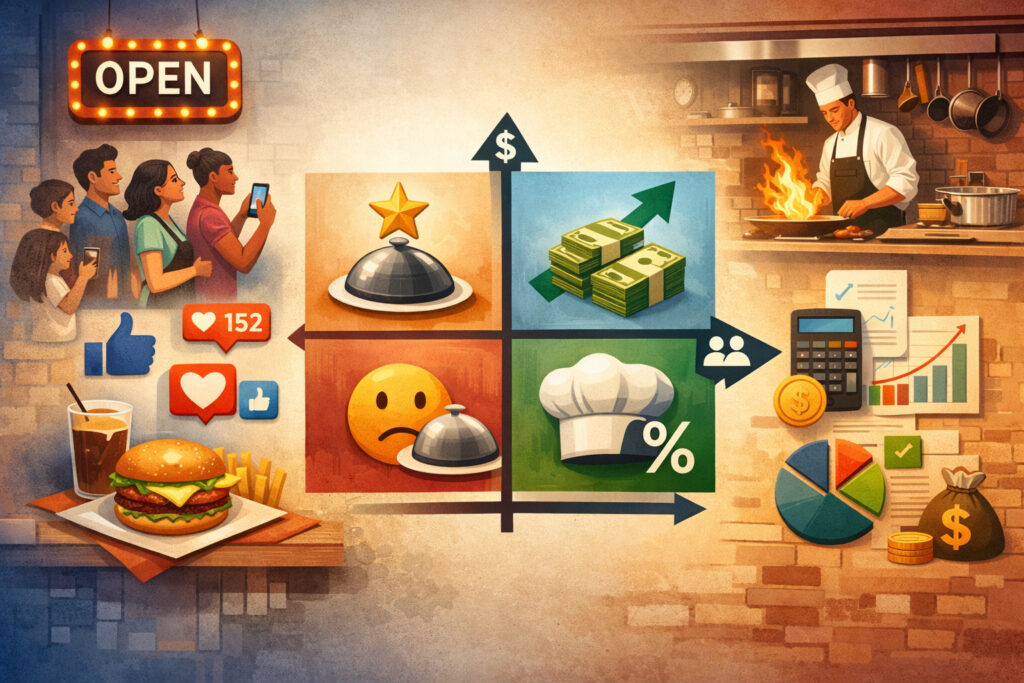
Menu engineering works because it forces two truths into the same conversation: what guests love (popularity) and what your business needs (profitability). The classic approach uses a menu engineering matrix with four quadrants:
- Stars: High popularity, high profitability
- Plowhorses: High popularity, low profitability
- Puzzles: Low popularity, high profitability
- Dogs: Low popularity, low profitability
To do this properly, you need clean definitions and consistent time windows (usually 30–90 days).
Contribution margin calculation (with examples)
Contribution margin is the money left after food cost—before labor and overhead. It’s the most practical profitability metric for item-level decisions.
Formula (plain text):
Contribution Margin = Selling Price – Food Cost
Example:
- Selling Price: 18.00
- Food Cost: 6.25
- Contribution Margin = 18.00 – 6.25 = 11.75
This helps you compare items fairly even if food cost percentage differs.
Food cost percentage formula
Food cost percentage helps you understand efficiency and pricing structure, but it can mislead if used alone. A lower food cost % doesn’t automatically mean higher profit if the selling price is low.
Formula (plain text):
Food Cost Percentage = (Food Cost / Selling Price) x 100
Example:
- Food Cost: 6.25
- Selling Price: 18.00
- Food Cost % = (6.25 / 18.00) x 100 = 34.72%
Use food cost percentage alongside contribution margin. That’s how you avoid cutting a high-margin item just because the food cost % looks “high.”
Step-by-step: how to use POS data to optimize your menu
This is the practical workflow I’d use as a consultant: pull clean data, classify items, fix pricing with intent, then test and monitor. You don’t need perfect data—you need consistent data and a repeatable process.
1) Pull 30–90 days of clean data
Choose a time window that reflects reality:
- 30 days: good for fast-moving concepts or after major changes
- 60 days: strong baseline for most restaurants
- 90 days: best if you have variability (events, tourism, seasonality)
Export:
- Item-level sales (units + dollars)
- Sales mix report
- Modifiers report (if available)
- Discounts/voids report
- Recipe costs / inventory costs for the same window
Clean the list:
- Combine duplicate buttons (e.g., “Burger” vs “House Burger”)
- Standardize sizes (e.g., “Wings 10” vs “10pc Wings”)
- Remove one-off comps used for training
2) Identify top and bottom performers
Sort items by units sold. Identify:
- Top sellers (top 10–20 by units)
- Mid-pack items (steady contributors)
- Bottom sellers (lowest units)
Then sort by net sales dollars. Sometimes your revenue drivers aren’t your volume drivers.
Now create three lists:
- Best-selling menu items
- Revenue drivers
- Underperforming menu items
Don’t delete anything yet. You’re diagnosing, not reacting.
3) Calculate margins (contribution + food cost %)
Merge the item sales export with your costing sheet.
For each item, calculate:
- Food Cost (portion cost)
- Contribution Margin = Price – Food Cost
- Food Cost % = (Food Cost / Price) x 100
If you don’t have perfect recipe costing, start with “good enough” costs:
- Use invoice-based ingredient costs
- Focus on top 20 items first
- Tighten accuracy over time
4) Build your menu engineering matrix
Define your thresholds.
Popularity threshold (simple method):
- Popularity = Item units / Total units
- Average popularity = 1 / Number of items (or use category-level averages)
Profitability threshold (simple method):
- Profitability cutoff = Average contribution margin (or category average)
Then categorize items:
- High popularity + high CM = Star
- High popularity + low CM = Plowhorse
- Low popularity + high CM = Puzzle
- Low popularity + low CM = Dog
5) Make targeted changes (not a full overhaul)
Your goal is to shift the mix:
- Protect Stars
- Improve Plowhorses without killing volume
- Sell more Puzzles
- Remove or redesign Dogs
You’ll do this with pricing, placement, description, portion, and training—not with random changes.
6) Test changes and monitor weekly
After changes:
- Track weekly units by item
- Track average check size
- Track food cost percentage
- Track discount rate
- Track modifier attachment (if relevant)
Make one “big” menu change per cycle and a few small tweaks. That’s how you learn what actually moves behavior.
Menu engineering matrix table (sample)
Modifier trend table (sample)
| Modifier Option | Count | Attach Rate | Notes |
|---|---|---|---|
| Add Chicken | 340 | High | Consider defaulting in bowl builds |
| Add Shrimp | 190 | Medium | Feature as upgrade on menu |
| Add Avocado | 410 | High | Check portion + cost control |
| Extra Sauce | 520 | Very High | Consider standardizing sauce portion |
Pricing optimization strategies (how to analyze POS data for better menu pricing)

Pricing is where restaurants often freeze—because nobody wants guest backlash. But the best pricing decisions are measured, gradual, and supported by value. In 2026, the winning approach is to test intelligently and use POS feedback loops.
Psychological pricing (without gimmicks)
Psychological pricing isn’t about tricking guests—it’s about reducing friction in decision-making.
Practical moves:
- Keep price ladders logical within a category (no random jumps)
- Avoid pricing that makes your premium item feel “not worth it”
- Use clean pricing architecture (good / better / best)
If your POS shows guests frequently swapping down to cheaper options, the value gap may be unclear.
Bundle and combo pricing strategy
Combos raise average check size by making the “complete meal” decision easy.
Use POS data to find natural bundles:
- Most common entrée + side pairings
- Beverage attachment patterns by daypart
- Dessert orders linked to specific entrées
Simple bundle logic:
- Create a combo that slightly discounts the add-on while protecting margin
- Focus on high-margin add-ons (beverages, fries, certain desserts)
This is a classic combo pricing strategy that also improves kitchen flow when standardized.
Portion adjustments (profit protection without price shock)
Sometimes the problem isn’t price—it’s portion.
Use POS + cost data to spot items where:
- Food cost has climbed faster than price
- Guests rarely add sides (meaning the plate is already heavy)
- The item is a Plowhorse (popular but low margin)
Adjusting portion size slightly can protect CM while keeping menu prices stable. Just ensure the guest experience stays strong and consistent.
Price increase testing (controlled and measurable)
Instead of raising prices across the board:
- Choose 3–5 items to test (often Plowhorses and Puzzles)
- Increase modestly (a small step)
- Monitor units sold, net sales, and guest feedback for 2–4 weeks
- Keep what works, roll back what doesn’t
What “works” isn’t only volume—it’s margin and mix. An item can sell slightly fewer units and still be a win if contribution improves and the kitchen breathes.
Dynamic daypart pricing (where appropriate)
Dynamic pricing must be handled carefully to avoid confusing guests. But daypart-specific offers can be effective if positioned as value:
- Lunch combos
- Early evening set menus
- Late-night limited menus
- Off-peak appetizer specials
Use daypart analysis to protect peak hours and stimulate slow windows—without discounting everything all day.
Using POS data for upselling, cross-sells, and promotions

Upselling doesn’t have to be awkward. The best upsells are simply good recommendations supported by data. Your POS can tell you what guests already like together—and where your team can influence the ticket.
Cross-sell analysis: what sells together?
If your POS supports “items on the same ticket” analysis, use it. If it doesn’t, you can still approximate by comparing attachment rates:
- Appetizers per entrée category
- Desserts per table or per cover
- Beverage attachment by daypart
Turn the winners into “suggested pairings”:
- Menu callouts (“Pairs well with…”)
- Server scripts
- POS prompts (if supported)
This is especially effective when the cross-sell item is high margin and fast to execute.
Upselling strategies that don’t annoy guests
Good upsells sound like guidance:
- “Would you like to add fries or a side salad?”
- “We can make that a combo with a drink.”
- “Our most popular upgrade is…”
Track results with:
- Attachment rate (add-ons per entrée)
- Average check size by server and shift
- Modifier frequency for premium upgrades
If upsells aren’t working, it may be a training issue—or the upgrade isn’t compelling.
Limited-time offers (LTOs) that teach you something
Use LTOs as experiments:
- Test a new flavor profile
- Trial a new portion size
- Validate pricing for a future menu addition
- Move surplus inventory strategically
Measure:
- Units sold per day
- Mix impact (did it cannibalize a Star?)
- Modifier patterns (what did guests add?)
- Prep and execution impact on ticket times
Seasonal menu adjustments
Seasonality is real even in local markets. POS data can show when certain items naturally rise or fall. Use it to plan:
- Lighter items when guests order less heavy food
- Warm comfort items when those trends rise
- Beverage promotions aligned with ordering patterns
Seasonal menu adjustments should reduce complexity, not add it. If you add seasonal items, consider rotating out low performers to keep the kitchen sane.
Inventory, COGS, and waste reduction using POS-linked insights
Menu optimization isn’t just pricing and descriptions. It’s also controlling what you buy, what you prep, and what gets thrown away. This is where POS data becomes operational profit—because waste is invisible until you connect sales to inventory.
Linking POS data to inventory and recipe costing
To manage cost of goods sold (COGS) effectively, you need two views:
- Theoretical usage: what you should have used based on recipes and sales
- Actual usage: what inventory counts and purchases suggest you used
Even if you can’t fully automate it, you can still make progress:
- Track top 10 high-cost ingredients weekly
- Compare sales of items tied to those ingredients
- Watch for unexplained variance (portion creep, over-prep, waste)
Reducing dead stock and simplifying purchasing
Dead stock happens when you buy for the menu you wish you sold, not the menu guests actually order. Use POS data to identify ingredients that support too few items—especially if those items are Dogs.
Practical moves:
- Rework Dogs to share ingredients with Stars
- Reduce unique SKUs
- Create “bridge” items that use the same core prep across multiple dishes
This keeps purchasing tight and improves consistency.
Forecasting demand with daypart and weekly patterns
Forecasting doesn’t need advanced software. Start with:
- Average units sold per item per day (by day of week)
- Daypart splits (what sells at lunch vs dinner)
- Event spikes (local events, holidays, seasonal peaks)
Then align prep:
- Prep more of what sells early
- Prep less of what sells late
- Don’t prep heavily for items that are both low popularity and high perishability
Common mistakes to avoid when optimizing your menu with POS analytics
POS data is powerful, but it can also lead you into bad decisions if you chase the wrong metrics or move too fast. Here are the most common pitfalls I see—and how to avoid them.
Ignoring contribution margin (and obsessing over food cost %)
Food cost percentage is a useful control metric, but it’s not a decision-maker on its own.
Two items can have the same food cost %, but very different contribution margins. If you only optimize for low food cost %, you may end up pushing cheap items that don’t build profit.
Instead:
- Use food cost % for discipline and cost control
- Use contribution margin calculation for menu decisions
Overreacting to short-term trends
A rainy week, a staffing issue, or a local event can distort 7–14 days of data. That’s why 30–90 days is a better base.
If you must react quickly, do it with reversible moves:
- Feature a Puzzle as a special
- Add a bundle
- Move an item’s placement on the menu
Avoid permanent actions (like deleting items) based on tiny windows.
Removing items too quickly
Sometimes low sellers exist for a reason:
- They serve a dietary need
- They balance the menu mix
- They support a loyal niche group
- They’re important for brand identity
Before you remove a Dog, ask:
- Does it share ingredients with a Star?
- Can it be simplified to improve execution?
- Is it poorly described or hidden?
- Is the price-value relationship off?
If it fails those tests, then you can consider replacing it.
Not training staff after menu changes
Menu changes without training are expensive. If you add a new bundle or change portions, your team needs:
- The “why” (what you’re trying to achieve)
- The “how” (scripts, recommendations)
- The “what” (what changed, what didn’t)
Otherwise, staff will default to old habits—and your POS won’t show the improvement you expected.
30-day menu optimization action plan (week-by-week)
This is designed for real operators with limited time. Treat it like a sprint. You’ll build a baseline, make focused changes, and track the KPIs that matter—without rebuilding your entire menu.
Week 1: Data pull, cleanup, and baseline KPIs
Goals: establish your baseline and clean your dataset.
Tasks:
- Export last 60 days of item-level sales + sales mix report
- Export discount/void report
- Export modifiers report (if available)
- Update ingredient costs for top 20 items
- Standardize item names (remove duplicates)
Baseline KPIs to record:
- Average check size
- Food cost percentage (overall, if available)
- Gross profit (or contribution proxy)
- Discount dollars as % of net sales
- Top 10 items by units and by dollars
Create a simple restaurant analytics dashboard (even a spreadsheet) with these KPIs and weekly updates.
Week 2: Menu engineering matrix + prioritize changes
Goals: classify items and pick the few changes that will move the needle.
Tasks:
- Calculate food cost + contribution margin for top 20–30 items
- Build your menu engineering matrix (Stars, Plowhorses, Puzzles, Dogs)
- Identify 3–5 priority items in each category:
- Protect: 3–5 Stars
- Improve: 3–5 Plowhorses
- Promote: 3–5 Puzzles
- Remove/rework: 3–5 Dogs
Choose your change types:
- Pricing adjustments (small tests)
- Menu placement and naming
- Portion tweaks
- Bundle creation
- Staff scripts and prompts
Week 3: Implement changes + train + launch
Goals: roll out controlled changes and support them operationally.
Tasks:
- Update menu (digital and printed if applicable)
- Update POS buttons/modifiers for accuracy
- Create 2–3 bundles based on POS pairing patterns
- Train staff:
- 2 upsell scripts
- 1 Puzzle to feature
- 1 Plowhorse to protect with an upgrade
- Adjust prep sheets if needed (reduce dead stock risk)
Track early signals daily:
- Units sold for changed items
- Attachment rates for new bundles
- Guest feedback patterns
Week 4: Monitor, compare, and lock in wins
Goals: evaluate results and decide what stays.
Tasks:
- Compare week 4 to baseline week:
- Average check size
- Food cost %
- Discount % of net sales
- Units for key items
- Identify what improved and why
- Roll forward successful tests
- Roll back changes that harmed volume or guest satisfaction
- Document learnings for next cycle
Simple monitoring formula (plain text):
Weekly Change % = (This Week KPI – Baseline KPI) / Baseline KPI x 100
KPI tracking: what to watch (without drowning in metrics)
A good dashboard is one page. If you track too much, you track nothing. Focus on metrics that connect directly to profit and guest behavior.
Core KPIs
- Average check size (overall + by daypart)
- Food cost percentage (overall + category-level if possible)
- Contribution margin average (for top sellers)
- Discount rate (discount $ as % of net sales)
- Sales mix shifts (Stars and Puzzles units changing)
Supporting KPIs
- Attachment rate (apps, desserts, beverages)
- Modifier trends (premium upgrades)
- Void rate (especially if rising)
- Ticket times (if measured) after major menu changes
If a KPI moves, ask “what changed?” before you celebrate or panic.
FAQs
Q1) How often should I analyze POS data?
Answer: Monthly is a strong default for full menu performance analysis, with a weekly check on discounts, top sellers, and key KPIs. If you’re actively testing pricing or launching a new menu, review weekly until things stabilize.
Q2) What reports matter most for menu optimization?
Answer: Start with item-level sales, sales mix report (product mix), discounts/voids, and recipe costing or inventory cost reports. Those four create the foundation for Restaurant menu optimization using POS reports.
Q3) How do I calculate food cost accurately?
Answer: Use invoice costs and standardized recipes with portion weights/volumes. Update high-cost ingredients regularly and recost your top 20 items first. Accuracy improves over time—don’t wait for perfection.
Q4) What is a good contribution margin for restaurants?
Answer: There isn’t one universal number because concepts vary. A better approach is to compare items to your own averages by category and prioritize improving low-margin, high-volume items (Plowhorses).
Q5) Should I remove my lowest-selling items?
Answer: Not automatically. First check whether they serve a purpose (dietary option, brand signature, ingredient synergy). If an item is low in popularity and low profitability and adds complexity, it’s a strong candidate to remove or redesign.
Q6) How do I raise prices without losing customers?
Answer: Make small, targeted tests. Increase prices on a few items, support the value with better descriptions or pairings, and track units sold and net sales. Consider portion adjustments or bundles to keep perceived value strong.
Q7) Can POS data help with seasonal menus?
Answer: Yes. Look at year-over-year (if available) or multi-month patterns for spikes and dips. Use seasonal menu adjustments to rotate in winners and rotate out low performers to avoid adding complexity.
Q8) What’s the difference between popularity and profitability?
Answer: Popularity is how often an item sells (units). Profitability is how much money it contributes per sale (contribution margin). Menu engineering requires both.
Q9) How much data do I need before making changes?
Answer: A 30-day window can work for quick tests, but 60–90 days is better for decisions like removing items or reworking pricing strategy—especially if your traffic varies.
Q10) Do small restaurants benefit from menu engineering?
Answer: Absolutely. Small restaurants often feel the impact faster because a few items can dominate the sales mix. Using POS data for menu optimization helps you focus on what really drives results.
Q11) What if my POS doesn’t track ingredient costs?
Answer: Export item sales and combine it with a simple recipe costing sheet. You can still do contribution margin calculation manually and get most of the benefit.
Q12) How do I identify underperforming menu items?
Answer: Look for low units sold, weak net sales, frequent discounting, or high waste tied to unique ingredients. Underperformers often show up in both sales mix and inventory variance.
Q13) Which menu changes usually create the fastest impact?
Answer: Improving Plowhorses (popular but low margin) through portion control, smart pricing, and premium upgrades often creates fast wins—especially when paired with staff training.
Q14) How do I use modifiers to improve profitability?
Answer: Track which add-ons guests already choose, then design intentional upgrades (premium sides, add protein, sauces) that are easy to execute and high margin. Standardize portions to avoid cost creep.
Q15) What’s the biggest mistake operators make with POS analytics?
Answer: Chasing a single metric—usually food cost %—without considering contribution margin and sales mix. The best decisions come from balancing popularity and profitability.
Conclusion
Your POS is more than a payment tool—it’s your most honest business partner. It tells you what guests actually do, not what anyone thinks they do. When you use POS data to optimize your menu, you stop guessing and start managing your menu like a performance engine.
In 2026, the practical advantage isn’t having “more data.” It’s having a repeatable rhythm:
- Pull the right reports
- Classify items with a menu engineering matrix
- Improve pricing and mix strategically
- Train staff to support the new menu
- Track results and refine monthly
That’s how Restaurant menu optimization using POS reports becomes a habit—not a once-a-year overhaul. And it’s how you sustainably protect margins while delivering a menu guests genuinely enjoy.