By breadpointofsale February 17, 2026
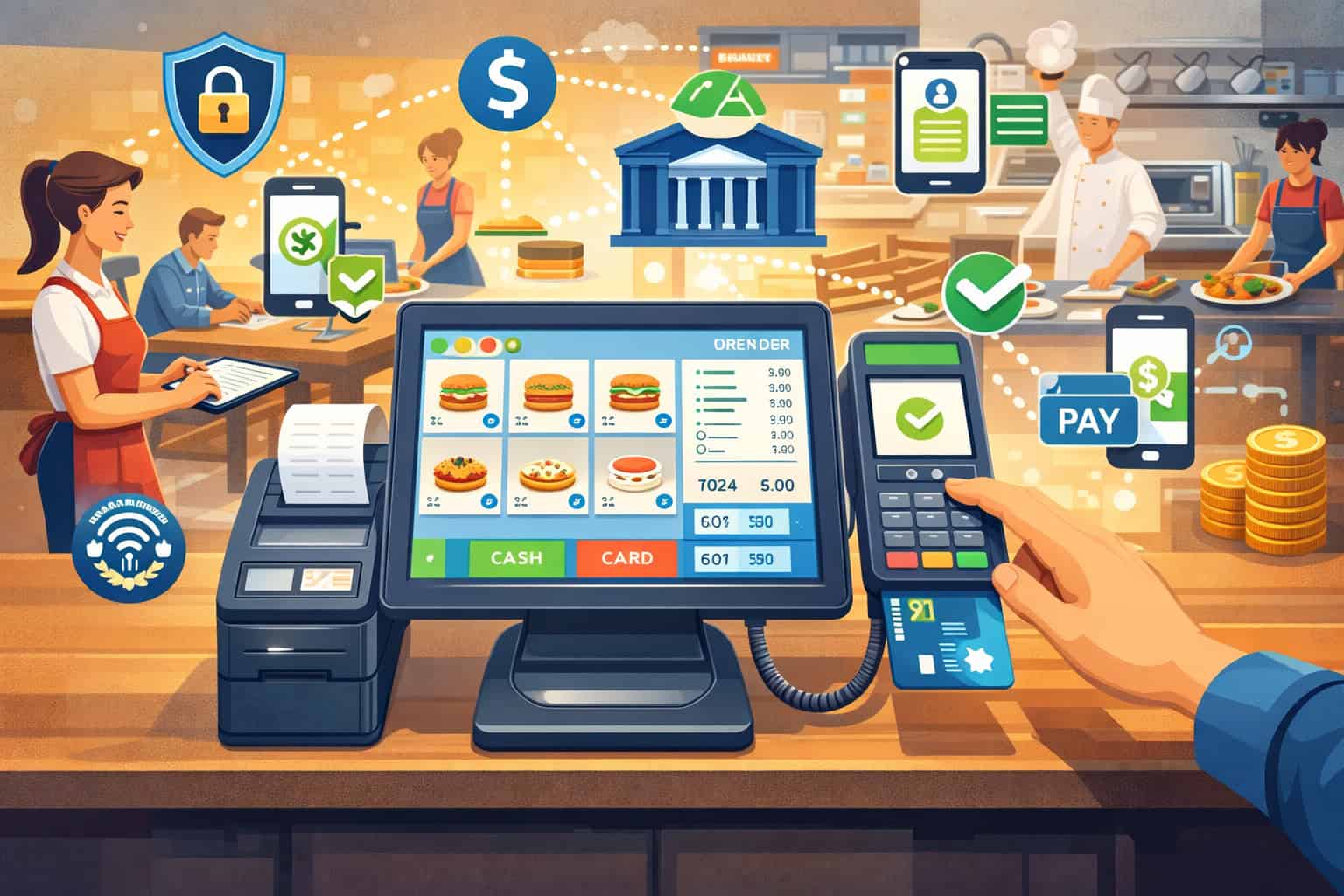
Choosing a POS is no longer just a “register decision.” In 2026, the POS is your ordering engine, labor controls, guest experience layer, and—most importantly—your payments hub.
That’s why restaurant POS systems with integrated payments have become the default shortlist item for independent operators, cafés, quick-service restaurants, and full-service concepts trying to run lean while keeping checkout fast and accurate.
When payments are truly integrated, card-present, online ordering, and delivery payments don’t live in separate dashboards with separate reports and mismatched totals. Instead, you get one workflow from order → pay → tip → close-out → reconciliation, with fewer manual steps and fewer chances for errors.
This guide is built to help you evaluate integrated payment POS systems for restaurants with a buyer’s mindset: what “integrated” actually means, why it changes day-to-day operations, how to compare pricing fairly, and how to avoid lock-in traps.
We’ll also cover security basics (PCI scope, tokenization, end-to-end encryption), offline realities, and the contract terms that quietly decide whether you’ll love your system—or regret it.
What “integrated payments” means in a restaurant POS
When a POS has integrated payments, the POS and the payment processing system talk to each other automatically during the transaction.
Instead of staff keying a ticket total into a separate terminal, the POS sends the exact amount to the card reader (or handheld). The payment approval then flows back into the POS, closing the check, recording the payment type, and tying the transaction to the order and server—without extra steps.
This sounds simple, but the operational impact is huge. Non-integrated setups create “two versions of the truth”: one in the POS (sales and checks) and one in the processor/terminal (payments and deposits). Integration reduces the gap between those worlds.
What integration usually includes (and what it doesn’t)
Most modern “integrated” stacks include:
- Card-present integration (countertop, handheld POS, tableside payments)
- EMV and contactless payments support (chip + tap-to-pay wallets)
- Tip prompts + tip reporting mapped to staff roles
- Refunds/voids initiated in POS and synced to the processor
- Batch settlement and reconciliation visibility in reporting
- Tokenization so stored cards (tabs, repeat guests) aren’t raw card data
- Permissions and audit logs to reduce internal fraud risk
But “integrated” doesn’t always mean the same thing across vendors. Some systems only integrate through a payment gateway; others are “vertically integrated” where POS and processor are one bundled offering. That difference affects pricing, portability, support, and negotiating power.
Why integrated payments matter in 2026
Restaurant payment flows got more complex: more off-premise orders, more payment types, more devices, more tip expectations, and tighter labor oversight. Integration matters because it reduces friction across the entire life of a ticket—not just at the moment someone taps a card.
Faster checkout, fewer mistakes, better guest experience
When payments are integrated, staff aren’t retyping totals into a separate terminal. That removes a classic source of errors:
- Charging the wrong amount
- Closing the wrong check
- Misapplied tips
- Duplicate payments when a terminal times out
For high-volume QSR and busy cafés, even small time savings at checkout can change throughput during peak hours. For full-service, tableside payments and handheld POS flows can reduce “waiting to pay,” which is one of the biggest guest pain points.
Fewer chargebacks and cleaner dispute evidence
Integrated systems can strengthen your chargeback story by tying payment metadata to an order record: item details, timestamps, employee actions, and whether a card was present. You still need good procedures, but integration can help you produce cleaner documentation when a dispute hits.
It also reduces “accidental chargebacks” caused by operational issues—like duplicate authorizations, mistaken tips, or mismatched refunds—because fewer steps are manual.
Tighter reporting and easier reconciliation
When POS sales and processor deposits match cleanly, you get:
- Less time hunting for “missing money”
- Faster closeout and daily accounting
- Cleaner mapping between tender types and deposits
- More reliable labor and tip reporting
Operators often underestimate how much time they spend reconciling when systems aren’t aligned. Integration doesn’t eliminate reconciliation, but it makes it faster and more trustworthy.
Integrated payments vs third-party processor: the real tradeoffs
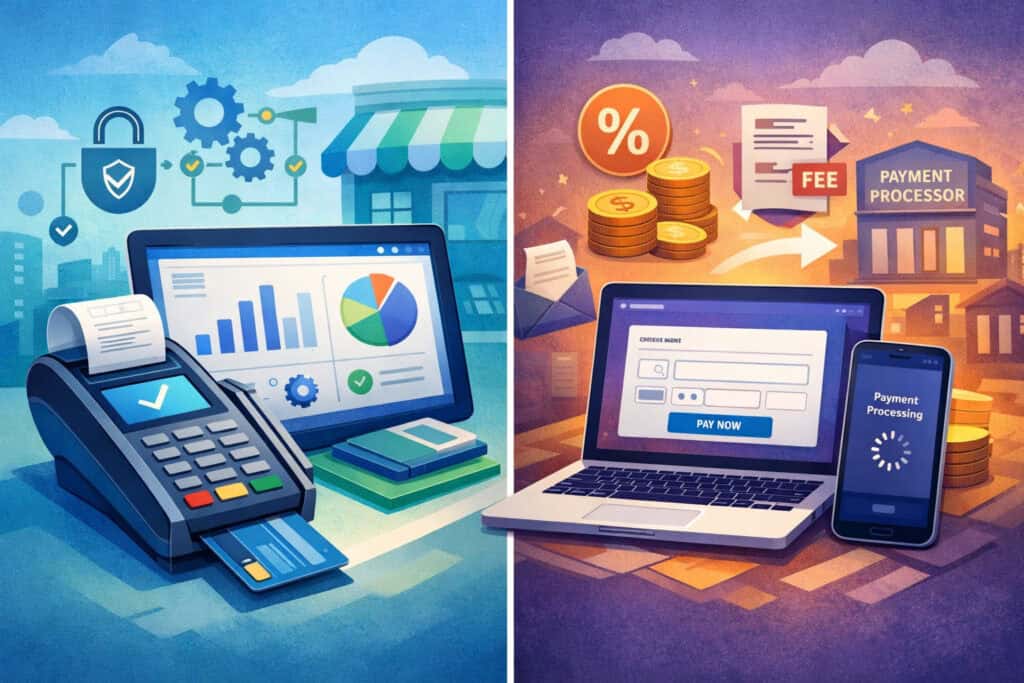
A key question is whether you want a POS that includes built-in payments (the POS vendor’s processing) or a POS that lets you bring your own processor through a gateway or integration partner.
This is the heart of integrated payments vs third-party processor decisions. Both can work. The “best” option depends on your operational complexity, your risk tolerance around lock-in, and how much you value negotiating flexibility.
Pros and cons at a glance
| Approach | What it means | Pros | Cons | Best for |
|---|---|---|---|---|
| Built-in / bundled payments | POS vendor (or its processing partner) provides the merchant account + devices + integration | One support line, simpler setup, fewer integration gaps, often better POS-to-payments reporting | Potential processor lock-in, hardware restrictions, harder to negotiate later | New openings, teams that want simplicity, multi-location standardization |
| Bring-your-own processor (via gateway/integration) | POS integrates with a payment gateway or approved processors | More negotiating leverage, easier to shop rates, sometimes easier to keep same processor across tools | Integration can be partial, more parties to call for support, reporting may be split | Experienced operators, higher volume, owners who negotiate aggressively |
When integrated (bundled) is better
Bundled restaurant POS solutions with payment integration are often better when:
- You’re opening a new location and want fewer moving parts
- You lack in-house tech support
- You want consistent devices and standardized workflows across stores
- You need fast implementation and “one throat to choke” support
Many bundled providers also streamline onboarding by packaging hardware, encryption/tokenization models, and compliance guidance in one place—reducing the chance you accidentally expand PCI scope.
When third-party processing can be better
Bring-your-own processing often wins when:
- You process enough volume that small pricing improvements matter a lot
- You have a trusted payments partner already
- You want leverage to renegotiate or switch processors without ripping out the POS
- You’re running complex setups (multiple brands, multiple channels) where payment routing flexibility matters
The risk is that some “open” POS systems aren’t truly open—your choices may be limited to a short list of supported processors, and features (like tableside pay or stored tabs) may work best only with the preferred option.
The real cost discussion: processing rates, markups, and effective rate

If you only compare the advertised headline rate, you’ll likely choose wrong. The pricing on integrated payment POS systems for restaurants is a mix of:
- Card network interchange (varies by card type and how it’s accepted)
- Network assessments (set by networks)
- Processor markup (your negotiable component)
- POS and payment stack fees (software, devices, gateway, PCI, support, add-ons)
Some vendors price processing as flat-rate; others use interchange-plus; some bundle markups into “qualified/non-qualified” tiers (which can be hard to audit). Many also attach payment-related monthly fees that change the true cost more than the rate itself.
What affects processing rates in the real world
Key drivers include:
- Card mix (rewards vs basic)
- Card-present vs card-not-present (online ordering and keyed entries are typically costlier)
- How you capture data (chip/tap tends to reduce certain risks and “downgrades”)
- Tips and adjustments (especially in full-service flows)
- Refund and chargeback ratios
Even the best restaurant POS with built-in payments can’t “beat” interchange. What you’re really negotiating is markup, contract terms, and fee transparency.
Flat-rate vs interchange-plus (and what to ask)
Flat-rate pricing is simple: a set percentage + per-transaction fee regardless of card type. It’s easy to forecast, and it can be fine for lower-volume shops or owners who prefer simplicity.
Interchange-plus breaks out interchange and adds a consistent markup. This can be more transparent and often more cost-effective at higher volumes—if the provider truly passes through interchange cleanly.
Here’s a buyer-helpful way to ask about pricing structure without getting buried:
- “Is your pricing flat-rate or interchange-plus?”
- “If interchange-plus, what is your markup and what fees apply monthly?”
- “Do you use any tiered or non-qualified categories?” (If yes, ask why.)
How to compute effective rate and compare offers fairly
Your effective rate calculation is:
Effective rate = (total processing fees ÷ total card sales) × 100
Use a full month of statements (or a realistic pro-forma) and include every payment-related fee.
Example comparison:
| Item | Offer A | Offer B |
|---|---|---|
| Monthly card sales | 80,000 | 80,000 |
| Total processing fees (incl. all charges) | 2,640 | 2,480 |
| Effective rate | 3.30% | 3.10% |
Now sanity-check whether the offers are structured similarly. If one includes gateway/PCI/support and the other doesn’t, that explains differences.
Hidden POS fees and contract items to compare (what to ask, what to watch)
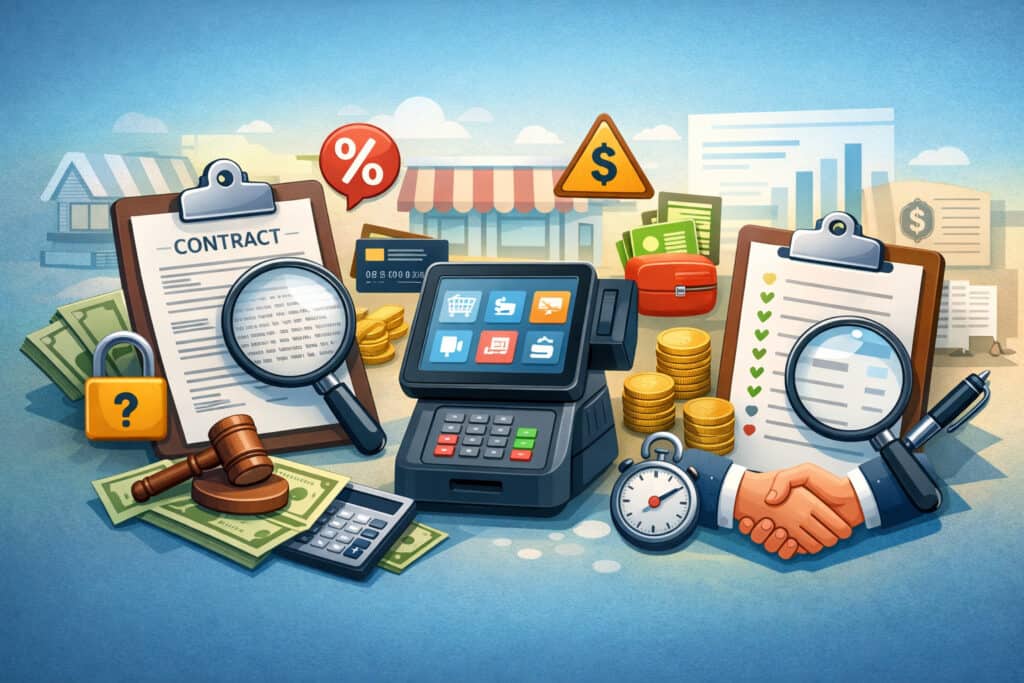
This is where good deals turn into expensive deals. Many restaurant owners focus on the rate and ignore the paperwork. In reality, contract structure determines your freedom and long-term cost.
Payment providers commonly use early termination fees and “liquidated damages” formulas; those can be significant depending on contract language. Older-style agreements often include ETFs that are flat, prorated, or calculated based on remaining term and historical monthly fees. You want to know what you’re signing before you scale.
Fees to look for (and demand clarity on)
These are common hidden POS fees that impact total cost:
- PCI fee (or PCI program fee)
- Gateway fees (if a POS payment gateway is involved)
- Statement fees
- Monthly minimums
- “Non-qualification” or tiered pricing uplifts (if used)
- Device replacement/warranty fees
- Chargeback fees
- Batch settlement fees (less common, but still seen)
- Refund fees (sometimes waived, sometimes not)
A reputable provider can list these in plain language. If they can’t, treat that as a warning.
Contract terms that quietly create lock-in
Watch for:
- Long-term agreements with auto-renewal
- Early termination fees or liquidated damages language
- “Proprietary” hardware that won’t work elsewhere
- Requirements to use a specific processor to keep core features
- Separate agreements for POS, gateway, and processing (harder to unwind)
Questions to ask (copy/paste checklist)
- What is the contract term for POS software? For payment processing?
- Is it month-to-month anywhere, or all term-based?
- What are the early termination terms for each agreement?
- Are there any monthly minimums or annual fees?
- Which fees can change, and how will you notify me?
Compliance and security in 2026: PCI scope, tokenization, E2EE, and permissions

Security is not just about avoiding breaches—it’s about reducing operational risk and compliance workload. With modern restaurant payment flows (online ordering, handhelds, stored tabs), your goal is to reduce where sensitive data can exist.
PCI scope reduction: why it matters operationally
The Payment Card Industry standards framework is built around protecting card data. In practice, your workload depends on how much card data ever touches your systems.
Encryption and validated point-to-point encryption approaches are commonly used to reduce exposure by encrypting card data at capture, which can shrink the cardholder data environment and simplify compliance validation.
Tokenization is another key strategy: it replaces a card number with a token, so recurring payments and stored tabs can work without storing the raw card number in your environment. Tokenization is widely discussed as a scope-reduction approach when implemented correctly.
End-to-end encryption and what to confirm
You’ll hear “end-to-end encryption (E2EE)” used loosely. What you want to verify:
- Where encryption starts (at the device/reader vs later)
- Where it ends (processor or gateway)
- Whether devices and solutions are validated/approved within the payment ecosystem
Also ask about key management responsibilities. If the vendor’s answer is vague, push for documentation.
User permissions and internal fraud prevention
Restaurants face internal risk: void abuse, refund misuse, no-sale drawer opens, and tip manipulation. A strong integrated system should support:
- Role-based permissions (server vs manager vs admin)
- Audit logs for refunds, voids, comps, and tip edits
- Approval workflows for high-risk actions
- Device-level controls for handhelds
Operational wins: what integrated payments unlock day-to-day
This is where restaurant POS systems with integrated payments earn their keep: the messy, real-life scenarios that happen every shift.
Split checks, split tender, partial payments, refunds, and gift cards
Look for smooth handling of:
- Split checks by seat, by item, or equal split
- Split tender (card + cash + gift card)
- Partial payments (deposit now, remainder later)
- Refunds that tie back to an original order
- Gift card sales and redemptions that reconcile correctly
A weak system can technically “do” these things while still creating staff confusion and reconciliation headaches. A strong system makes them obvious and fast.
Online ordering + payment integration
If you take online orders, you need online ordering + payment integration that:
- Routes orders into the same kitchen workflows
- Prevents “double entry” between web orders and POS
- Keeps discounts, taxes, modifiers, and tips consistent
- Reconciles deposits in a way your accounting can follow
Ask how the vendor handles refunds for online orders and whether refund approvals require manager permissions.
Delivery integrations and payout timing
Delivery aggregators can complicate payout timing. Even with integration, you may see delays or batching differences depending on how orders route and how the delivery partner remits funds.
Your buyer questions:
- Do delivery orders post into POS automatically or via manual import?
- Are menu items and modifiers synced or maintained separately?
- How are fees and commissions represented in reporting?
- How are payouts matched to orders during reconciliation?
Handheld POS and tableside payments
For full-service, handheld POS and tableside payments can:
- Reduce “check drop” and payment wait time
- Increase table turns
- Improve tip capture consistency
- Reduce walkouts and card-handling risk
But only if the system handles offline behavior, device management, and tip adjustments cleanly.
Offline mode and store-and-forward: what restaurants should know
Internet instability happens—especially in older buildings, dense areas, or during provider outages. Offline mode can be the difference between “we kept serving” and “we lost a shift.”
What offline mode really means
Vendors use “offline mode” to describe different capabilities:
- Local order entry (POS still takes orders, prints, and queues)
- Store-and-forward payments (card transactions captured and sent when connectivity returns)
- Fallback workflows (manual imprinters or alternative acceptance)
If you process payments offline, the key risk is authorization uncertainty. Some systems allow storing encrypted transaction data for later submission; whether it’s safe and how it’s handled depends on implementation, controls, and your risk tolerance.
How to evaluate offline safety and risk
Ask:
- Does offline mode allow card payments or only order-taking?
- What are the limits (amount caps, number of transactions, time window)?
- How does the system prevent duplicate submissions?
- How are declined transactions handled after connectivity returns?
- What reporting flags exist for offline transactions?
You should also define an internal policy: for example, allowing offline card acceptance only under a dollar threshold, or requiring manager approval.
Red flags and common mistakes buyers make
Even savvy operators get caught by the same traps—usually because the demo focused on the “happy path” and not the ugly realities.
Contract and pricing red flags
Watch for:
- “Bundled pricing” without clear separation of interchange and markup
- Refusal to provide a full fee schedule
- Auto-renewal terms buried in fine print
- Early termination fees or liquidated damages that aren’t explained clearly
- Promises of “zero-fee” or “eliminate fees” without clear disclosure and program rules (especially around differential pricing)
Hardware and ecosystem lock-in
Be cautious if:
- Only one device brand works
- Hardware can’t be repurposed if you change processors
- Handhelds require the vendor’s processing to function fully
- Gift cards, loyalty, or online ordering break if you switch payments
Lock-in isn’t always bad—but you should choose it intentionally, knowing the exit cost.
Weak offline mode and weak reconciliation
Two operational deal-breakers:
- Offline mode that only works “sometimes,” or only on certain devices
- Reporting that can’t tie deposits to orders, tips, and refunds cleanly
If a vendor can’t show you a reconciliation workflow in demo, assume you’ll be building your own.
How to choose the best restaurant POS with built-in payments (step-by-step framework)
If you want the best restaurant POS with built-in payments, don’t start with brand names. Start with your workflows and failure points.
Step 1: Map your “money moments”
List the moments where payments touch operations:
- Counter checkout
- Tableside pay
- Bar tabs and stored cards
- Online ordering
- Delivery aggregation
- Refunds and disputes
- Tips, tip pooling, tip reporting
- End-of-day closeout and deposit matching
Then rank them by impact (guest experience, labor time, error risk, cash flow).
Step 2: Define non-negotiables (and where you’ll compromise)
Examples of true non-negotiables:
- EMV and contactless payments across all devices
- Split tender and partial payments that don’t break reports
- Role-based permissions + audit logs
- A stable offline plan
- Transparent pricing model you can audit
Common compromise areas:
- Fancy marketing dashboards vs simple core reporting
- Built-in loyalty vs using a separate tool
- Kiosk features (great for QSR, less essential for cafés)
Step 3: Demo questions that actually reveal the truth
Ask the vendor to walk through these live:
- Split a check by seat, then split tender across two cards and cash
- Add an item after an authorization, then complete payment
- Issue a refund and show where it appears in reports
- Close out a day and reconcile deposits to sales and tips
Payment-specific demo questions
- Is processing flat-rate or interchange-plus?
- What are all monthly/annual fees tied to payments?
- What is the chargeback fee, and what tools help manage disputes?
- What happens if I want to change processors later?
Step 4: Score with a simple rubric
Use a 100-point scorecard:
- 35 points: Operational workflows (speed + accuracy)
- 25 points: Reporting + reconciliation
- 20 points: Total cost + contract fairness
- 10 points: Security + permissions
- 10 points: Support + implementation plan
This keeps you from choosing based on a slick interface alone.
Must-have feature checklists by restaurant type
Your ideal configuration depends on the service model. Use these lists to pressure-test restaurant POS solutions with payment integration against your reality.
Quick-service and high-volume counter service
Must-haves:
- Fast item lookup and modifiers
- Reliable EMV/contactless acceptance
- Split tender and partial payments
- KDS support and kitchen routing
- Simple refunds/voids with permissions
- Offline plan that keeps the line moving
Nice-to-haves:
- Kiosks (if labor is tight)
- Loyalty that ties to tokens
- Advanced fraud rules for online ordering
Full-service with tableside and bar
Must-haves:
- Handheld POS and tableside payments that are stable
- Tabs/stored cards with tokenization
- Tip prompts, tip adjustments, and tip reporting controls
- Seat-based ordering and splitting
- Strong permissions and audit trails
Nice-to-haves:
- Pay-at-table QR workflows (if they truly integrate, not just link-out)
- Guest profiles (only if you’ll use them)
Café and fast casual
Must-haves:
- Speed at the counter
- Online ordering + payment integration
- Digital receipts and simple refunds
- Tip handling clarity (especially pooled tips)
- Simple reconciliation views
Nice-to-haves:
- Prepaid ordering and pickup workflows
- Inventory-lite tools (low-touch, not enterprise-heavy)
Multi-location operators
Must-haves:
- Multi-location reporting with consistent chart of accounts
- Centralized menu management and pricing updates
- Role-based access by location
- Standardized payment policies and device management
- Clear deposit reporting by store
Nice-to-haves:
- Centralized fraud/chargeback workflow
- Cross-location gift cards and loyalty
Implementation tips: onboarding, payment testing, and go-live
A great POS can still fail if implementation is rushed. Plan this like an opening, even if you’re switching systems.
Menu build and data hygiene
- Clean your menu first: remove dead items, standardize modifiers
- Decide naming conventions (kitchen-friendly, consistent)
- Validate taxes, service charges, and discounts early
- Confirm how tips and tip pooling will be tracked and reported
Payment testing you should not skip
Test:
- EMV and contactless payments on every device type
- Split tender scenarios
- Tip prompts and tip adjustments (manager permissions)
- Refunds and voids
- Batch settlement behavior and next-day reporting alignment
- Online ordering payments and refund workflow
If your system supports differential pricing programs (dual pricing / cash discount / surcharge), treat this as a compliance-sensitive setup. Rules vary by jurisdiction and card brand, and disclosures and receipt handling matter.
Staff training that actually sticks
Keep training short and scenario-based:
- “Lunch rush checkout”
- “Split by seat”
- “Refund with manager”
- “Offline plan and what to say”
Go-live checklist (practical)
- Confirm device inventory and spare chargers
- Verify network stability and backup connectivity plan
- Lock permissions before opening
- Run a soft launch (even 2 hours) if possible
- Assign one “floor captain” and one “tech captain” for the first week
- Schedule daily closeout reviews for the first 7 days
Best-fit scenarios (quick guidance)
Best for new restaurants
Choose a system with strong onboarding, stable hardware, and one support path. Bundled payments can be a good fit here because it reduces coordination overhead and speeds setup—especially if you’re not experienced in negotiating processing terms.
Best for high-volume QSR
Prioritize speed, uptime, offline resilience, and clean reconciliation. The cheapest rate won’t matter if checkout slows and lines grow. Look for fast workflows, minimal taps, and stable contactless acceptance.
Best for full-service with tableside
Handheld stability and tip handling matter more than flashy dashboards. Demand a live demo of seat-based splitting, tip adjustments, and refund audit trails. Confirm tokenization for tabs and stored cards.
Best for multi-location operators
Standardization wins. Prioritize centralized reporting, menu governance, role-based access, and consistent payment setup across stores. You want fewer “exceptions” and fewer location-specific workarounds.
FAQs
Q1) Is an integrated payment POS system better for restaurants?
Answer: Often, yes—because it reduces manual steps, improves reporting consistency, and speeds checkout. But it’s not automatically better in every case. If integration forces you into an expensive processing contract or weak hardware choices, a more open system with a strong payment partner might be the better long-term move.
Q2) Can I use my own payment processor with an integrated POS?
Answer: Sometimes. Some POS platforms support multiple processors through a gateway or approved partner list, while others require their built-in processing. Ask directly what breaks if you choose a different processor: handhelds, online ordering, gift cards, stored tabs, and reporting.
Q3) How do I compare processing rates fairly?
Answer: Use effective rate, not the headline rate. Take total processing fees for a month (including all fees) divided by total card sales. Compare that percentage across offers, and confirm both are priced under the same model (flat-rate vs interchange-plus).
Q4) What fees should I look for in a POS + payments contract?
Answer: Look for PCI fees, gateway fees, statement fees, monthly minimums, device fees, chargeback fees, refund fees, and any “non-qualified” or tiered pricing uplifts. Also review termination terms carefully, including early termination fees and auto-renewals.
Q5) Do integrated payments reduce chargebacks?
Answer: They can reduce operationally caused disputes (like duplicates, mismatched refunds, and wrong totals) and make it easier to produce clean transaction-to-order documentation. They won’t eliminate chargebacks entirely—policies and procedures still matter.
Q6) Is offline mode safe for card payments?
Answer: It depends on how it’s implemented. Some systems support store-and-forward with controls and limits; others only support offline order-taking. Offline card acceptance can increase risk because approvals may not happen in real time. Set conservative limits and train staff on fallback procedures.
Q7) How do tips and tip pooling work with integrated payments?
Answer: Integrated systems typically tie tips to employee roles and shifts, allowing tip prompts, tip adjustments with permissions, and reporting by person and by day. Tip pooling support varies—confirm whether the system supports your pooling rules and whether managers can audit tip edits.
Q8) What’s the difference between a payment gateway and a processor?
Answer: A gateway is the technology layer that securely routes transaction data between your POS and the processor. The processor handles the transaction processing and settlement steps with the acquiring side of the payment chain. Some POS platforms bundle gateway and processing together; others separate them.
Q9) Are handheld POS devices worth it?
Answer: For full-service, often yes: faster payment, fewer walkouts, better table turns, and improved guest experience. For counter-service, handhelds can help line-bust during peaks. The deciding factors are device reliability, battery life, offline behavior, and whether the handheld workflow truly matches your service style.
Q10) How hard is it to switch POS systems later?
Answer: Switching is doable, but the pain is in data migration, menu rebuild, staff retraining, and (sometimes) hardware replacement. If payments are tightly bundled, switching can also mean changing processors and devices. Reduce future pain by documenting workflows, keeping clean exports, and avoiding unnecessary proprietary add-ons.
Q11) What is tokenization, and why should I care?
Answer: Tokenization replaces card numbers with tokens so you can store payment references for tabs, repeat guests, or refunds without storing raw card data. It can reduce exposure and simplify operations when implemented correctly.
Q12) What security features matter most in 2026?
Answer: Prioritize encryption from the point of capture, tokenization for stored use cases, strong permissions, and audit trails. Validated point-to-point encryption approaches are widely used to reduce exposure and shrink compliance scope.
Q13) How do batch settlement and reconciliation affect cash flow?
Answer: Batch settlement timing affects when funds move into your account and how easily you match deposits to sales. A good system helps you see batch totals, refunds, tips, and adjustments clearly—so your closeout and accounting don’t become guesswork.
Q14) What should I ask about surcharges, cash discounting, or dual pricing?
Answer: Ask whether the POS supports the pricing display and receipt requirements you need, and whether the payment program includes the right disclosures. Rules vary by jurisdiction and card brand, and they can change, so treat this as a compliance-sensitive setup rather than a “flip a switch” feature.
Q15) What’s the biggest mistake restaurant owners make when buying a POS?
Answer: Buying the interface, not the workflow. If you don’t test split payments, tips, refunds, and closeout reporting in the demo, you’ll discover problems during the rush—when it’s too late.
Conclusion
In 2026, restaurant POS systems with integrated payments are less about “cool tech” and more about operational control: faster checkout, fewer errors, better tip accountability, clearer reconciliation, and fewer moving parts across on-premise and off-premise channels.
But integration is not automatically a win. The real decision is whether the integrated model gives you better workflows without trapping you in confusing pricing, rigid hardware, or painful contract terms.
If you approach the purchase with an effective-rate mindset, a workflow-based demo, and a clear view of exit costs, you’ll choose a system that supports growth instead of adding friction.