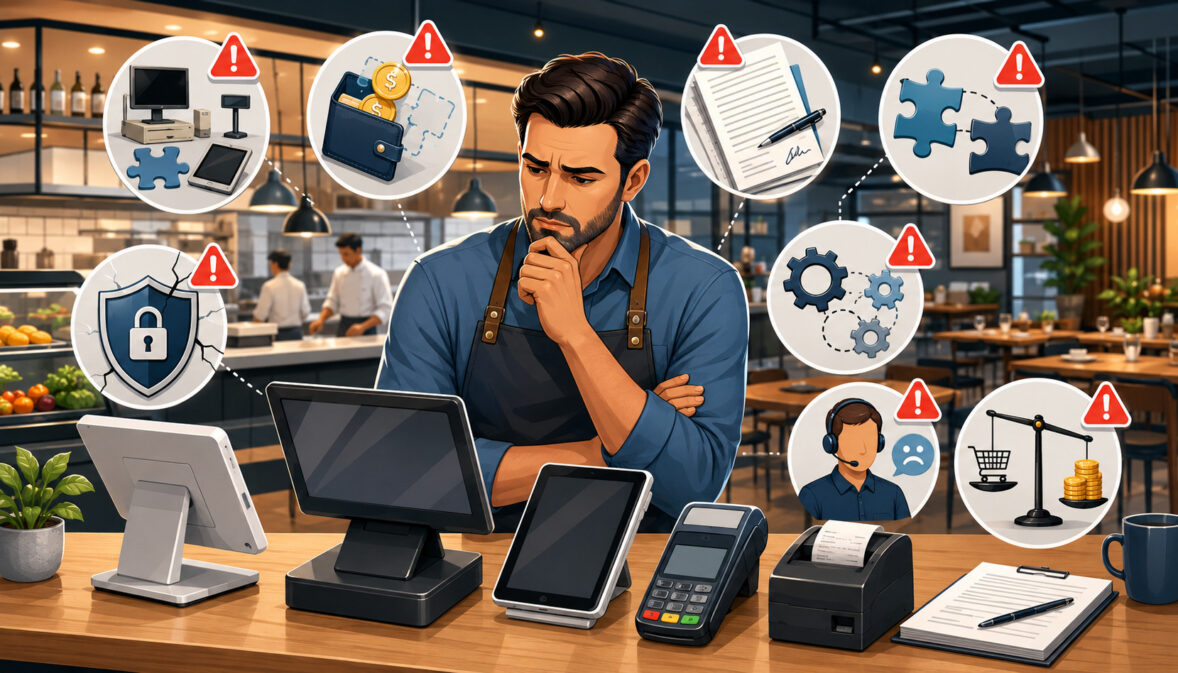
Buying a point of sale system is not simply a matter of replacing a cash register. The system may influence how employees enter orders, how tickets reach the kitchen, how guests pay, how managers review sales, and how owners monitor multiple locations.
That reach makes restaurant POS buying mistakes especially disruptive. A poor choice may create slow order entry, confusing modifiers, incorrect kitchen routing, payment delays, reporting gaps, unexpected fees, or extensive manual work. Even a system with impressive features can become a burden when it does not match the restaurant’s service model.
The decision affects many types of operations differently. A café may prioritize fast counter transactions and simple modifiers, while a bar may need reliable tabs, tipping, and fast card retrieval.
A full-service restaurant may depend on table management, seat numbers, coursing, split checks, and handheld ordering. Food trucks and mobile operators may place greater importance on connectivity, portability, and compact hardware.
The challenge is that restaurant technology is often evaluated through short demonstrations, promotional pricing, and feature lists. These materials can be useful, but they rarely show how the system will perform during a busy shift, an internet outage, a complex refund, or a menu change across several ordering channels.
This restaurant POS buying guide explains the most common mistakes, why they happen, and how operators can avoid them. It covers operational requirements, payment processing, hardware, contracts, kitchen communication, integrations, reporting, security, implementation, training, support, data access, and long-term costs.
The goal is not to identify one system that works for every restaurant. It is to help decision-makers find a system that fits their actual workflows, budget, staff, menu, and growth plans.
What Are Restaurant POS Buying Mistakes?
Restaurant POS buying mistakes are avoidable decisions made before, during, or immediately after the purchase of a point of sale system. They usually occur when an operator selects technology without fully reviewing operational needs, costs, payment terms, hardware, integrations, support, security, or implementation requirements.
A POS includes both software and physical equipment used to complete transactions, and modern systems may connect with other operational tools. This broader role is explained in an overview of point of sale technology.
Restaurant POS mistakes may begin with a reasonable assumption. An owner might believe that every restaurant system handles modifiers in the same way or that any cloud-based POS will continue working during an internet outage. A manager may assume advertised pricing includes hardware, support, and online ordering.
Problems arise when those assumptions are not verified in writing or tested in realistic conditions.
Why POS Mistakes Often Happen
Restaurant operators are busy. When an existing system fails, a new location is opening, or a contract is expiring, the buying process may feel urgent. That urgency encourages decision-makers to focus on a polished demonstration or a low introductory price rather than completing a detailed restaurant POS comparison.
Another issue is that products can look similar on a feature checklist. Several systems may advertise menu management, inventory tracking, reporting, integrated payments, and online ordering. The important differences often appear in how those tools work, what they cost, and how much configuration they require.
Owners may also rely too heavily on verbal explanations. Statements about pricing, processor flexibility, offline mode, data exports, or cancellation rights should be confirmed in written materials before a commitment is made.
Why POS Decisions Affect Daily Operations
A restaurant POS sits between the guest, front-of-house team, kitchen, payment process, and management reports. When one part of the system is difficult to use, the effects can spread quickly.
For example, a poorly designed modifier screen may slow order entry. Incorrect routing may send an appetizer to the wrong prep station. Limited permissions may allow unauthorized discounts. Weak reporting may force managers to combine spreadsheets manually.
These restaurant POS system mistakes can also affect the customer experience. Guests notice when staff repeatedly correct orders, search for menu buttons, restart terminals, or struggle to split a check. A suitable POS should reduce friction rather than add another obstacle during service.
Common Restaurant POS Buying Mistakes at a Glance
The following table summarizes frequent restaurant POS purchasing mistakes and the better habits that can prevent them.
| Buying Mistake | What Usually Happens | Why It Matters | Better Approach |
| Choosing only by price | The lowest-cost system wins | Additional costs may appear later | Compare total cost of ownership |
| Ignoring service style | The POS does not fit operations | Staff and kitchen workflows slow down | Match the system to the restaurant type |
| Skipping payment review | Processing charges are misunderstood | Transaction costs may exceed expectations | Review payment terms in detail |
| Ignoring offline mode | The outage process remains unclear | Ordering or payments may be interrupted | Ask exactly what works offline |
| Overlooking hardware | Unsuitable devices are purchased | Equipment creates workflow problems | Test hardware in realistic positions |
| Missing integrations | Important systems do not connect | Employees repeat work manually | Confirm required integrations in writing |
| Skipping staff training | Employees struggle after launch | Order and payment errors increase | Plan training by job role |
| Not testing workflows | The demo looks better than daily use | Problems appear during live service | Test realistic restaurant scenarios |
| Ignoring contracts | Renewal and cancellation terms are missed | The restaurant loses flexibility | Review the complete written agreement |
| Weak support review | Help is unavailable when needed | Downtime lasts longer | Compare support hours and escalation paths |
How to Use the Table
Use the table as an early screening tool rather than a final decision sheet. Before scheduling demonstrations, mark the mistakes most likely to affect your restaurant. A delivery-heavy operation may prioritize integrations and online menu synchronization, while a bar may focus on tabs, tipping, offline payments, and support during late operating hours.
During vendor discussions, turn each row into a question. Do not ask only whether a feature exists. Ask the representative to demonstrate how it works, identify any added cost, and explain who supports it when something goes wrong.
The same table can be used during contract review and implementation planning. It helps ensure that operational requirements discussed during the sales process are reflected in the hardware list, pricing schedule, service agreement, and launch plan.
Why Small Mistakes Can Become Expensive
A single minor limitation may be manageable. Several limitations working together can become a larger operational problem.
Suppose a restaurant buys too few terminals, receives limited training, and discovers that online orders do not route properly to the kitchen. Employees may begin entering orders manually, sharing logins, moving between stations, and watching multiple tablets. Each workaround adds time and creates another opportunity for error.
The financial effect is not limited to software fees. Poor fit may increase training time, slow table turns, create incorrect orders, delay closing procedures, or require replacement hardware. That is why restaurant POS cost mistakes should be evaluated in terms of both direct expenses and operational effort.
Mistake One: Buying a POS Before Defining Restaurant Needs
One of the most important mistakes to avoid when buying a restaurant POS system is beginning with vendor comparisons instead of restaurant requirements.
Before looking at products, define the operation’s service style, order channels, payment methods, kitchen layout, menu complexity, reporting needs, employee roles, and growth plans. This creates a practical standard against which every option can be evaluated.
A requirements review should include dine-in, counter, takeout, delivery, catering, bar, drive-through, kiosk, and online workflows that apply to the business. It should also consider peak order volume, the number of devices needed, kitchen stations, cash handling, and manager approval processes.
Start With Daily Workflow
Map how an order moves through the restaurant from beginning to end. Identify who enters it, where it is sent, how changes are communicated, how payment is collected, and which reports are created afterward.
For a full-service restaurant, the workflow may include opening a table, assigning seats, entering courses, adding modifiers, sending selected items, splitting the check, adjusting tips, and closing the table. A quick-service workflow may prioritize speed, combo building, customer-facing payments, and immediate kitchen routing.
Include exceptions in the map. Refunds, voids, unavailable items, late modifiers, partial payments, gift cards, and manager approvals often reveal more about POS usability than a standard transaction.
Separate Must-Have Features From Nice-to-Have Features
Create two lists before meeting vendors. The first should contain capabilities without which the restaurant cannot operate effectively. The second should contain useful but nonessential tools.
Must-have restaurant POS features may include:
- Accurate menu modifiers
- Kitchen display system or printer routing
- Split checks and tipping
- Bar tabs or table management
- Online ordering synchronization
- Required accounting or inventory exports
- Role-based staff permissions
- A workable outage process
This distinction prevents decision-makers from being distracted by visually impressive tools that do not solve important operational problems. It also helps control costs because optional modules can be evaluated separately.
Mistake Two: Choosing Based Only on the Lowest Price
Monthly software pricing is easy to compare, but it rarely represents the full expense of a restaurant POS. The least expensive advertised plan may exclude hardware, installation, payment processing, support, online ordering, reporting, inventory, or additional terminals.
Introductory pricing may also change after a promotional period. Some features shown in a demonstration may belong to a higher subscription tier or require separate applications.
A responsible comparison should consider every predictable expense over the expected use of the system.
Compare Total Cost of Ownership
Total cost of ownership includes both direct purchases and ongoing obligations. Ask vendors to provide an itemized estimate covering:
- Software subscriptions
- Terminal and device costs
- Payment processing
- Card readers and accessories
- Kitchen displays or printers
- Installation and onboarding
- Menu configuration
- Training
- Support plans
- Integrations and add-ons
- Replacement equipment
- Cancellation or return charges
Calculate the cost for the same number of devices, locations, users, and features across all options. A low base subscription is not meaningful when essential functions are added later.
Operators can use an existing restaurant POS buying guide as background when organizing their comparison criteria.
Cheap Can Become Expensive if It Does Not Fit
A low-cost POS may require employees to perform tasks manually because it lacks a needed feature or integration. The restaurant may save on its subscription while spending more time reconciling reports, re-entering online orders, correcting menu data, or training employees around limitations.
Poor usability also has a cost. A few additional screen taps may appear insignificant in a demonstration, but they can become frustrating across hundreds of orders. Slow order entry can affect line speed, server attention, and kitchen pacing.
Price should remain part of the decision, but it should be considered after operational fit. A reasonably priced system that supports the restaurant’s essential workflows is usually more useful than a cheaper one that requires constant workarounds.
Mistake Three: Ignoring Payment Processing Terms
Restaurant POS payment processing mistakes often occur because payment costs are bundled with software pricing. Operators may focus on one quoted percentage without reviewing per-transaction charges, monthly fees, gateway fees, batch fees, chargeback fees, refund handling, or settlement timing.
Restaurants should also understand whether in-person, manually entered, and online transactions are priced differently. The transaction mix can influence the overall processing expense.
A detailed explanation of restaurant payment processing fees can help owners organize the questions they need to ask.
Understand Processing Fees Clearly
Request a written summary showing how payment charges are calculated. The summary should explain percentage-based costs, fixed transaction charges, monthly account fees, equipment obligations, and event-based fees.
Ask how tips, adjustments, refunds, chargebacks, online orders, and manually entered transactions are handled. Restaurants with many small tickets should pay close attention to fixed per-transaction charges, while delivery-heavy operations should understand card-not-present pricing.
Do not compare two offers using only their headline rates. Use recent transaction volume, average ticket size, online sales, and payment methods to estimate the likely cost under each proposal.
Review Whether Processing Is Required
Some restaurant POS agreements require the restaurant to use a designated processor. Others permit outside processing but charge additional gateway or integration fees.
Neither structure is automatically unsuitable, but the restaurant should understand the tradeoff. Required integrated payments may simplify reconciliation and technical support, yet they can reduce flexibility to change processors independently.
Ask whether a processing change would affect card readers, online ordering, stored tokens, gift cards, reporting, or the POS subscription. Any representation about processor flexibility should appear in the written agreement.
Specific payment compliance or financial questions should be reviewed with appropriately qualified professionals.
Mistake Four: Not Reviewing POS Contract Terms
Restaurant POS contract mistakes can limit flexibility long after implementation. Important clauses may address contract length, renewals, cancellation, hardware returns, support levels, payment processing, data access, and responsibility for third-party services.
A proposal or pricing sheet is not always the complete agreement. Decision-makers should review every incorporated document, schedule, addendum, and linked policy before signing.
Watch for Auto-Renewal and Cancellation Terms
Auto-renewal clauses may extend a service agreement unless the restaurant gives notice within a specified period. Missing that window can create another term of service or an early termination obligation.
Check:
- Initial contract duration
- Renewal duration
- Required notice method
- Notice deadline
- Early termination calculation
- Hardware return deadline
- Data access after cancellation
- Treatment of prepaid fees
Calendar important notice dates once the agreement is signed. Do not depend on receiving a reminder from the provider.
Get Important Promises in Writing
Sales representatives may discuss discounted hardware, specific integrations, customized reports, installation help, or flexible cancellation. Those promises should be reflected in the agreement, order form, or approved implementation document.
Written details should identify what is included, what costs extra, when each item will be delivered, and who is responsible for completion. Vague statements such as “integration available” do not confirm that the restaurant’s account, plan, or workflow is supported.
Contract interpretation and enforceability are legal matters. Restaurants should obtain professional legal review when an agreement, liability clause, payment obligation, or cancellation provision requires specific advice.
Mistake Five: Overlooking Hardware Requirements
Restaurant POS hardware mistakes occur when operators choose devices based on appearance or price without considering placement, durability, connectivity, power, and daily use.
A complete setup may include terminals, tablets, handheld devices, card readers, cash drawers, receipt printers, kitchen printers, KDS screens, customer displays, routers, stands, charging stations, and backup equipment. Each component should have a defined purpose.
Match Hardware to Service Style
A food truck may need compact devices, dependable mobile connectivity, secure mounting, and portable power. A café may benefit from a fast counter terminal and customer-facing display. A bar may require spill-resistant hardware, several card readers, and devices positioned near service wells.
Full-service restaurants may use handheld devices to send orders from tables, while high-volume kitchens may require several KDS screens organized by prep station. Multi-location businesses may prioritize standardized equipment that can be supported consistently.
Test devices where they will actually be used. Consider glare, heat, moisture, distance from power outlets, Wi-Fi coverage, counter space, and employee movement.
Ask About Ownership, Warranty, and Replacement
Determine whether each device is purchased, leased, rented, financed, or provided conditionally with another service. A low monthly hardware payment can become costly over a long agreement.
Review:
- Total hardware cost
- Ownership at the end of the term
- Warranty coverage
- Accidental damage policies
- Replacement timelines
- Shipping charges
- Required return condition
- Compatibility with other systems
Ask what happens when a card reader or kitchen screen fails during service. The answer should include both technical support and replacement logistics.
Mistake Six: Ignoring Kitchen Workflow
A restaurant POS must communicate clearly with the kitchen. Weak routing, confusing modifiers, poor ticket formatting, or incorrect timing can turn a front-of-house technology problem into a production problem.
Kitchen needs should be reviewed for every menu category and order channel. Dine-in, takeout, delivery, catering, and online orders may require different preparation instructions or timing.
Test Kitchen Routing Before Launch
Build test tickets that contain appetizers, entrées, drinks, sides, substitutions, allergies, and special preparation instructions. Confirm that each item reaches the correct station and that employees can read every modifier.
Test whether held courses remain held, whether duplicate items are clearly identified, and whether voided or changed items create visible alerts. For a KDS, review timers, bumping, recall functions, station views, and order completion behavior.
Kitchen printers should be tested for formatting, paper availability, network reliability, and backup routing. A ticket reaching the wrong station can cause delays even when order entry is accurate.
Include Kitchen Staff in the Decision
Kitchen leads understand preparation flow in ways that may not be obvious to owners, managers, or sales representatives. They can identify whether ticket layouts are readable, modifiers are organized correctly, and screens show enough information during rush periods.
Invite kitchen representatives to review demonstrations and test orders. Ask them to evaluate the number of touches required, visual alerts, ticket sequencing, and recovery after an accidental bump.
Their feedback may also uncover physical issues, such as an unsuitable screen location, insufficient printer capacity, or the need for separate routing between hot, cold, bar, and dessert stations.
Mistake Seven: Skipping Real-World POS Testing
Vendor demonstrations are usually designed to show ideal workflows. They may use a simple menu, stable internet connection, experienced presenter, and carefully selected features.
Real service is less predictable. Guests change orders, split checks, combine payment methods, request refunds, move tables, add tips, and ask for unavailable items. A POS should be tested against this complexity before a final decision.
Test Busy-Service Scenarios
Ask several employees to use the system at the same time. Enter orders rapidly, send items to different kitchen stations, process payments, reopen checks, and apply manager approvals.
Useful scenarios include:
- A large table with separate checks
- A bar tab transferred between employees
- A takeout order changed after submission
- A refund to the original payment method
- A discount requiring authorization
- A guest paying with two payment methods
- An item becoming unavailable during service
- An online order arriving during a rush
Observe both speed and clarity. Employees should know what happened after every action.
Build a Test Order List
Create a list of twenty to thirty orders based on the restaurant’s real menu. Include its most complex modifiers, common substitutions, combination meals, sizes, add-ons, preparation temperatures, and allergy notes.
Use the same list for every vendor. This turns a subjective demonstration into a more consistent restaurant POS comparison.
Record how long each order takes, whether the kitchen receives accurate information, and which functions require assistance. Testing should also include closing procedures, cash counts, tip adjustments, daily reports, and employee clock-in restrictions.
Mistake Eight: Not Asking About Offline Mode
A cloud-based POS depends on connectivity for at least some functions. Restaurant operators should not assume that “offline mode” means every feature will continue operating normally.
The system may allow order entry but not online ordering, gift card lookup, loyalty redemption, or certain card authorizations. Some functions may depend on the local network even when the internet connection is down.
What Offline Mode Should Clarify
Ask direct questions about outage behavior:
- Can employees create and edit orders?
- Can tickets reach the kitchen?
- Can receipts print?
- Can card payments be accepted?
- Are transaction amounts or counts limited?
- Can tips be adjusted?
- Can managers access reports?
- What happens to online orders?
- How does data synchronize after reconnection?
- How are failed transactions identified?
Request a live demonstration when possible. Written documentation should explain the conditions and limitations instead of using only a general offline-mode claim.
Plan for Internet Problems Before They Happen
A restaurant should have an outage procedure even when the POS offers strong offline capability. The plan may include backup connectivity, designated devices, manual order materials, customer communication, and a process for reconciling transactions afterward.
Train employees on the difference between an internet outage, a local network failure, and a device problem. Each may require a different response.
Offline card acceptance may involve payment and fraud considerations. Restaurants should discuss their specific procedures, limits, and responsibilities with their payment provider and appropriate payment compliance professionals.
Mistake Nine: Choosing Features That Do Not Match Service Style
Restaurant POS selection mistakes often occur when buyers choose a system designed for a different kind of food service operation. A feature-rich system can still be a poor fit when its basic workflow does not match how employees serve customers.
Service style should influence screen layout, hardware, payment flow, kitchen routing, menu structure, and reporting.
Full-Service Restaurant Feature Needs
Full-service operations commonly need table maps, seat numbers, server assignments, check transfers, coursing, split checks, multiple payments, gratuity handling, handheld ordering, and detailed kitchen routing.
The system should make common actions easy during service. Moving a guest, combining tables, transferring a check, or separating one seat should not require a manager to rebuild the transaction.
Restaurants should also test how handheld devices interact with printers, KDS screens, card readers, and tip workflows. A feature is valuable only when employees can use it quickly and consistently.
Quick-Service and Café Feature Needs
Quick-service restaurants and cafés often prioritize fast order entry, clear modifiers, customer-facing payments, line speed, menu availability, digital receipts, loyalty, and online ordering.
The screen should place popular items and modifiers where employees can reach them with minimal searching. Combo construction, sizes, substitutions, and add-ons should be easy to understand.
For cafés, the restaurant should test beverage modifications and name or order-number handling. For quick-service operations, it should evaluate queue management, kitchen timing, pickup displays, and the effect of digital orders on production capacity.
Mistake Ten: Forgetting About Menu Management
Menu management is one of the most frequently used POS functions, yet buyers sometimes evaluate it only from the order-entry side.
Managers also need to create items, change prices, update modifiers, schedule menus, mark products unavailable, and synchronize data across terminals, online ordering, kiosks, and locations.
Modifier Mistakes
Poorly organized modifiers can produce incorrect orders and kitchen confusion. Required choices may be skipped, incompatible options may be selected together, or important allergy instructions may be buried in a long ticket.
Test nested modifiers, minimum and maximum selections, additional charges, default options, substitutions, and repeated modifiers. Employees should be able to distinguish between “no,” “extra,” “on the side,” and preparation instructions.
Review how modifier changes appear on receipts and kitchen tickets. The guest-facing description and kitchen-facing description may need different wording.
Price and Availability Updates
Ask how quickly a manager can change a price or mark an item unavailable. Confirm whether the update reaches terminals, handhelds, kiosks, online menus, and third-party channels.
Restaurants with seasonal menus, happy hour pricing, daypart menus, or multiple locations should test scheduling and location-level controls. A price change should not require editing the same item in several disconnected systems.
Determine whether updates can be reviewed before publishing and whether an audit log identifies who changed the menu. This helps prevent accidental pricing or availability errors.
Mistake Eleven: Overlooking Reporting Requirements
Reporting dashboards can look impressive while failing to answer the questions managers actually ask. Before buying a system, identify the reports needed daily, weekly, monthly, and at each location.
Typical requirements include gross and net sales, payment types, discounts, voids, refunds, tips, labor, menu performance, taxes, cash activity, and online ordering.
Know Which Reports Matter Before Buying
Ask managers, bookkeepers, owners, and operations leaders which numbers they use. Then request those exact reports during the demonstration.
A daily manager may need shift sales, open checks, cash totals, void activity, and labor information. An owner may need location comparisons, menu category performance, and trends over time. Accounting users may need consistent exports rather than attractive charts.
Check whether reports can be filtered by employee, location, revenue center, order channel, menu item, and date range.
Avoid Pretty Dashboards Without Useful Details
A dashboard should support decisions, not simply display large numbers. Users should be able to investigate why sales changed, which discounts were applied, or where a payment difference occurred.
Ask whether reports can be exported in commonly used formats and whether scheduled reports can be delivered automatically. Test how long historical data remains available and whether report definitions are documented.
A useful system should make routine analysis easier. If managers still need to rebuild every report in a spreadsheet, the dashboard may not be meeting the restaurant’s requirements.
Mistake Twelve: Ignoring Inventory and Food Cost Needs
Inventory functionality ranges from simple item counts to ingredient-level tracking, recipe costing, purchase orders, waste logs, and vendor pricing. Restaurant POS software mistakes occur when buyers assume the word “inventory” means the same thing in every system.
The restaurant should determine the level of control it can realistically maintain.
Basic vs. Advanced Inventory Needs
A small café may need counts for packaged drinks, retail products, or pastries. A larger operation may want ingredient depletion based on recipes, unit conversions, theoretical-versus-actual usage, and menu profitability.
Ask how modifiers affect depletion. Adding cheese, changing a side, or selecting a different size may require different ingredient quantities. Also test returns, waste, transfers, and partial packages.
If advanced inventory is provided through an integration, confirm which data moves between systems and how frequently it updates.
Do Not Buy Inventory Features You Will Not Maintain
Inventory software does not create accurate information automatically. Recipes, units, yields, purchase prices, waste, transfers, and physical counts must be entered consistently.
A complex tool can become unreliable when the restaurant does not have the time or staff to maintain it. In that situation, a simpler process that employees follow may be more useful.
Before paying for advanced inventory, assign responsibility for setup, counting, variance review, and ongoing updates. Accounting and food-cost decisions should be reviewed with qualified professionals familiar with the restaurant’s circumstances.
Mistake Thirteen: Missing Integration Requirements
Restaurant POS integration mistakes create duplicate work and inconsistent data. An integration may connect the POS with online ordering, delivery services, reservations, loyalty, gift cards, accounting tools, inventory, marketing platforms, or payroll exports.
“Integration available” is not enough information. The restaurant needs to understand what data is exchanged and how the connection behaves.
Identify Must-Have Integrations Early
List every current system and decide whether it must remain after the POS change. For each one, document the required data flow.
For example, an online ordering connection may need to synchronize menu items, modifiers, prices, availability, payments, tips, and order status. An accounting connection may only transfer summarized sales and payment data.
Confirm the exact product edition, subscription tier, and location setup supported by the integration. Ask about activation costs, recurring fees, configuration work, and expected synchronization intervals.
Ask Who Supports Integration Problems
An integration usually involves at least two providers. When data fails to synchronize, responsibility may be unclear.
Ask which team handles initial troubleshooting, who owns the support ticket, and how issues are escalated. Determine whether support is available during restaurant operating hours.
Request written documentation covering service dependencies and known limitations. Also ask what happens when either platform updates its software. A reliable integration requires ongoing maintenance, not just a successful initial connection.
Mistake Fourteen: Not Reviewing Security and Permissions
A restaurant POS contains operational, employee, sales, and payment-related information. Buyers should review how the system controls access, records activity, protects devices, and handles backups.
This review is not a substitute for professional cybersecurity or payment compliance advice. It is a way to identify questions before the system is selected.
Role-Based Permissions
Servers, bartenders, cashiers, kitchen employees, managers, and owners should not automatically receive the same access.
The system should allow the restaurant to control who can:
- Apply discounts
- Void items
- Issue refunds
- Change tips
- Edit time records
- View reports
- Export data
- Modify menus
- Create users
- Change payment settings
Test manager approvals and audit logs. Shared administrator accounts make it difficult to determine who performed an action.
Protecting Payment and Customer Data
Restaurants should ask how payment information is captured, transmitted, and stored, and whether employees can view sensitive details. The official merchant payment-security resources explain that payment-security responsibilities depend on the merchant’s environment and validation method.
Additional background is available in this guide to restaurant payment security basics.
Restaurants should also ask about secure logins, multifactor authentication, automatic updates, device management, backups, and incident support. Government cyber guidance for smaller businesses may help decision-makers organize broader questions for their technical advisers.
Specific cybersecurity and payment compliance decisions should be reviewed with qualified professionals.
Mistake Fifteen: Underestimating Staff Training
Restaurant POS implementation mistakes frequently begin with inadequate training. A system may be intuitive during a demonstration but unfamiliar to employees who must use it during a busy shift.
Training should cover routine transactions, unusual situations, manager controls, kitchen procedures, and outage workflows.
Train by Role, Not All at Once
Different employees need different skills. Servers may focus on tables, seats, courses, split checks, tips, and transfers. Cashiers may need fast order entry, discounts, cash handling, and customer-facing payments.
Bartenders may require tab management and quick item access. Kitchen employees need KDS or printer procedures. Managers need refunds, voids, reports, menu changes, user permissions, and closing processes.
Role-based sessions reduce unnecessary information and give employees time to practice the actions they perform most often.
Practice Before Go-Live
Training should include hands-on practice with the restaurant’s actual menu. Employees need to enter orders, add modifiers, send tickets, collect payments, correct mistakes, and complete closing procedures.
Create practice scenarios based on common problems. Ask employees to recover from a wrong item, move a check, refund a payment, reopen an order, and respond to a printer failure.
Training materials should remain available for new hires. Determine whether the system offers a practice environment, videos, written guides, or manager-led training templates.
Mistake Sixteen: Not Planning Implementation Carefully
POS implementation requires more than installing terminals. The project may include menu configuration, payment setup, hardware placement, printer routing, user creation, integration testing, data migration, training, and reporting validation.
A rushed implementation can make a suitable system appear unsuccessful.
Avoid Launching During Peak Chaos
When possible, avoid a major change during a holiday period, major event, seasonal rush, or another operational transition.
Choose a launch date that allows managers and support teams to focus on the system. Schedule enough time before opening to verify hardware, internet access, payments, menus, kitchen routing, cash drawers, printers, and employee logins.
Some restaurants may choose a controlled launch period or limited operating window. The correct approach depends on the operation, but there should be a documented recovery plan if a critical function fails.
Create a Go-Live Checklist
A go-live checklist should assign an owner and completion date to each task. Include:
- Final menu review
- Modifier testing
- Hardware installation
- Network verification
- Payment activation
- KDS and printer routing
- Staff accounts and permissions
- Report validation
- Integration testing
- Training completion
- Backup procedures
- Support contacts
- Data migration confirmation
Mistake Seventeen: Ignoring Customer Support Quality
Restaurant POS vendor mistakes are not limited to software selection. An otherwise suitable system can become difficult to operate when support is unavailable, slow, or divided among several providers.
Support should be evaluated as an operational feature, not an afterthought.
Ask About Support During Service Hours
Restaurants may operate early mornings, nights, weekends, or holidays. Ask whether live support is available during the hours when the restaurant is open.
Review the available channels, including phone, chat, email, remote access, and on-site assistance. Determine whether after-hours or emergency support costs extra.
Ask what information employees need before opening a support request. Managers should know where to find account numbers, device identifiers, network details, and escalation contacts.
Response Time vs. Resolution Time
A fast automated reply is not the same as a resolved problem. Ask how issues are prioritized and what happens when the first support representative cannot fix the problem.
Request information about escalation, specialist availability, replacement hardware, and communication during widespread outages. Determine which party supports the POS, processor, internet connection, and third-party integrations.
References from restaurants with a similar service style may provide useful context, but their experience should supplement—not replace—written support terms and direct testing.
Mistake Eighteen: Not Considering Future Growth
A restaurant should buy for its current operations while allowing for realistic near-term growth. Buying only for today may require another system change when the restaurant adds devices, order channels, or locations.
The opposite mistake is purchasing expensive enterprise features that the restaurant has no practical plan to use.
Buying Only for Today’s Needs
Consider changes that may reasonably occur during the expected life of the system. These could include handheld ordering, catering, loyalty, delivery, kiosks, additional terminals, or another location.
Ask how each addition affects pricing, hardware, payment processing, training, and support. A scalable system should allow growth without forcing the restaurant into unnecessary complexity immediately.
Document likely requirements separately from speculative ideas. This keeps the decision grounded while preserving room for expansion.
Multi-Location Planning
Multi-location operators may need centralized menus, shared item definitions, location-level pricing, consolidated reporting, role-based access, and standardized integrations.
Test whether owners can compare locations while allowing local managers to control appropriate settings. Determine how menu updates, employee access, gift cards, and customer data work across locations.
Ask whether each new location requires a separate contract, database, payment account, or subscription structure. Growth costs should be clear before the first agreement is signed.
Mistake Nineteen: Ignoring Data Access and Portability
Restaurant data may include menu configurations, sales history, customer records, employee information, payment summaries, and operational reports. Buyers should understand how they can access and export this information.
Data questions are easiest to answer before a contract begins, not after cancellation has been requested.
Ask How Data Can Be Exported
Ask which data can be exported, in what format, and at what level of detail. A report displayed on-screen is not necessarily available as a complete export.
Confirm whether the restaurant can obtain:
- Transaction-level sales data
- Menu and modifier lists
- Payment summaries
- Customer records
- Gift card balances
- Employee and time records
- Inventory information
- Audit logs
- Location-level reports
Ask whether exports cost extra and whether application programming interfaces or scheduled transfers are available.
Plan for Switching Systems Later
No restaurant expects to switch systems immediately, but operational needs and vendor relationships can change.
Review how long the restaurant retains access after cancellation and how historical reports are delivered. Ask whether menu data can be exported in a format another system can use.
Data migration may still require cleanup or professional assistance. Clear export rights do not guarantee a perfect transfer, but they reduce the risk of being unable to retrieve important records.
Privacy, employment, accounting, and data-retention questions should be reviewed with qualified professionals.
Mistake Twenty: Relying Only on Vendor Demos
Vendor demonstrations are valuable for learning how a system is intended to work. They should not be treated as independent proof that the system will fit a specific restaurant.
A demonstration is controlled by a presenter who knows the software and can avoid difficult scenarios. Restaurant employees will use the system under very different conditions.
Ask for Restaurant-Specific Scenarios
Provide vendors with a sample menu, modifier list, floor plan, reporting requirement, and order workflow. Ask them to demonstrate the restaurant’s real situations rather than generic transactions.
The presentation should include order changes, kitchen routing, split payments, refunds, unavailable items, offline behavior, manager approvals, and closing reports.
Allow employees to control the device. Watching an expert use the system is different from discovering whether a new employee can understand it.
Compare Written Details After the Demo
After each demonstration, review the pricing sheet, hardware list, payment terms, contract language, implementation plan, support details, integration requirements, and data policies.
Create a written list of statements that need confirmation. Ask vendors to clarify any difference between the demonstration and the quoted package.
Avoid making a decision immediately after a strong presentation. A consistent scorecard and written comparison help prevent enthusiasm for one feature from overshadowing significant contract, cost, or workflow limitations.
Restaurant POS Buying Mistakes Checklist
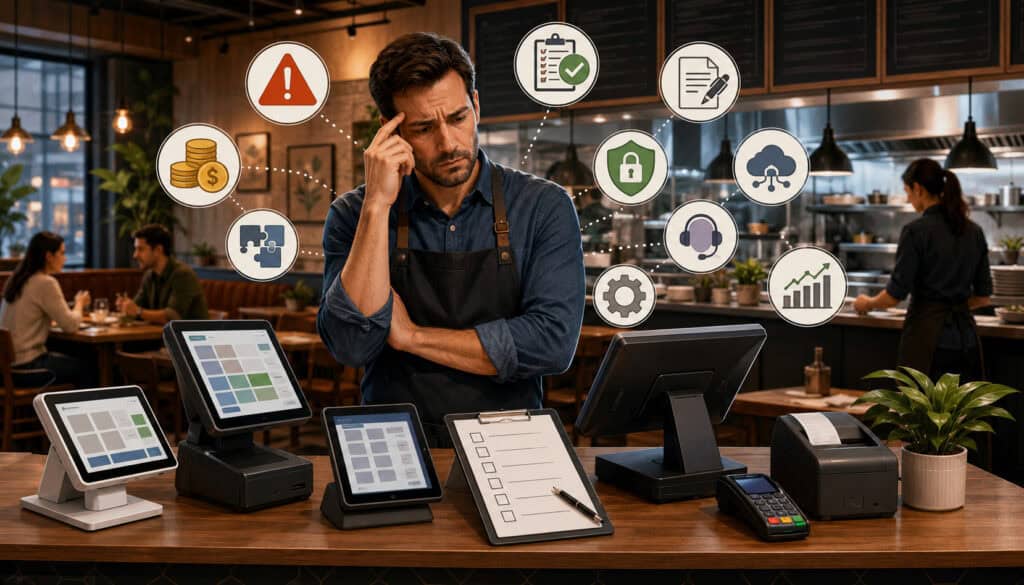
Use the following restaurant POS checklist during early research, demonstrations, contract review, and implementation planning.
| Checklist Area | Mistake to Avoid | Better Buying Habit | Priority |
| Needs review | Buying before mapping workflows | Define requirements first | High |
| Cost | Choosing only by low price | Compare total ownership cost | High |
| Payments | Ignoring processing terms | Review rates, fees, and restrictions | High |
| Contracts | Missing cancellation provisions | Read the complete agreement | High |
| Hardware | Buying unsuitable devices | Match hardware to workflow | High |
| Kitchen | Not testing order routing | Test KDS screens and printers | High |
| Offline mode | Assuming every function works | Ask detailed outage questions | High |
| Reporting | Ignoring report needs | Review dashboards and exports | High |
| Integrations | Missing required connections | Confirm compatibility before signing | Medium/High |
| Permissions | Giving users excessive access | Configure roles and approvals | High |
| Training | Rushing staff preparation | Plan role-based training | High |
| Implementation | Launching without testing | Use a documented go-live plan | High |
| Support | Comparing only support channels | Review hours and escalation | High |
| Data | Ignoring export options | Confirm access and portability | Medium/High |
| Growth | Buying only for present needs | Evaluate realistic expansion | Medium |
How to Use the Checklist
Complete the checklist before contacting providers. It will expose missing requirements and help the restaurant ask more specific questions.
During demonstrations, add notes and evidence beside each row. Record whether a function was demonstrated, described verbally, or confirmed in writing. These are not equivalent levels of verification.
Before signing, revisit every high-priority item. During implementation, convert the relevant rows into testing and training tasks. The checklist becomes more valuable when it follows the project from research through launch.
Records to Gather Before Buying a POS
Collect operational materials before beginning the comparison:
- Current menus and modifier lists
- Floor plans and service stations
- Recent transaction volume
- Average ticket information
- Payment channel breakdown
- Existing hardware inventory
- Kitchen routing rules
- Online ordering workflows
- Employee roles and permissions
- Required reports
- Current integrations
- Existing agreements
- Growth plans
- Support concerns
These materials allow vendors to build more accurate quotes and demonstrations. They also reduce the likelihood that an important requirement appears after the contract is signed.
Best Practices to Avoid Restaurant POS Buying Mistakes
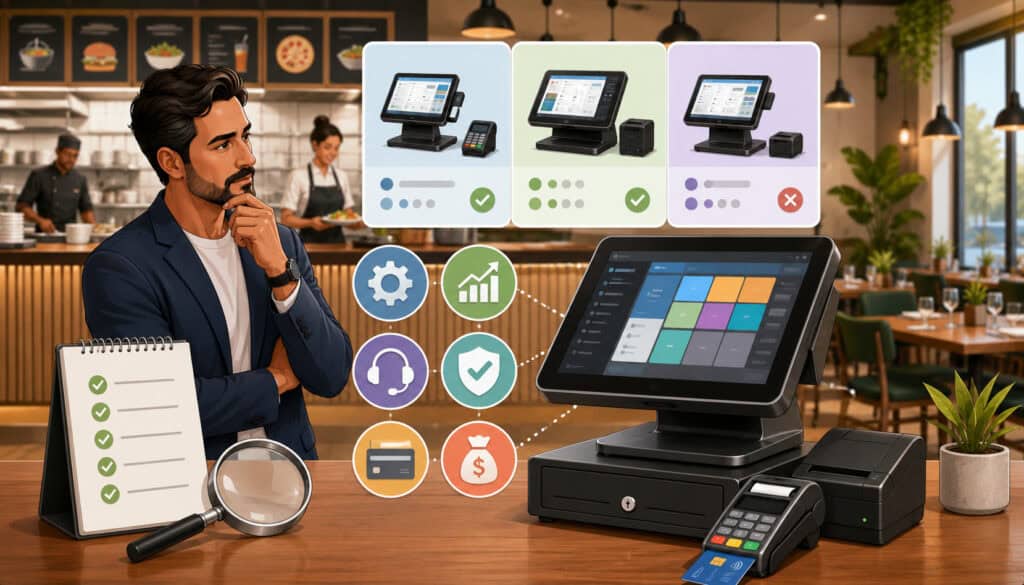
A disciplined buying process is the strongest protection against common restaurant POS buying mistakes.
Operators should:
- Define workflows before shopping.
- Build a must-have requirements list.
- Compare total cost rather than the base subscription.
- Review payment processing terms.
- Read renewal and cancellation provisions.
- Test real orders and unusual situations.
- Include front-of-house and kitchen employees.
- Investigate offline behavior.
- Confirm hardware ownership and warranties.
- Verify integrations in writing.
- Review permissions, security, and data access.
- Plan training and implementation.
- Compare support availability.
- Consider realistic growth.
- Seek professional guidance for specialized legal, tax, accounting, cybersecurity, payment compliance, employment, or financial questions.
The general data-security guidance for businesses may also help operators identify topics to discuss with their technical and professional advisers.
Create a POS Buying Scorecard
Use a scorecard to compare each option consistently. Suggested categories include:
- Workflow fit
- Staff usability
- Kitchen communication
- Cost clarity
- Payment terms
- Hardware suitability
- Offline capability
- Reporting
- Integrations
- Permissions and security
- Support
- Implementation
- Contract flexibility
- Data portability
- Growth capacity
Assign weights based on importance. Kitchen routing may carry more weight for a high-volume restaurant, while mobile connectivity may be critical for a food truck.
Require notes or evidence for each score. A number without an explanation can hide assumptions.
Involve the Right Team Members
Owners should not make the decision in isolation when several roles will use the system.
Managers can assess reporting and approvals. Servers and cashiers can evaluate order entry. Bartenders can test tabs and tipping. Kitchen leads can review routing and readability. Accounting users can examine exports and reconciliation.
Each participant should focus on their area of responsibility while using the same evaluation framework. The goal is not to choose the option everyone finds most exciting. It is to identify the option that supports the restaurant as a whole.
How to Choose a Restaurant POS System Without Regret
A reliable decision begins with operational fit and ends with written verification. The restaurant should know how the system supports orders, payments, kitchen communication, reporting, employees, integrations, and management controls.
Cost, contract terms, hardware, implementation, support, security, data access, and growth should then be evaluated around that operational foundation.
Questions to Ask Before Buying
Ask each provider:
- How are complex modifiers configured?
- Can employees split checks by seat, item, or amount?
- How are bar tabs and tip adjustments handled?
- What works during an internet outage?
- Which payment processor is required or supported?
- What fees apply to in-person and online payments?
- How are refunds and chargebacks handled?
- Which hardware is included?
- Is hardware purchased, leased, or rented?
- How are orders routed to KDS screens or printers?
- Can menu changes synchronize across channels?
- Which reports are included?
- Can data be exported?
- Which integrations are supported?
- Who troubleshoots integration failures?
- How are user roles and manager approvals configured?
- What training is included?
- Who completes menu setup?
- What support is available during operating hours?
- What are the renewal and cancellation terms?
- What happens to data after cancellation?
- How does pricing change when devices or locations are added?
Record the answers and confirm important commitments in writing.
Choose Operational Fit Over Flashy Features
The best POS is not necessarily the newest, cheapest, or most feature-heavy system. It is the one that supports the restaurant’s real service model without creating unnecessary complexity.
A visually impressive dashboard cannot compensate for slow order entry. An extensive feature list cannot correct poor kitchen routing. A low price cannot solve inadequate support or restrictive contract terms.
Decision-makers should prioritize dependable daily workflows, understandable costs, usable reports, appropriate hardware, and realistic implementation. A system that employees can use consistently is more valuable than one with advanced tools the restaurant cannot maintain.
Frequently Asked Questions
What are the most common restaurant POS buying mistakes?
The most common mistakes include buying before defining requirements, choosing only by price, overlooking payment processing, ignoring contract terms, buying unsuitable hardware, and failing to test kitchen workflows.
Other problems include assuming offline mode supports every function, neglecting integrations, underestimating training, and relying only on vendor demonstrations. Most can be prevented through requirements planning, realistic testing, written comparisons, and careful agreement review.
What mistakes should owners avoid when buying a restaurant POS system?
Owners should avoid treating every restaurant POS as interchangeable. Systems may handle menus, modifiers, payments, kitchen routing, reporting, integrations, and support very differently.
They should also avoid accepting unclear pricing or verbal promises. Important details about hardware, payment processing, support, implementation, data access, renewals, and cancellation should be documented before the restaurant commits.
Why is choosing a POS only by price a mistake?
The advertised software price may represent only one part of the total expense. Hardware, payment processing, online ordering, additional devices, support, integrations, training, and cancellation obligations may significantly change the total.
A cheaper system can also create operational costs if employees must perform additional manual work. Price should be compared after the restaurant confirms that the system supports essential workflows.
What payment processing terms should restaurants review?
Restaurants should review transaction rates, fixed charges, monthly fees, online payment pricing, manually entered transaction costs, refund treatment, chargeback fees, settlement timing, equipment costs, and processing requirements.
They should also determine whether the POS requires a particular processor and what would happen if the restaurant wanted to change processing arrangements. Specific payment and financial questions should be reviewed with qualified professionals.
Why is offline mode important when buying a POS system?
Internet and network disruptions can affect order entry, kitchen routing, receipt printing, card acceptance, online orders, loyalty, and reporting. Offline capabilities vary substantially.
Restaurants should ask exactly which functions continue, whether limits apply, and how data synchronizes after reconnection. Employees should also be trained on a documented outage procedure.
What should restaurants test before choosing a POS?
Restaurants should test normal and difficult transactions using their own menu. Testing should include modifiers, split checks, tips, bar tabs, discounts, voids, refunds, online orders, unavailable items, kitchen routing, closing reports, and manager approvals.
They should also test hardware placement, staff usability, offline behavior, integration data, and simultaneous use during a simulated rush.
How can restaurants avoid POS contract mistakes?
Decision-makers should read the complete agreement, including attached schedules and referenced policies. They should review contract length, auto-renewal, notice deadlines, cancellation fees, hardware returns, support terms, processing obligations, and data access.
Important promises should be documented in writing. Legal questions or unclear obligations should be reviewed by a qualified legal professional.
Conclusion
Avoiding restaurant POS buying mistakes begins with understanding how the restaurant actually operates. Owners should map order flow, payment needs, kitchen communication, menu complexity, employee roles, reports, integrations, and future plans before evaluating products.
The comparison should then extend beyond the monthly software price. Payment processing, contract language, hardware, offline mode, support, training, implementation, security, data access, and total cost of ownership all affect the long-term value of a POS.
Realistic testing is essential. Restaurant teams should enter complex orders, route tickets, split checks, process payments, change menu items, review reports, and practice outage procedures before making a final choice. Front-of-house employees, kitchen leads, managers, owners, and administrative users may each identify different concerns.
The right system does not need every available feature. It needs to support the restaurant’s most important workflows reliably and make routine tasks easier to complete.
A careful selection process helps create smoother service, clearer payments, more useful reports, stronger kitchen communication, and a more manageable daily operation. By reviewing operational fit first and written terms carefully, restaurant decision-makers can choose technology with greater confidence and fewer avoidable surprises.