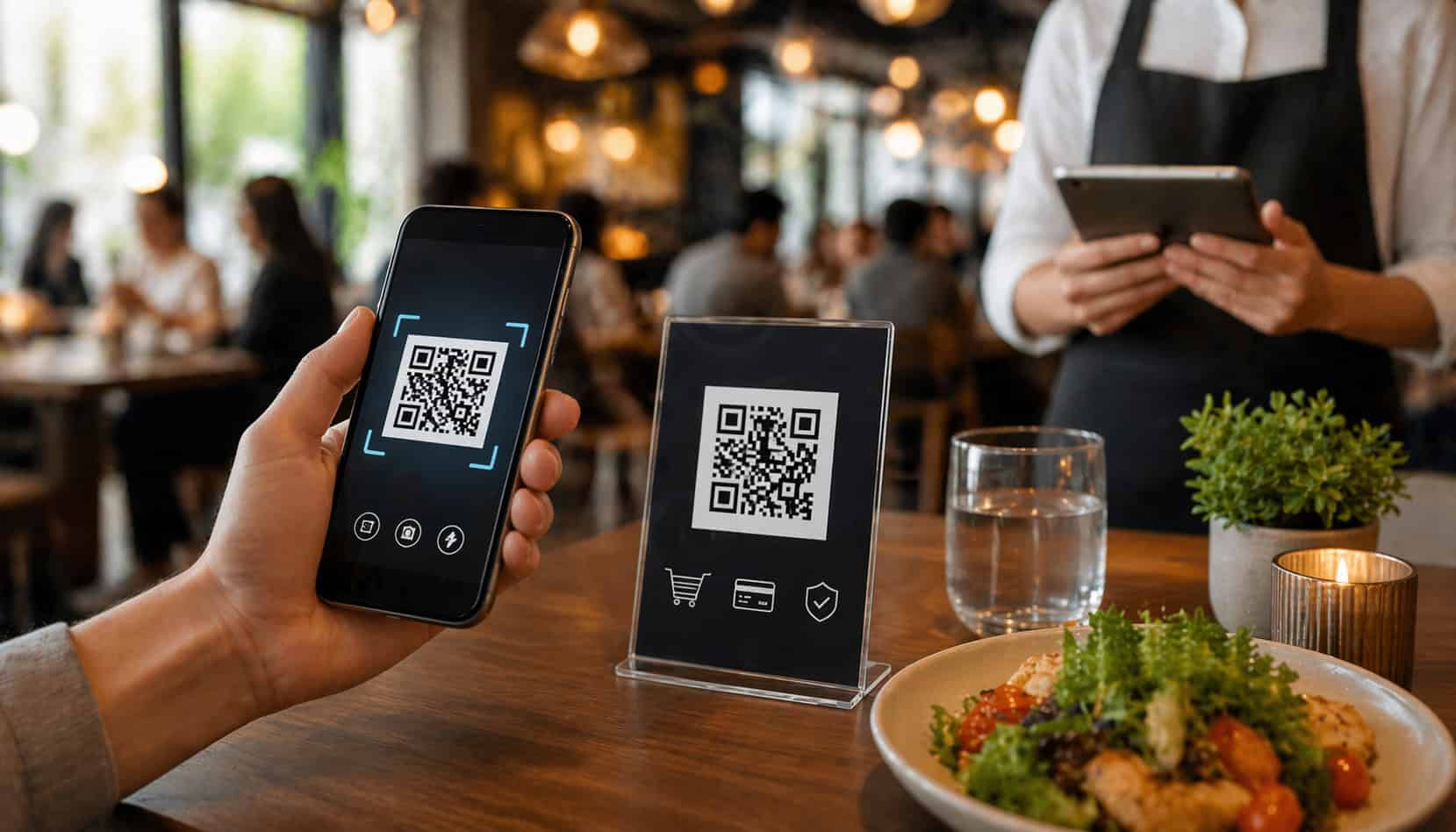
Restaurant payments have changed. Guests are more comfortable using their phones to browse menus, place orders, store cards, and complete purchases, and many now expect checkout to feel as easy as everything else on their device.
For restaurant operators, that shift has opened the door to faster, more flexible payment flows that can reduce friction during busy service and make checkout easier to manage.
That is where QR Code Payments in Restaurants come in. A well-designed QR payment flow can shorten the time between “ready for the check” and “paid and gone,” reduce back-and-forth trips for staff, and give guests more control over how they settle the bill. In some settings, QR payments are a natural fit. In others, they work best as an option rather than the default.
The key is understanding what QR code payments actually do, where they help, and where they can create new problems if they are forced into the wrong service model.
A QR code payment system should not be treated as a trend to copy just because other restaurants use it. It should be evaluated as part of the full guest journey, from ordering and table service to tipping, receipts, refunds, and staff workflow.
This guide explains how QR code payments restaurants actually work, the main use cases, the real advantages, the limitations to watch, and the practical steps needed to implement them without hurting hospitality.
Whether you run full service, fast casual, counter service, a café, or a takeout-heavy concept, the goal is the same: make payment easier without making the experience colder, more confusing, or harder for guests.
What QR Code Payments in Restaurants Are and How They Work
At the most basic level, QR Code Payments in Restaurants allow a guest to scan a code with their phone and open a payment page connected to a specific table, order, ticket, or transaction. Instead of waiting for a printed check, handing over a card, and waiting again for the terminal or receipt, the guest can move through the payment process on their own device.
In a restaurant environment, that process usually starts with a table tent, receipt, counter sign, pickup station card, menu insert, or digital display.
The guest scans the code, which opens a secure page where they can review the total tip, split the bill in some cases, choose a payment method, and complete checkout. Depending on the setup, they may receive a digital receipt by text or email, and the POS may automatically mark the check as paid.
The important detail is that “QR payment” is not one single setup. A restaurant QR payment solution may connect directly to the POS, to an online checkout page, to an order-ahead platform, or to a payment gateway that maps payments back to a live ticket.
Some flows are table-based. Others are order-based. Some include full QR code ordering and payment restaurant functionality, while others are payment-only.
For operators, this distinction matters because the checkout experience is only as good as the system behind it. If the QR opens a fast, simple, mobile-friendly page tied to the right check, the experience can feel smooth. If it opens a confusing menu, requires too many taps, or loses the connection to the right order, guest frustration rises quickly.
A typical QR payment flow looks like this:
| Step | What the Guest Does | What the Restaurant System Does |
| Scan | Uses phone camera to scan the table or order QR code | Opens the linked payment or ordering page |
| Review | Checks items, subtotal, taxes, fees, and tip options | Pulls live ticket or order data from POS or checkout platform |
| Choose payment | Selects card, saved payment, or mobile wallet if available | Processes the transaction through the payment gateway |
| Confirm | Submits payment and receives confirmation | Marks the check paid, records tip, and stores transaction data |
| Receipt | Views, texts, or emails receipt | Sends digital receipt and updates reporting |
A good table QR payment system should make each of those steps obvious. The guest should know what the code is for, what happens after scanning, how to get help, and what to do if they prefer another payment method.
From table scan to completed payment
In a full-service setting, QR payment usually begins after the meal, not before it. The server may drop a check presenter with a QR code or point out a code already placed at the table. The guest scans the code, lands on the payment page, reviews the bill, adds a tip, and pays.
In a more advanced system, the guest can also split the check by amount or by item, which can reduce the back-and-forth that often slows down larger groups.
At a counter-service or fast-casual restaurant, the QR flow may start earlier. A code may send the guest to an ordering page that includes payment during checkout, or it may appear on a printed receipt so they can complete payment later if the order is still open.
In pickup and takeout scenarios, a QR code can help connect the order to a pickup shelf, text notification, or handoff station.
For the restaurant, the success of the flow depends on accurate matching. The code must point to the correct table, tab, or order. If a guest scans a generic landing page and then has to search for their bill, the convenience drops. If two tables are accidentally mapped incorrectly, the issue becomes much bigger than minor friction.
QR payments vs QR ordering vs mobile wallet checkout
These terms are often lumped together, but they are not the same.
- QR code payments usually refer to a guest scanning a code to pay an existing tab or ticket. The ordering may have happened through staff, at a counter, or elsewhere in the system. The QR is there to complete the checkout.
- QR code ordering means the guest scans a code to browse the menu and place the order from their phone. Payment may happen immediately, later, or both. In some restaurants, ordering and payment are combined into one flow. In others, the guest orders by phone but closes out through staff.
- Mobile wallet checkout is the payment method itself, not the entry point. A guest may use Apple Pay, Google Pay, or another digital wallet after scanning a QR code, but that same wallet could also be used through a website, online ordering page, or terminal without any QR involved.
- Traditional card-present payments typically involve a card reader, handheld terminal, tableside device, or countertop payment terminal. The card or phone is tapped, dipped, or swiped on restaurant hardware rather than inside a browser-based mobile checkout flow.
Understanding the difference matters when evaluating a QR code payment system restaurant owners are considering. A restaurant may want payment-only QR checkout because guests like traditional service until the end of the meal.
Another may prefer full mobile ordering and payment to support lean staffing or higher-volume service. The right answer depends on the concept, not on what sounds most modern.
Where QR Code Payments Fit Best in Restaurant Operations
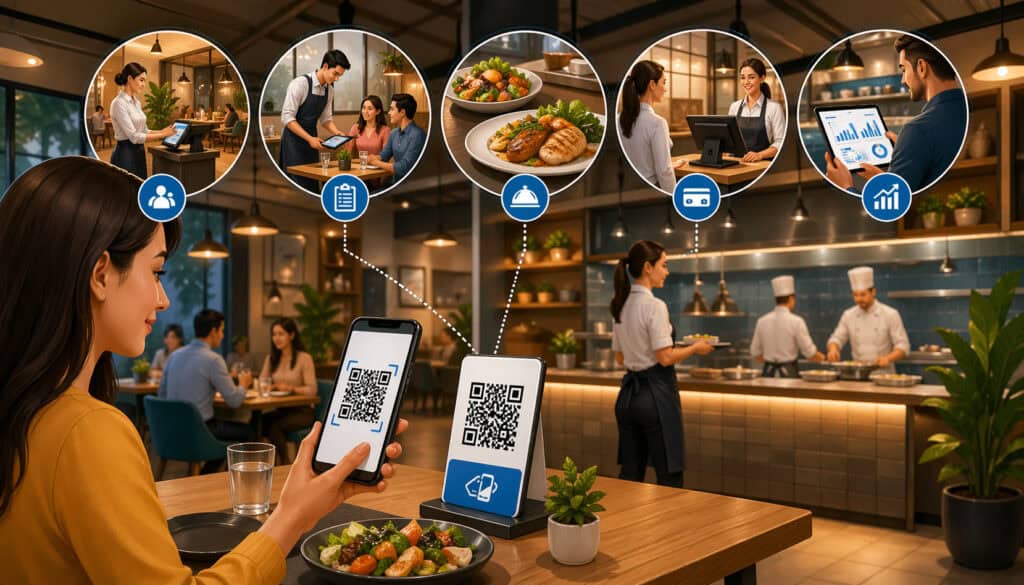
Not every restaurant needs the same payment flow. The usefulness of restaurant QR payment solutions depends heavily on service style, traffic patterns, check size, staffing, and guest expectations. In some operations, QR fits naturally into the rhythm of service. In others, it should be offered as an optional convenience rather than a required process.
The biggest mistake operators make is assuming one QR workflow should apply everywhere. A full-service dining room, a café with heavy morning rush traffic, and a food hall vendor serving fast lunch orders all face different bottlenecks. The goal is not to force one kind of checkout. The goal is to remove friction in the places where friction actually exists.
Many restaurants discover that QR works best at high-volume moments: lunch rush, shift changes, late-night checkout, large-party bill splitting, pickup windows, and quick-turn tables. In those moments, the ability to pay by QR code in restaurants can reduce wait times and give staff more time to focus on order accuracy, hospitality, and issue resolution.
At the same time, there are concepts where personal interaction is part of the brand promise. In those cases, fully replacing human payment touchpoints may feel out of step with the guest experience. QR can still help, but the implementation needs to be more selective.
Full-service dining rooms and table-side checkout
In a full-service restaurant, QR code payments are often most effective at the end of the meal. Guests who have already interacted with staff throughout service may appreciate the option to pay on their phone instead of waiting for a check, then a card pickup, then a return trip with a receipt.
This is especially useful during peak service when servers are managing multiple tables and checkout requests pile up at the same time.
QR payment can also help with split checks, which are a common source of delays. A mobile payment page that lets guests divide the total themselves can reduce the operational drag of multiple cards and back-and-forth recalculations. That does not mean every guest will use it, but having the option can ease pressure during busy shifts.
Still, full-service dining requires care. If the restaurant is positioned around warm, attentive, high-touch hospitality, replacing the end-of-meal interaction entirely may feel abrupt. A better approach may be to present QR as an option while still allowing traditional checkout. Guests who want speed can use it. Guests who prefer personal service can pay the usual way.
Fast-casual, counter service, and quick-turn formats
Fast-casual restaurants are often a strong fit for contactless restaurant payments because the guest journey is already built around speed and self-direction.
Customers are comfortable reading signs, ordering at the counter, using kiosks, and picking up food without extended table service. A QR checkout restaurant setup can blend into that environment with less friction than it would in a more traditional dining room.
In these models, QR may be used in several ways. A code can launch ordering and payment from a table or waiting area. It can connect to a pickup shelf for remaining balances. It can support reorders, add-ons, or line-busting during rush periods. Since fast-casual traffic tends to peak in compressed windows, even small gains in checkout efficiency can matter.
The best use cases are the ones that reduce bottlenecks without creating confusion. If the line is long and guests can order and pay from their phone before reaching the counter, that can help. If the QR process is slower than ordering with staff, guests will ignore it. The flow has to be faster than the alternative, not just newer.
Cafés, coffee shops, and smaller-format concepts
Cafés and coffee shops often deal with short dwell times, small tickets, and repeat guests who want routine and speed. In those environments, mobile payments for restaurants can work well when they reduce waiting and give regulars a faster path through the line or through pickup.
For example, a café may use QR for table reorder flows, digital tabs, or self-serve guest areas where customers want another drink or pastry without returning to the register. A code on a table or pick-up station can create a low-friction path to another sale, but only if menu browsing and payment are quick enough to feel natural.
Smaller concepts should also think carefully about signage and layout. Because café environments are often visually busy, QR prompts can get lost among menus, price boards, loyalty messages, and pickup instructions. A code that is technically available but poorly positioned will not get meaningful use.
Takeout, pickup, and off-premise-heavy operations
Takeout-heavy restaurants often benefit from QR codes because pickup environments can become congested quickly. If a guest arrives and still needs to complete payment, confirm an order, or retrieve a receipt, a code can reduce the need for staff intervention.
This is especially useful when one employee is managing phones, counter traffic, handoff, and issue resolution at the same time.
A QR code can also support smoother delivery handoff or curbside workflows. For example, a guest who needs to add a tip, confirm arrival, or settle an unpaid balance can do so through the same phone-based flow. In this case, the QR is less about in-store novelty and more about reducing interruption.
That said, takeout operations still need strong order matching. The guest should not have to wonder whether they are paying the right ticket, especially during rushes. Clear order identifiers, concise instructions, and a fallback staff-assisted option are essential.
The Main Benefits of QR Code Payments Restaurants May See
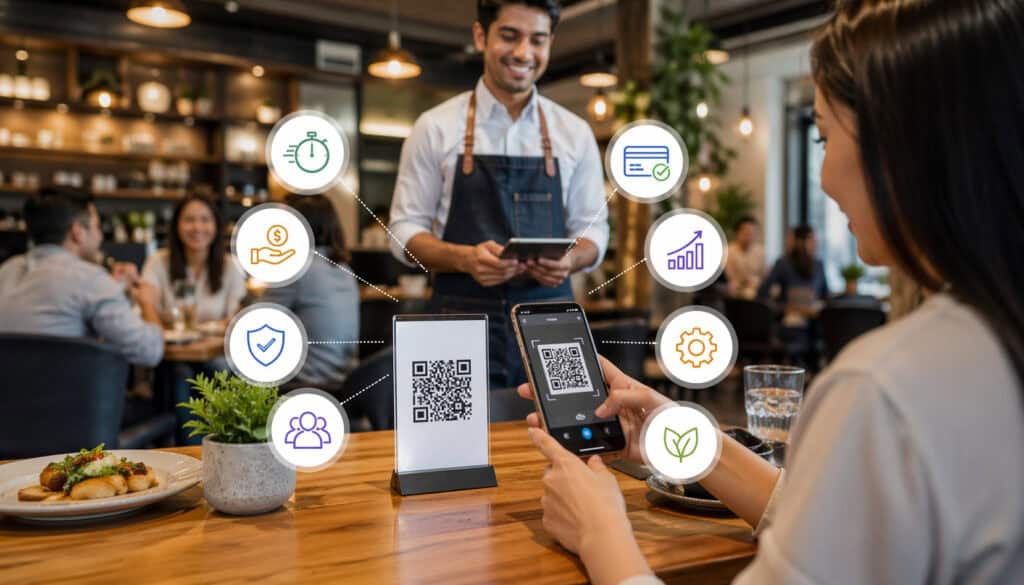
When QR is implemented well, the biggest gains are usually operational and experiential rather than flashy. Restaurants are not just adding a new way to pay.
They are redesigning the end of the transaction so that fewer steps depend on staff movement, physical hardware handoff, and waiting. That can improve checkout speed, reduce line congestion, and create more flexibility in how guests settle their bill.
The most visible benefit is convenience. Many guests already use their phones to interact with restaurants before and during the visit. Paying on the same device can feel like a natural extension of the experience.
In a busy setting, the ability to review the total, add a tip, and finish payment without waiting can leave a stronger final impression than the meal alone.
For operators, the value often shows up in labor flow and table management. Staff do not have to make as many repeated trips just to deliver checks, collect cards, run cards, and return receipts. That time can be redirected toward service, cleaning, upselling, or handling issues that actually require a human touch.
Here are some of the most common benefits a restaurant may see:
- Faster payment completion at the table or counter
- Less waiting for guests who are ready to leave
- Reduced staff trips for check delivery and card handling
- Easier handling of split payments in group dining
- More flexible digital payment experience restaurant guests can control
- Digital receipts that reduce paper use and make recordkeeping easier
- Cleaner handoff in pickup and off-premise environments
- Better support for guests who prefer contactless checkout
Faster checkout and smoother table turns
One of the strongest arguments for QR payments is simple: they can help shorten the time between “check, please” and the table becoming available again. In full-service restaurants, the final part of the meal often includes avoidable waiting.
The guest waits for the check, then the server waits for a moment to pick up the card, then the guest waits again for the receipt or device return. Those small delays add up, especially during busy periods.
A well-functioning QR payment option compresses that timeline. Guests who are ready to leave can take action immediately instead of waiting for the next staff touchpoint.
Over time, this can support better table flow, especially at lunch or during tightly timed dinner turns. It does not mean every table will move dramatically faster, but it can reduce unnecessary stalls at the end of service.
The gain is not just about seating more guests. It is also about ending the experience on a less frustrating note. Payment is one of the last impressions guests have. When it feels easy, the overall experience often feels more polished.
Easier split payments and less payment handling by staff
Group dining creates one of the biggest pain points in restaurant checkout. Different people want to pay different amounts, someone joined late, another person is covering drinks, and the staff member is stuck sorting out the logistics. QR payment can reduce that burden by letting guests participate directly in splitting the bill.
Not every system handles split checks well, so this should be tested carefully. But when it works, it can reduce register time, eliminate repeated card runs, and improve accuracy. Guests can decide how to divide the bill rather than relying entirely on staff to recalculate it.
This also reduces direct card handling. Fewer card handoffs mean fewer interruptions, fewer opportunities for cards to be misplaced, and less time spent walking transactions through the dining room. That is one reason many restaurants see QR as part of a broader move toward more efficient mobile payments for restaurants.
Contactless convenience and digital receipts
A major appeal of contactless restaurant payments is that they remove physical handoff from the process. Some guests simply prefer using their own device. Others like having a receipt sent by email or text instead of managing paper at the table. For pickup, delivery handoff, or event dining, this can make the transaction feel cleaner and more efficient.
Digital receipts can also help on the operations side. They are easier to resend, easier for guests to store, and often easier to connect back to transaction records during a refund or dispute process. In operations where paper receipt clutter builds up quickly, digital options can create small but meaningful cleanup benefits.
The key is to keep digital convenience from turning into digital overload. Guests should not have to create an account, opt into multiple messages, or click through too many pages just to pay. The more direct the path, the more likely they are to see the QR option as a benefit rather than a chore.
The Limitations and Challenges Restaurants Need to Consider

For all the upside, QR payment is not automatically better than traditional checkout. It solves some problems, but it can create others if the flow is not matched to the concept, the guest base, and the physical environment.
That is why a balanced view matters. Restaurants should not adopt QR because it feels innovative. They should adopt it when it clearly improves a specific part of the guest and staff workflow.
One common issue is guest adoption. Not every guest wants to use their phone at the table, and not every guest trusts scanning codes. Some people prefer a card terminal, some do not want to enter payment details into a web page, and some simply do not notice the code.
If the restaurant assumes QR will become the default without clear communication and fallback options, friction grows quickly.
Another issue is phone dependence. A guest may have a dead battery, weak data signal, poor Wi-Fi access, or accessibility needs that make phone-based checkout harder. Restaurants that rely too heavily on QR without preserving traditional payment paths risk making simple transactions feel harder than they need to be.
These limitations do not make QR a bad idea. They just mean it must be treated as a design decision with trade-offs.
Guest adoption, accessibility, and comfort levels
Restaurant technology often looks smoother from the operator side than from the guest side. A QR flow may appear efficient on paper, but if guests do not understand it, trust it, or want to use it, the system will underperform.
Older guests are often mentioned in this conversation, but tech hesitation is not limited to age. Plenty of younger guests also prefer a familiar card-present experience when dining out.
Accessibility deserves even more attention. Small text, cluttered landing pages, weak contrast, and too many screen steps can make payment harder for guests with visual, motor, or cognitive needs. If the only available checkout option depends on navigating a small phone screen, the restaurant may unintentionally create barriers at the very end of service.
That is why choice matters. A QR option can improve convenience without excluding guests, but only if the restaurant also maintains a visible, respectful alternative. Staff should be trained to recognize hesitation and offer help without making guests feel behind or embarrassed.
Poor signage, weak internet, and confusing tipping flows
Even restaurants that choose the right QR model can still struggle with execution. One of the most common problems is poor placement. If the code is hidden under condiments, printed too small, faded, or mixed into cluttered table signage, guests will miss it. If they cannot tell whether the code is for menu viewing, Wi-Fi, loyalty signup, or payment, they may ignore it altogether.
Internet reliability is another frequent problem. A QR system can only feel effortless if the page loads quickly and consistently. Weak in-store Wi-Fi, dead zones, or spotty service can create a checkout experience that feels slower than simply waiting for the server. That frustration tends to land on the restaurant, not on the technology provider.
Tipping flow is also more important than many operators realize. If tip options are awkward, unclear, or appear after the guest thinks they are finished, the process can feel manipulative or confusing. The payment page should show tip choices clearly, make custom tipping easy, and confirm the final amount before submission.
The risk of making service feel less personal
Restaurants are not just transaction environments. They are service environments. That distinction matters. When QR is introduced without care, it can shift the tone of hospitality in a way that feels impersonal.
Guests may interpret phone-based ordering or payment as the restaurant offloading work onto them, especially in full-service settings where human interaction is part of the value.
This is not always a problem. In some concepts, self-directed technology feels natural and efficient. But in restaurants built on conversation, recommendations, pacing, and relationship-based service, forcing mobile checkout can undercut what guests came for in the first place.
The answer is not to reject QR altogether. It is to decide where it should be optional, where it should be promoted, and where it should stay in the background. A restaurant can use QR to support hospitality or accidentally replace it. The difference usually comes down to how thoughtfully the system is introduced.
Choosing a QR Code Payment System That Fits Your Restaurant Model
A QR code payment system restaurant owners choose should fit the operation they already run, not the one a platform wishes they had. This is where many rollout problems begin.
The restaurant sees a sleek product demo, but the real dining room has split checks, menu modifiers, weak corners of the building, rushed staff, and guests with different comfort levels. A system that looks polished in isolation may not fit the realities of service.
The best starting point is to evaluate the service model. Is the restaurant primarily table-service, counter-service, hybrid, or off-premise-heavy? Does the guest already use their phone elsewhere in the journey? Are staff stretched at payment time, or is another part of the experience the bigger bottleneck? Does the restaurant need payment-only QR, or would ordering and payment together make more sense?
This is also the stage where POS compatibility matters. If the QR flow does not map cleanly to tables, tickets, modifiers, and refunds inside the POS, staff will end up cleaning up the mismatch manually. A payment system should reduce operational effort, not move it somewhere less visible.
Match the payment flow to your service style
A full-service dining room may only need payment-at-the-end QR. A fast-casual concept may benefit more from mobile ordering plus payment. A food hall vendor may need QR that supports queue reduction and pickup communication. A café may want QR for reorders or self-serve seating rather than first-time ordering.
This is why “best” is the wrong question. A better question is: where does payment currently create friction? If staff are losing time running cards back and forth, QR may help at the table. If the front counter gets overloaded during rushes, QR ordering and payment may help there. If pickup is chaotic, a QR-enabled handoff flow may be more valuable than dining room QR at all.
The flow also has to fit guest expectations. In high-touch service, optional QR works better than mandatory QR. In quick-turn environments, guests may prefer a phone-based path if it clearly saves time. The restaurant should choose the system that supports its identity instead of hoping guests will adapt.
Evaluate POS integration, payment gateway fit, and order matching
Behind every smooth guest payment experience is a lot of operational plumbing. QR payment has to connect to the POS, the payment gateway, and the restaurant’s table or order logic. If those pieces do not align, staff end up fixing exceptions manually, and the convenience disappears.
POS integration should be evaluated carefully. Can the QR page pull the correct live check? Can it handle open tabs, modifiers, taxes, tips, split tenders, and multiple revenue channels? Does payment post automatically to the right table or order? How are voids, partial refunds, and receipt lookups handled later?
Gateway compatibility also matters. Some systems support a wide range of payment methods and wallets, while others are narrower. The restaurant should test the actual guest checkout flow, not just the backend dashboard. If guests encounter payment failures, incomplete confirmation screens, or unclear error messages, trust drops quickly.
QR Code Ordering and Payment Restaurant Setups: When Combined Flows Work Best
A QR code ordering and payment restaurant setup combines menu browsing, ordering, and checkout into one mobile flow. For the right concept, this can streamline the entire front-end experience.
Guests scan, browse, customize, pay, and submit without waiting for staff or lining up at a register. But combining these steps is not automatically better. In some settings, it creates more friction than it removes.
The strongest use case is a concept where self-direction already fits the guest mindset. Fast casual, limited service, food halls, brewery service areas, patio ordering zones, and some cafés often work well with combined QR ordering and payment.
In these environments, guests are usually comfortable taking action themselves, and the restaurant benefits when staff are freed from repetitive order-entry tasks.
The weaker use case is a concept where guests expect guidance, pacing, upselling, dietary reassurance, or a more personal service flow. In that case, asking people to manage the order and payment sequence entirely on their phone can feel like a downgrade rather than a convenience.
When combined ordering and payment makes sense
Combined mobile ordering and payment works best when speed, convenience, and labor efficiency are central to the concept. Guests already expect a lighter-touch experience, and the menu is simple enough to browse without much explanation.
In these cases, QR can reduce lines, shorten wait times, and allow staff to focus on food prep, delivery of items, or guest support rather than routine order-taking.
This model can also work well in overflow or secondary spaces. A patio, waiting area, bar-adjacent zone, food hall seat bank, or event environment may not justify dedicated register staffing at all times. QR gives the restaurant a way to serve those spaces without building a full service station.
Another advantage is order accuracy when the interface is clear. Guests can review modifiers, confirm totals, and pay before submitting. That can reduce misheard orders and make reorders easier. But those gains depend on a clean menu structure and a very readable mobile interface.
When ordering-plus-payment can create friction
The downsides show up quickly when the mobile flow becomes too demanding. Large menus, many modifiers, combo structures, or heavy customization can overwhelm small phone screens. Guests may have questions, want recommendations, or need reassurance about allergens and substitutions. A QR-only flow can make those moments feel harder instead of easier.
It can also create service confusion. If guests order and pay from their phone, who is watching for problems? Who notices that a table is waiting too long? Who checks on beverage refills or missing items? Technology can reduce order-entry labor, but it can also hide guest needs if staff are not trained to monitor the dining room differently.
There is also a psychological difference between paying before and after dining. In many table-service environments, guests are used to paying at the end.
Asking them to place and prepay from their phone can shift expectations in ways that change how they perceive the restaurant. That may be fine for some brands, but it should be a deliberate decision, not an accidental side effect of adopting new tools.
Practical Setup Considerations for a QR Checkout Restaurant Setup
A QR checkout restaurant setup only works as well as the operational details behind it. Restaurants often focus on the visible part of the system, such as the printed code or the checkout screen, but the day-to-day success depends on smaller decisions: how checks are mapped, how tips are displayed, how refunds are handled, and how staff explain the process. Those details shape whether QR feels intuitive or awkward.
Before rollout, operators should walk through the full lifecycle of a transaction. How is the code created? Where does it live physically? How does the guest know when to use it? How does the system know which table or order it belongs to? What happens if the guest leaves without finishing? What happens if they paid the wrong ticket? How are receipts found later?
These are not technical side notes. They are the difference between a smooth payment flow and a recurring service headache. Restaurants evaluating restaurant QR payment solutions should build the setup around real service conditions, not ideal ones.
Core operational requirements to get right
Several setup elements deserve close attention from the start:
- POS integration: The QR flow should connect cleanly to open checks, tax logic, modifiers, and reporting.
- Payment gateway compatibility: It should accept the payment methods your guests actually use and support secure, reliable processing.
- Table mapping or order matching: Each code must point to the correct table, order, or check without ambiguity.
- Tipping flow: Tip options should be visible, fair, easy to edit, and confirmed before final submission.
- Split-check handling: Large parties and shared tabs should be easy to divide without staff doing excessive manual work.
- Receipts and refunds: Staff should know how to retrieve transactions and process issues quickly after the fact.
- Internet reliability: Weak connectivity can ruin what is supposed to be a faster checkout method.
- Staff training: Employees must know when to offer QR, how to explain it, and how to troubleshoot basic problems.
- Guest instructions: Table signage and on-screen prompts should be brief, specific, and easy to follow.
Each item affects guest trust. Payment is not the moment to introduce uncertainty. If guests hesitate because they are unsure what will happen after scanning, the operational value of QR drops.
Signage, training, and troubleshooting matter more than most operators expect
A QR system can be technically excellent and still fail because the human layer is weak. Staff need more than a one-time demo. They should understand when QR is most helpful, how to introduce it naturally, what common guest questions sound like, and how to shift immediately to another payment method if needed.
Signage also needs discipline. A small table tent that says “Scan to pay your check” is clearer than a crowded insert with icons, brand slogans, and multiple codes. Guests should not need to decode the code. Its purpose should be obvious before they scan it.
Troubleshooting should be simple enough for frontline staff to handle. If the code does not load, the bill does not appear, or the guest paid but the table still looks open in the POS, employees need a clear recovery process. Otherwise, the restaurant risks turning a convenient payment option into a trust problem right at the end of the meal.
How QR Code Payments Affect the Guest Experience
A payment method is never just a payment method. It changes how guests feel about speed, control, privacy, service, and even the overall tone of the meal. In many restaurants, checkout is the last emotional moment of the visit. If it feels smooth, guests leave with momentum. If it feels confusing or impersonal, that friction can color the entire experience.
QR payments can improve the guest experience when they remove waiting and give people more control. Some guests appreciate being able to pay the moment they are ready, review charges privately, add a tip without pressure, and receive a digital receipt they can keep. Others like avoiding the awkward card handoff or the delay of waiting for staff during a rush.
But the same system can hurt guest experience if it feels forced. Guests may feel pushed into using their phone when they would rather interact with a person. They may worry whether the page is secure, whether they tipped correctly, or whether the check actually closed. Convenience only helps when it is accompanied by clarity and confidence.
Convenience, speed, and transparency
The best digital payment experience restaurant operators can offer is one that feels obvious and low-stress. QR can help by making the bill visible, the total transparent, and the payment sequence immediate.
Guests can see the subtotal, tax, fees, and tip selection in one place. They do not have to wait for staff to return, and they do not have to wonder when the card will come back.
This can be especially helpful in groups. A shared table can coordinate payment together rather than passing cards around or trying to flag down the server multiple times. It can also help solo diners or lunch guests who want a fast exit without compromising the meal itself.
Transparency matters here. Guests should clearly see what they are paying for and when the transaction is complete. A vague confirmation screen or delayed receipt creates uncertainty. Strong confirmation language and easy receipt access are part of the guest experience, not just technical details.
Privacy, control, and service expectations
QR payments can also give guests a greater sense of control. They can review the check on their own device, decide how they want to pay, and complete the process at their own pace. Some guests value that privacy, especially when tipping or splitting costs.
At the same time, phone-based payment shifts service expectations. When guests are using self-directed tools, they may assume the restaurant is intentionally offering a more hands-off experience. That can be fine if it matches the concept. If not, staff may need to actively reassure guests that service is still present and available.
The strongest implementations are the ones that combine autonomy with support. Guests can pay independently, but the restaurant still feels attentive. Staff remain visible, ready to answer questions, help with issues, or process payment another way. In that model, QR supports hospitality instead of replacing it.
Real-World Restaurant Scenarios: Where QR Works Differently
Understanding QR payment in theory is useful, but most operators make decisions based on day-to-day realities. The same technology can produce different results depending on check size, guest expectations, labor structure, and service design. Looking at realistic examples helps clarify where QR supports operations and where it needs guardrails.
These scenarios are not meant to suggest one model is best. They show how QR code payments in restaurants can be adapted across different concepts and why implementation choices matter.
Full-service restaurant: optional end-of-meal payment
A neighborhood full-service restaurant sees its biggest payment bottleneck during Friday and Saturday dinner. Servers are strong on hospitality, but checkout lags because many tables ask for the check at once. The restaurant adds a table-based QR payment option that opens the live check after the server has finalized it.
Guests can still pay traditionally, but those who want speed can use the code. Larger parties use the mobile split-payment feature more often than expected, which reduces delays.
The restaurant does not promote QR aggressively during service; it simply presents it as a convenient option at the end. In this setting, QR improves table flow without changing the tone of the dining experience.
Fast-casual concept: line relief and self-directed ordering
A fast-casual bowl concept experiences long lunch lines. The restaurant uses QR codes near the entrance and table area so guests can browse the menu, customize, and pay from their phone instead of joining the line immediately. A kitchen display system receives the order, and guests get pickup notifications when food is ready.
Because the concept is already built around speed and customization, the phone-based flow feels natural. The restaurant still keeps staffed ordering available, but a meaningful share of guests choose QR during rush periods.
Here, QR code ordering and payment restaurant design reduces counter congestion and distributes demand more evenly across the shift.
Café: reorders and flexible seating
A café with indoor and patio seating finds that repeat customers often want a second drink or pastry but do not want to leave their seat and re-enter the counter line. The café adds QR codes to tables that allow guests to reorder and pay from their phone. Staff bring the item out when ready.
This works because the reordering behavior already exists. QR is not trying to replace the café’s main register flow. It is solving a smaller convenience problem that creates extra sales opportunities and a smoother guest experience for regulars.
Food hall vendor: compressed service and simple menus
A food hall taco vendor serves many first-time guests in a crowded lunch environment. There is limited space, high noise, and constant queue pressure. The vendor adds a prominent QR code that opens a simple mobile ordering and payment flow with a short menu. Orders feed directly to the kitchen, and guests pick up at a clearly marked handoff shelf.
In this case, QR works because the menu is easy to navigate and the environment already pushes guests toward self-directed behavior. A more complex menu with many modifiers might not perform as well. Simplicity is what makes the flow effective.
Takeout-heavy location: payment cleanup at pickup
A takeout-focused restaurant often deals with customers arriving before online payment is complete or needing to add a tip or confirm the order at handoff. Staff are stretched during dinner and cannot spend extra time fixing small payment issues at the counter. The restaurant adds a pickup-area QR code tied to order lookup and final payment.
Guests who need to complete checkout can do so on their phone while staff continue assembling handoffs. The code is not the main payment method for every order. It is a pressure-release valve for the moments when payment still needs to be resolved at pickup.
Common Mistakes Restaurants Make With QR Payment Rollouts
Many QR payment problems are not caused by the technology itself. They come from rollout decisions that ignore the dining room, the staff workflow, or the guest mindset. Restaurants sometimes assume that if the code works technically, adoption will follow. In reality, adoption depends on clarity, fit, and service design.
One of the most common mistakes is poor placement. Codes hidden in low-visibility spots, printed in tiny format, or surrounded by too much visual clutter get ignored. Another common issue is failing to explain what the code does. Guests may see the code but not know whether it is for the menu, loyalty, Wi-Fi, or payment.
A third mistake is assuming QR by itself solves operational problems. If the restaurant has slow check-closing procedures, staff communication gaps, weak POS mapping, or inconsistent service, QR may simply expose those problems in a new place. Technology should support a good process, not substitute for one.
Mistakes that create guest confusion
Guest-facing mistakes often seem small, but they have outsized effects:
- Codes placed where guests do not naturally look
- No clear wording explaining when and why to scan
- Payment pages with too many steps
- Tip prompts that feel unclear or awkward
- No confirmation that payment is complete
- No visible backup option for guests who prefer traditional checkout
- Generic landing pages that force guests to search for their bill
- Staff using inconsistent language when explaining the system
Each of these increases cognitive load at the exact moment guests want simplicity. Payment should feel like the easiest part of the experience, not another task to decode.
Mistakes that create operational cleanup
Back-of-house and management mistakes can be even more costly over time. If staff have to manually fix table mapping, locate missing payments, reprint receipts, or explain failed scans repeatedly, the hidden labor can erase much of the expected efficiency gain.
Operators should pay close attention to exception handling. What happens when a guest pays twice? What if the payment goes through, but the POS does not close the check? What if a refund is needed later and staff cannot easily find the QR-originated transaction? These edge cases are not rare after rollout. They need defined answers before launch.
A Practical Checklist for Restaurants Considering or Improving QR Payment Adoption
Restaurants thinking about QR payments need a structured way to evaluate readiness. The best approach is to treat QR as an operational change, not just a new payment feature. That means checking fit, process, training, and guest communication before rollout, then reviewing performance after launch.
Use this checklist to evaluate whether your current or planned setup is likely to support both efficiency and guest comfort:
- Identify where payment friction actually happens in your restaurant
- Decide whether you need payment-only QR or ordering plus payment
- Match the QR flow to your service model and guest expectations
- Confirm your POS can map payments accurately to tables or orders
- Verify gateway compatibility and supported payment methods
- Test split-check handling, tipping, refunds, and receipts
- Check Wi-Fi and mobile signal strength in guest areas
- Create clear signage that explains exactly what the code does
- Train staff on how to introduce QR naturally and troubleshoot it
- Keep traditional payment options visible and easy to request
- Pilot the system in real service conditions before full rollout
- Track usage, failed scans, guest questions, and payment exceptions
- Adjust the flow based on actual guest behavior, not assumptions
A restaurant does not need to check every box perfectly before starting, but the more of these issues are addressed early, the smoother the rollout will be.
FAQs
Are QR code payments in restaurants the same as mobile wallet payments?
No. QR code payments are the access method, while a mobile wallet is one possible payment method used during checkout. A guest may scan a QR code and then choose Apple Pay, Google Pay, a card entry form, or another payment option depending on what the system supports.
Do guests need to download an app to pay by QR code in restaurants?
Usually not. Many QR payment flows open in a mobile browser, which helps reduce friction. If a restaurant requires an app download just to pay, adoption may drop unless the concept has a strong reason for app-based ordering and repeat use.
Are QR code payments a good fit for full-service restaurants?
They can be, especially as an optional end-of-meal checkout method. In full-service environments, QR payments often work best when they speed up payment without replacing human hospitality. Mandatory phone-based checkout is a much bigger shift and should be evaluated carefully.
What are the biggest operational benefits of restaurant QR payment solutions?
The main benefits are faster checkout, fewer staff trips for payment handling, easier split payments, cleaner contactless transactions, and better support for digital receipts. The actual value depends on whether payment is currently creating friction in the restaurant’s service model.
Can QR code ordering and payment restaurant setups hurt guest experience?
Yes, if the process is confusing, too slow, poorly explained, or forced into a concept where guests expect more personal guidance. Combining ordering and payment works best when self-service already fits the environment, menu structure, and service style.
What should restaurants watch for before launching a table QR payment system?
Restaurants should test table mapping accuracy, tipping flow, split-check handling, confirmation screens, internet reliability, and staff readiness. They should also make sure guests can still use another payment method if they do not want to pay by phone.
Do QR payments replace the need for a strong POS setup?
No. QR payments depend on a strong POS and payment infrastructure. If checks are not mapped correctly, receipts are hard to retrieve, or refunds are difficult to process, QR checkout can create more friction instead of reducing it.
Conclusion
QR Code Payments in Restaurants can be a smart, practical tool when they solve the right problem. They can shorten checkout, reduce payment handling, support split bills, and create a smoother mobile-friendly experience for guests who prefer using their phone.
In busy dining rooms, fast-casual lines, pickup operations, and self-directed service environments, they can remove delays that slow everything down.
But QR is not a universal fix. It works best when it fits the restaurant’s service model, POS setup, guest expectations, and staff workflow. A good QR payment experience should feel clear, fast, and optional where appropriate. It should support hospitality, not replace it. It should reduce confusion, not add another layer of it.
For restaurant owners, managers, and operators, the smartest path is to evaluate QR in context. Look at where payment friction happens today. Test the actual guest flow. Train staff well. Keep backup payment options visible.
And remember that the goal is not simply to digitize checkout. The goal is to make the end of the dining experience feel easier, smoother, and more aligned with how your restaurant already serves people.