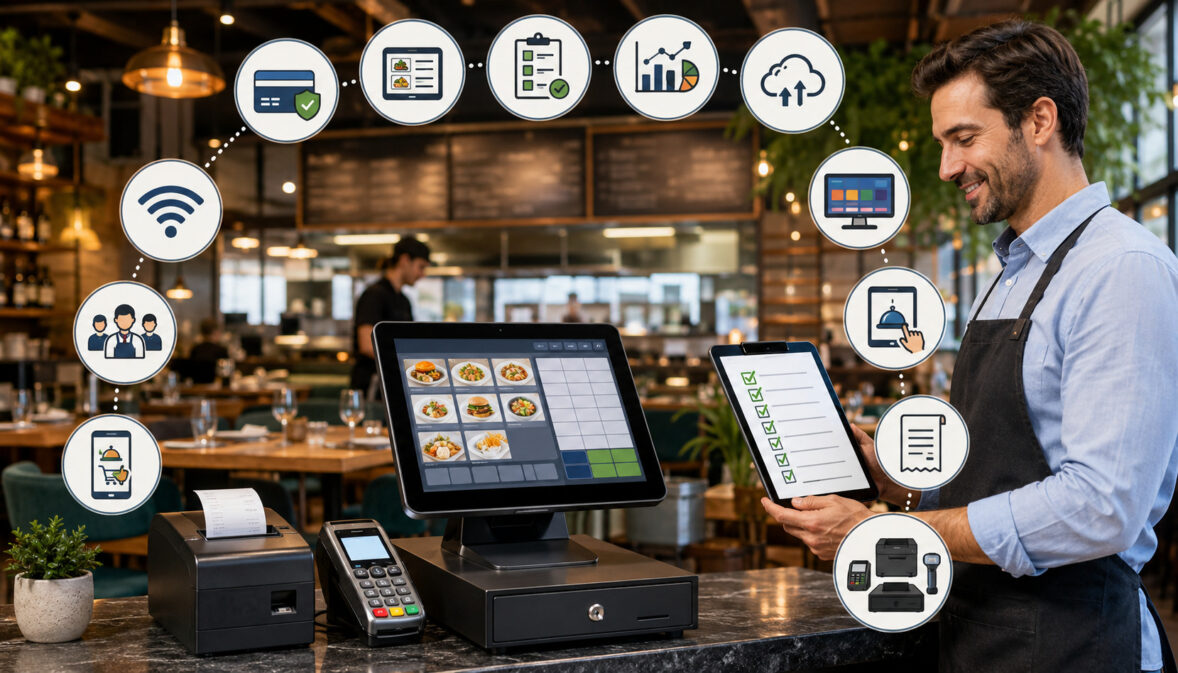
Choosing a restaurant point-of-sale system is not simply a matter of finding software that can accept payments. The POS often becomes the operational center of a restaurant, connecting order entry, menu management, kitchen communication, employee activity, payment processing, reporting, online ordering, inventory, and customer-facing services.
That makes the selection process important for cafés, bars, food trucks, quick-service restaurants, full-service dining rooms, catering operations, and multi-location businesses.
A system that works well for a small coffee counter may not support the table management and split-check workflows required by a busy dining room. Similarly, a feature-rich platform may be unnecessarily complicated for a food truck that primarily needs fast ordering, mobile connectivity, and reliable payments.
A Restaurant POS System Requirements Checklist helps decision-makers evaluate technology according to actual operating needs. Instead of being distracted by long feature lists, restaurant teams can identify which capabilities are essential, which are optional, and which may create additional costs without solving a meaningful problem.
This guide explains the restaurant POS requirements that deserve attention before purchasing, replacing, or expanding a system. It covers order entry, menu controls, payments, hardware, kitchen workflows, online ordering, inventory, reporting, security, offline functionality, integrations, training, customer support, implementation, and total cost.
The objective is not to find the system with the most features. It is to choose one that supports the way the restaurant receives orders, prepares food, serves guests, accepts payments, manages staff, and reviews performance.
What Is a Restaurant POS System Requirements Checklist?
A Restaurant POS System Requirements Checklist is a structured list of the operational, technical, financial, and service-related capabilities a restaurant expects from its point-of-sale system.
The checklist translates everyday restaurant activities into specific requirements. For example, “serve large groups efficiently” may translate into requirements for seat numbers, split checks, partial payments, coursing, and tableside ordering.
“Reduce kitchen mistakes” may translate into clear modifiers, station-based routing, kitchen display screens, and readable production tickets.
A complete restaurant point of sale system checklist generally evaluates:
- Restaurant and service model
- Order-entry workflows
- Menu structure and modifiers
- Payment acceptance
- Front-of-house hardware
- Kitchen hardware
- Table and bar management
- Online ordering and delivery
- Inventory controls
- Sales and labor reporting
- Employee permissions
- Customer-facing features
- Security and data handling
- Offline operation
- Cloud and remote access
- Software integrations
- Installation and implementation
- Staff training
- Technical support
- Pricing and contract terms
These requirements should be reviewed before vendor demonstrations whenever possible. Doing so helps the restaurant control the evaluation instead of allowing the demonstration to focus only on the vendor’s strongest features.
Why Restaurants Need a Checklist Before Buying
Without a restaurant POS checklist, teams may make decisions based on attractive hardware, a low advertised subscription, or features that look impressive during a demonstration. Those factors matter, but they do not prove that the system will perform well during a busy shift.
A checklist helps reveal practical questions. Can bartenders reopen and transfer tabs? Can kitchen tickets separate grill items from salads? Can managers identify who approved a void? Can an online menu be updated without changing every item manually? What happens when the internet connection fails?
Documenting these questions reduces the risk of overlooking important restaurant POS software requirements or underestimating implementation work. It also makes competing systems easier to compare because each vendor is answering the same operational questions.
A checklist can prevent both underbuying and overbuying. Underbuying creates workarounds, disconnected tools, and avoidable service problems. Overbuying can leave the restaurant paying for advanced modules that employees never use.
Who Should Use the Checklist?
POS selection should not be handled by one decision-maker without operational input. Owners may focus on cost, reporting, and long-term scalability, while servers may notice order-entry problems that are invisible in financial reports. Kitchen leaders may identify routing and ticket-format requirements that front-of-house managers overlook.
Useful participants can include:
- Owners and operators
- General managers
- Front-of-house managers
- Kitchen or production leaders
- Bar managers
- Cashiers and servers
- Bookkeeping or finance personnel
- Technology consultants
- Multi-location supervisors
Each participant does not need to attend every vendor meeting. However, each affected department should have an opportunity to list its must-have requirements and test relevant workflows.
For example, a kitchen lead should review modifier visibility and station routing. A service manager should test check transfers and table assignments. A finance user should review settlement, sales, discount, refund, tip, and payment reports.
This cross-functional review produces a more reliable restaurant POS buying checklist because it reflects how the entire operation works rather than how one person assumes it works.
Restaurant POS Requirements at a Glance
The following overview can serve as an initial restaurant POS features checklist. Priorities should be adjusted according to the restaurant’s service style, menu complexity, transaction volume, staffing model, and growth plans.
| Requirement area | What to review | Why it matters | Priority |
| Order entry | Items, modifiers, combos, notes and order types | Supports fast, accurate ordering | High |
| Menu management | Prices, availability, timed menus and categories | Keeps menus accurate across channels | High |
| Payments | Cards, contactless payments, tips, refunds and split tenders | Affects checkout and reconciliation | High |
| Hardware | Terminals, handhelds, readers, printers and cash drawers | Determines how staff use the system | High |
| Kitchen workflow | KDS, printers, ticket routing and production status | Connects ordering with preparation | High |
| Table and bar tools | Floor plans, seats, courses, tabs and transfers | Supports full-service operations | High when applicable |
| Reporting | Sales, payments, items, discounts, labor and tips | Supports operational decisions | High |
| Security | Individual users, permissions, encryption and audit records | Protects systems and improves accountability | High |
| Offline mode | Ordering, printing, payments and data synchronization | Reduces disruption during outages | High |
| Integrations | Online ordering, inventory, loyalty and accounting exports | Reduces duplicate data entry | Medium to high |
| Inventory | Item or ingredient tracking, waste and cost information | Supports purchasing and cost control | Medium to high |
| Support | Availability, escalation, replacement and training | Helps resolve operational interruptions | High |
| Implementation | Menu build, hardware installation, testing and launch support | Determines launch quality | High |
| Cost and contract | Subscriptions, processing, hardware, add-ons and cancellation | Reveals the total financial commitment | High |
How to Use the Requirements Table
Begin by changing the priority of each row to “must have,” “should have,” “optional,” or “not needed.” Then add concept-specific requirements beneath each category.
For example, a pizzeria might add half-and-half toppings, crust choices, delivery zones, promised pickup times, and label printing under order entry. A bar may add tab preauthorization, drink modifiers, timed pricing, and bartender transfers. A café may prioritize size-based drinks, milk choices, fast loyalty lookup, and barcode scanning for packaged products.
Use the completed table during:
- Internal planning meetings
- Vendor demonstrations
- Trial or sandbox testing
- Hardware planning
- Contract review
- Implementation meetings
- Staff training
- Post-launch evaluation
Ask vendors to demonstrate each high-priority workflow from beginning to end. A verbal “yes, the system supports that” is less useful than watching someone enter the order, route it, modify it, accept payment, and locate it in reports.
Why Priorities Differ by Restaurant Type
Restaurant point of sale requirements should reflect the service model. Quick-service operations typically prioritize line speed, combo building, order accuracy, customer-facing payments, and fast kitchen routing. Full-service restaurants need stronger table maps, coursing, seat assignments, check transfers, tips, and split-payment controls.
Food trucks often need compact hardware, mobile connectivity, simple menus, and dependable offline procedures. Bars may prioritize rapid tab management, drink pricing, bartender permissions, and late-night support. Catering operations may need deposits, future orders, invoices, production notes, and scheduled payments.
Multi-location businesses add another layer. They may require centralized reporting, consistent menu templates, location-specific pricing, shared gift cards, consolidated customer programs, and carefully separated user permissions.
Priorities can also change over time. A counter-service restaurant may later add delivery, catering, kiosks, or a second location. The initial system does not need every expansion feature immediately, but the operator should understand whether those capabilities can be added without replacing the entire platform.
Match the POS to the Restaurant and Ordering Workflow
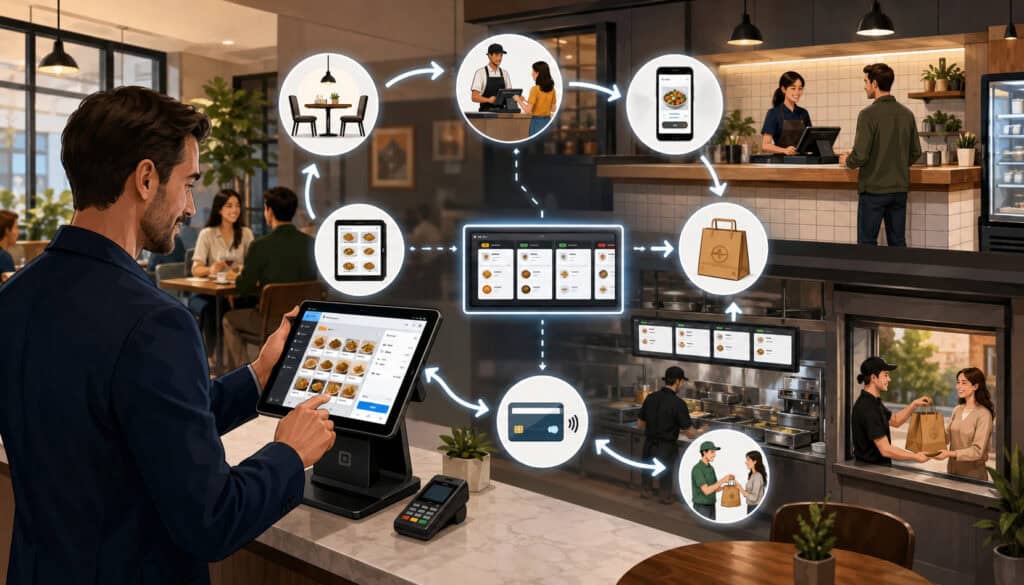
A useful restaurant POS selection checklist starts with the operation, not the technology. Document where orders originate, who enters them, how they reach production, where payments occur, and what happens after the transaction closes.
Review every important order type:
- Dine-in
- Counter service
- Drive-through
- Bar service
- Takeout
- Phone orders
- Curbside pickup
- Direct online orders
- Third-party delivery
- Catering or future orders
The POS should keep these channels organized without forcing staff to create confusing workarounds. Employees should be able to identify the order type, promised time, customer details, payment status, and preparation instructions quickly.
Menu structure is equally important. Restaurant POS software requirements should address categories, sizes, combos, modifier groups, substitutions, add-ons, cooking temperatures, allergy notes, discounts, item availability, timed pricing, and location-specific menus.
A detailed restaurant POS setup guide for small businesses can help operators map stations, equipment, menus, permissions, and order routes before installation.
Quick-Service and Counter-Service Requirements
Quick-service teams need an order screen that supports rapid entry with minimal searching. Popular products should be easy to reach, while modifiers should appear only when relevant. A cashier should not have to move through several unnecessary screens to add a common side or change a drink size.
Important POS requirements for restaurants with counter service include:
- Fast item lookup
- Logical category placement
- Required modifier prompts
- Combo and meal-building tools
- Customer-facing displays
- Contactless payment acceptance
- Order numbers or guest names
- Kitchen routing by station
- Pickup status
- Online-order throttling
- Digital and printed receipts
High-volume restaurants should test the number of taps required for their most frequent orders. A workflow that feels acceptable during a quiet demonstration may become frustrating when hundreds of similar orders are entered during a rush.
Menu updates should also be efficient. Managers need practical ways to mark products unavailable, change seasonal offerings, schedule limited-time pricing, and keep online menus aligned with in-store availability.
Full-Service, Bar and Complex Menu Requirements
Full-service restaurant POS requirements are centered on check management as much as order entry. Servers need to open tables, assign seats, send courses, transfer checks, add guests, separate items, process multiple tenders, and close payments without losing information.
Bar operations may need:
- Tabs linked to a guest identifier
- Preauthorization where supported
- Fast-repeat ordering
- Timed or happy-hour pricing
- Separate service-bar routing
- Tab transfers between employees
- Partial and mixed payments
- Configurable tipping workflows
- Manager approvals for voids
- Clear open-tab reporting
Complex menus create additional requirements. Pizzerias may need size-dependent pricing and half-item modifiers. Steakhouses may need temperature prompts and side selections. Cafés may need drink size, temperature, milk, flavor, and extra-shot logic.
Well-designed modifier groups improve both order accuracy and reporting. Operators can also learn how to use POS data to optimize the menu after the system begins collecting reliable product and modifier information.
Payment Processing and Hardware Requirements
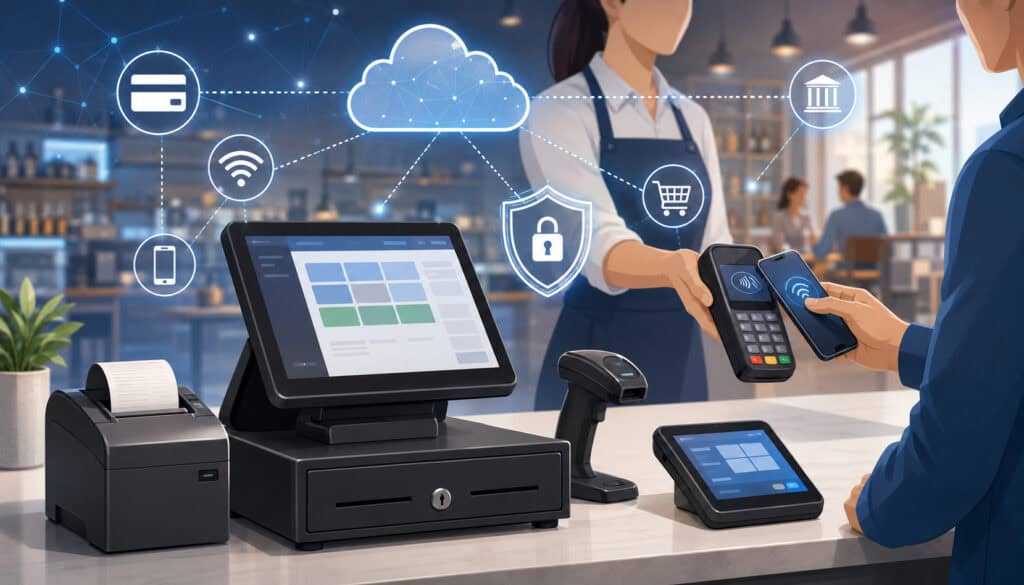
Restaurant POS payment requirements should reflect how guests actually pay. At a minimum, teams may need to review card insertion, contactless cards, mobile wallets, cash, digital receipts, printed receipts, tips, refunds, voids, partial payments, split tenders, gift cards, and online prepayments.
Payment processing should be evaluated as part of the complete order workflow. When the payment terminal and POS are disconnected, staff may need to enter totals manually. This can create mismatches between the check, terminal batch, and reporting system.
Integrated payments can send the amount directly from the POS to the payment device and return the transaction status to the check. This may reduce duplicate entry and simplify reconciliation, although restaurants should still understand processing terms, equipment restrictions, settlement timing, dispute procedures, and support responsibilities.
For additional background, review how restaurant POS systems with integrated payments connect ordering, checkout, reporting, and closeout workflows.
Payment Security and Control Questions
Restaurants should ask how the system handles payment information and which security responsibilities belong to the restaurant, POS provider, processor, gateway, network installer, and other service providers.
Important questions include:
- Does the system avoid storing raw card numbers?
- Are payment credentials tokenized where appropriate?
- Is payment information encrypted during transmission?
- Which devices are approved for the payment environment?
- How are software and device updates delivered?
- Can each employee use an individual login?
- Which actions require manager approval?
- Are refund, void and payment-change activities logged?
- What must the restaurant do to maintain payment compliance?
- Who provides assistance with validation questions?
The official merchant payment-security resources explain that encryption can protect payment information but does not automatically remove every compliance responsibility. Restaurants should confirm their exact obligations with qualified payment and security professionals.
Payment security should never be treated as a feature that can simply be switched on. It depends on the configuration, devices, network, employee practices, updates, access controls, and service-provider relationships surrounding the system.
Restaurant POS Hardware Requirements
Restaurant POS hardware requirements vary by station and workflow. A complete equipment review may include:
- Fixed touchscreen terminals
- Tablets and handheld devices
- Customer-facing displays
- Card readers
- Receipt printers
- Kitchen printers
- Kitchen display screens
- Cash drawers
- Barcode scanners
- Label printers
- Device stands and mounts
- Routers and network switches
- Battery backup equipment
- Charging stations
- Backup internet hardware
Front-of-house hardware should fit the available counter space and employee movement. Screens must remain readable, card readers should be accessible to guests, and cables should be protected from spills and foot traffic.
Back-of-house equipment needs to withstand heat, grease, moisture, noise, and continuous use. Kitchen screens must be visible from the correct work area, while printers should produce clear tickets and alert employees without creating unnecessary confusion.
Restaurants should also ask how quickly failed equipment can be replaced, whether spare devices are recommended, who owns leased hardware, and which equipment remains compatible after software upgrades.
Kitchen, Table and Bar Workflow Requirements
The POS must translate front-of-house orders into clear production instructions. That means sending each item, modifier, note, course, and order type to the correct preparation station at the correct time.
Kitchen workflow requirements can include:
- Routing by menu item
- Routing by modifier or production method
- Separate drink and food tickets
- Course holding and firing
- Prep-time estimates
- Ticket priority
- All-day item counts
- Rush-order identification
- Allergy or special-request highlighting
- Order recall
- Completed-ticket history
- Expo controls
- Pickup and delivery status
Testing should cover unusual situations. What happens when an item is transferred to another table after it has been sent? Can a manager resend only one part of an order? Can the kitchen distinguish a refund from a remake? Can staff delay one course without holding the entire check?
These scenarios are important because production errors often occur at the boundaries between order entry, kitchen communication, and check management.
KDS and Kitchen Printer Requirements
A kitchen display system can organize orders visually, show elapsed preparation time, and allow stations to mark items or tickets complete. Some systems support color-based urgency, station-specific views, order throttling, recall, preparation metrics, and expo coordination.
Restaurants evaluating a KDS should review:
- Screen size and visibility
- Mounting location
- Touchscreen or bump-bar controls
- Station routing
- Ticket organization
- Modifier readability
- Order recall
- Completion rules
- Offline behavior
- Reporting capabilities
- Cleaning and heat tolerance
Kitchen printers may remain appropriate for simple operations, specific stations, or backup workflows. Important printer requirements include durable hardware, loud alerts, readable formatting, correct routing, accessible paper replacement, and protection from heat and moisture.
A hybrid arrangement may work best in some kitchens. The main line can use displays while a bar, dessert station, or remote preparation area receives printed tickets.
Table Management, Split Checks and Bar Tabs
Full-service restaurants should test the entire guest journey, not only the initial order. Table management requirements may include floor plans, table status, server sections, seat numbers, reservation notes, guest counts, course status, open checks, check transfers, and table combinations.
Split-check testing should include:
- Splitting evenly
- Splitting by seat
- Moving individual items
- Accepting multiple cards
- Combining cash and card
- Applying gift cards
- Reopening a check
- Adjusting a tip
- Processing a partial refund
Bar tabs require equally clear procedures. Staff should understand how tabs are identified, transferred, closed, and reviewed. Managers need visibility into open tabs at the end of the shift, and permissions should prevent unauthorized changes.
Timed pricing should activate and end according to clear rules. Employees should not need to calculate happy-hour pricing manually, and guest receipts should show charges in an understandable way.
Online Ordering, Inventory and Integration Requirements
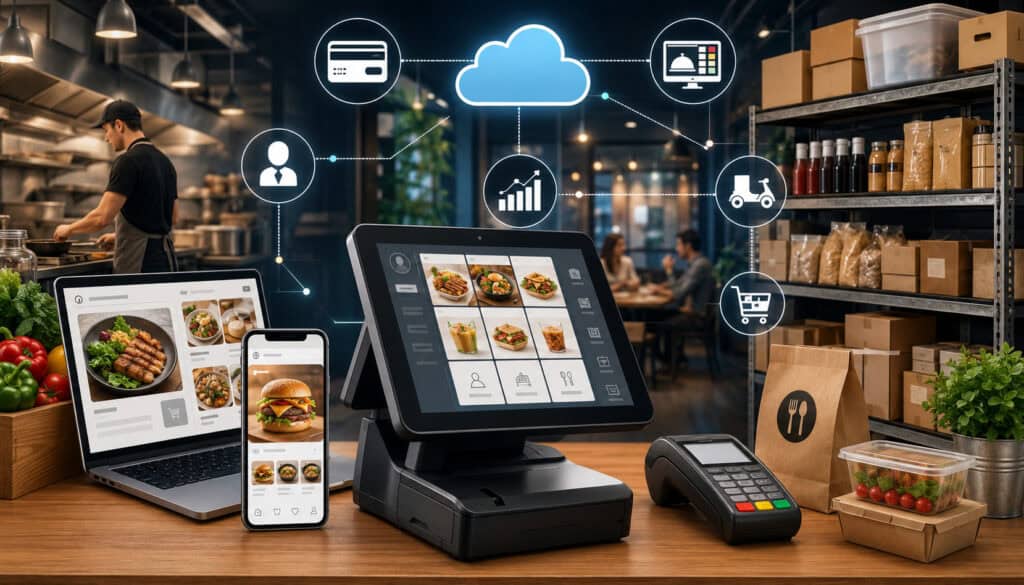
Online ordering should operate as part of the restaurant workflow rather than as an isolated source of tickets. Restaurant POS integration requirements should cover menu synchronization, modifier availability, payment status, preparation timing, kitchen routing, customer notifications, pickup instructions, and reporting.
Restaurants should identify every digital order source and determine:
- Whether orders enter automatically
- Whether employees must confirm them
- How promised times are calculated
- Whether the kitchen can become overloaded
- How unavailable items are removed
- Where customer notes appear
- How refunds are processed
- How fees and payments appear in reports
- Whether orders can be paused or throttled
- Who supports the integration when it fails
Direct ordering and third-party platforms may follow different payment and reporting processes. Teams should understand those differences before assuming every channel will reconcile in the same way.
Online Menu and Fulfillment Workflow
An online menu should match the products guests can actually purchase. Prices, sizes, modifiers, add-ons, taxes where applicable, service charges, preparation times, and item availability should remain consistent across channels.
Restaurants with changing inventory need a quick way to mark an item unavailable. Otherwise, customers may pay for products the kitchen cannot prepare, creating refunds and service recovery work.
Fulfillment requirements should address:
- Pickup windows
- Curbside arrival instructions
- Delivery addresses
- Packaging notes
- Order-ready notifications
- Driver pickup identification
- Future orders
- Large-order limits
- Kitchen capacity
- Order prioritization
Online orders should reach the appropriate kitchen station without requiring employees to re-enter them. Re-entry consumes time and increases the possibility of missed modifiers or incorrect prices.
Teams should also test how cancellations, partial refunds, substitutions, and failed payments are handled. These exceptions are common enough that employees need documented procedures.
Inventory and Third-Party Integrations
Basic inventory features may track finished products or packaged items. Advanced systems may support ingredient-level depletion, recipes, yields, waste, purchase orders, vendor prices, transfers, and menu cost analysis.
The appropriate level depends on menu complexity and management capacity. Detailed ingredient tracking can be valuable, but only when recipes, units, deliveries, waste, and counts are maintained consistently.
Integration priorities may include:
- Online ordering
- Delivery platforms
- Accounting exports
- Payroll exports
- Scheduling tools
- Reservations
- Loyalty programs
- Gift cards
- Inventory software
- Customer communication
- Business-intelligence dashboards
Separate integrations into must-have and nice-to-have groups. Ask whether each connection is built directly, supported through a third party, or dependent on custom development. Also confirm the cost, data-sync frequency, support ownership, and steps required if either product changes.
An integration is useful only when it transfers accurate information and reduces work. A connection that frequently produces duplicate orders, missing payments, or mismatched menu data can create more effort than a controlled manual process.
Reporting, Employee Management and Customer Experience
Restaurant POS reporting requirements should begin with decisions, not report names. Identify what managers need to understand daily, weekly, monthly, and across locations.
Useful daily reports may include:
- Gross and net sales
- Sales by order type
- Payment totals
- Cash activity
- Open checks
- Refunds and voids
- Discounts and comps
- Tips
- Top-selling products
- Hourly sales
- Employee activity
- Gift-card activity
Longer-term reports can examine product mix, sales by daypart, average check, menu performance, customer ordering patterns, labor trends, location comparisons, and channel profitability.
Reports should be exportable in usable formats, and managers should be able to filter information without reconstructing it manually. Ask whether report definitions are documented because vendors may calculate similar metrics differently.
Employee Permissions and Accountability
Role-based access helps employees complete their work without giving every user unrestricted control. Cashiers, servers, bartenders, kitchen employees, shift leaders, managers, and owners may all need different permission levels.
Review who can:
- Change prices
- Apply discounts
- Void an item
- Refund a payment
- Open a cash drawer
- Reopen a closed check
- Edit a time entry
- View reports
- Change the menu
- Add users
- Modify payment settings
- Export customer information
Individual logins create clearer activity records than shared credentials. Audit reports should show who performed important actions and when they occurred.
If the system includes a time clock, confirm how employees clock in, change roles, record breaks, correct entries, and receive manager approval. These tools can support operational review, but specific payroll and employment practices should be reviewed with qualified professionals.
Customer-Facing Features
Customer experience requirements may include fast checkout, contactless payment, tableside payment, digital receipts, order-status messages, gift cards, loyalty rewards, and accessible customer-facing displays.
Each feature should serve a defined purpose. Loyalty programs require staff processes, customer communication, data handling, reward rules, and ongoing management. Digital receipts require accurate contact collection and clear customer choices. Tableside payment requires dependable devices, wireless coverage, charging procedures, and employee training.
Restaurants should evaluate customer-facing prompts carefully. The sequence for confirmation, tipping, signature, receipt selection, and loyalty enrollment should not confuse guests or slow the line.
Customer records should be collected and used responsibly. Access should be limited, and restaurants should understand how information is stored, shared with connected services, exported, retained, or deleted.
Security, Offline Mode and Cloud Access
Restaurant POS security requirements extend beyond the payment terminal. The broader environment may include employee accounts, menu data, reports, customer information, tablets, printers, routers, email accounts, online-ordering connections, and remote dashboards.
Important controls include:
- Unique user accounts
- Strong authentication
- Role-based permissions
- Manager approvals
- Device locking
- Encryption
- Secure network configuration
- Software updates
- Activity logging
- Data backups
- Vendor-access controls
- Incident-response procedures
The small-business cybersecurity quick-start guide can help operators organize basic risk-management responsibilities. Additional security resources for smaller businesses emphasize software updates, stronger authentication, logging, and protected backups.
Restaurants should consult qualified professionals when determining specific cybersecurity, payment compliance, privacy, or breach-response obligations.
Offline Mode and Connectivity Questions
“Offline mode” can mean different things across POS systems. Some systems continue order entry but limit card acceptance. Others accept certain transactions subject to risk limits. Some keep kitchen routing active only when devices remain connected to the local network.
Ask vendors:
- Can employees enter new orders?
- Can existing checks be reopened?
- Do kitchen printers continue working?
- Does the KDS continue receiving orders?
- Can card transactions be accepted?
- Are offline card amounts limited?
- Can cash transactions be recorded?
- Can receipts be printed?
- What happens to online orders?
- How is data synchronized after reconnection?
- What happens if one device reconnects before another?
- Who is responsible for offline payment risk?
The answers should become written staff procedures. Employees need to know how to identify an outage, which functions remain available, when to switch to backup internet, and how to avoid entering the same transaction twice.
Cloud Access and Multi-Location Management
Cloud-based restaurant POS requirements often include remote dashboards, centralized menu controls, consolidated reporting, location-specific permissions, and access from approved devices.
Remote access can help owners review sales, payments, discounts, labor indicators, product performance, and open issues away from the restaurant. However, convenience should be balanced with secure authentication and carefully limited permissions.
Multi-location operators may require:
- Consolidated dashboards
- Location-level reports
- Shared menu templates
- Local menu overrides
- Central price changes
- Location-specific taxes and settings
- Shared gift cards
- Central customer programs
- Inventory transfers
- Regional user roles
- Consolidated payment visibility
Ask what happens when one location loses connectivity and whether changes made centrally can be scheduled, reviewed, or reversed. The system should distinguish global settings from local settings clearly so that one update does not unintentionally disrupt every restaurant.
Implementation, Training, Support and Total Cost
Even a capable POS can perform poorly when implementation is rushed. A restaurant POS implementation checklist should cover workflow mapping, menu collection, hardware installation, network preparation, payment setup, printer routing, user permissions, reporting categories, integrations, testing, training, and launch support.
Before configuration begins, gather:
- Complete menu lists
- Prices and product categories
- Modifier groups
- Discount rules
- Order types
- Kitchen station assignments
- Floor plans
- Employee roles
- Payment methods
- Receipt requirements
- Existing gift-card obligations
- Online-ordering requirements
- Required reports
- Integration details
- Growth plans
The implementation plan should assign responsibility for every task. Vendors may build the menu, but restaurant managers still need to verify every item, modifier, price, route, and report category.
A practical guide on how to set up a restaurant POS system provides additional context for connecting operational planning with installation and testing.
Testing, Training and Support Requirements
Testing should recreate real restaurant scenarios rather than simple demonstration transactions. Teams should enter dine-in, takeout, online, bar, delivery, and future orders where applicable.
Tests should include:
- Required and optional modifiers
- Unavailable products
- Kitchen routing
- Split checks
- Multiple payment types
- Tips
- Discounts
- Refunds
- Voids
- Check transfers
- Printer failure
- Internet loss
- Shift closeout
- End-of-day reports
Training should be role-based. Cashiers need order and payment practice. Servers need table, seat, transfer, and split-check practice. Kitchen employees need KDS or ticket procedures. Managers need permissions, approvals, troubleshooting, closeout, and reporting.
Support questions should address live-support hours, emergency escalation, remote troubleshooting, hardware replacement, on-site assistance, response targets, training materials, and responsibility for integrated products.
Documentation matters after launch. Help articles, videos, quick-reference sheets, and internal procedures help new employees learn without depending entirely on one experienced manager.
Cost and Contract Requirements
Compare total cost of ownership rather than a single subscription figure. Restaurant POS costs may include:
- Hardware purchases or leases
- Software subscriptions
- Payment processing
- Installation
- Menu configuration
- Training
- Premium support
- Online ordering
- Loyalty tools
- Inventory modules
- KDS software and screens
- Integration fees
- Data migration
- Replacement equipment
- Cellular backup
- Contract cancellation
- Future upgrades
Ask which features are included and which require separate subscriptions. Confirm whether processing is mandatory, whether rates can change, whether equipment is owned or leased, and what happens to data when service ends.
The software-selection checklist recommends evaluating whether software solves the needs of businesses with comparable operations rather than assuming that a popular product fits every organization.
Contract length, renewal, cancellation, data export, support fees, hardware ownership, and processing conditions should be reviewed carefully. Seek professional legal, accounting, payment, or financial guidance when the terms require specialized interpretation.
Detailed Restaurant POS System Requirements Checklist
Use the following restaurant POS system checklist during planning, demonstrations, trials, and final selection.
| Requirement | Questions to ask | Why it matters | Priority |
| Restaurant fit | Does it support our service model and order volume? | Prevents workflow mismatch | High |
| Order entry | Can staff enter common and complex orders quickly? | Supports speed and accuracy | High |
| Modifiers | Can required choices and special requests be configured clearly? | Reduces incomplete tickets | High |
| Menu management | Can prices, availability and timed menus be updated easily? | Keeps channels accurate | High |
| Payments | Does it support every required payment and tipping workflow? | Affects checkout | High |
| Payment reporting | Can transactions, settlements, refunds and tips be reconciled? | Supports closeout | High |
| Hardware | Is each device suitable for its environment and role? | Supports dependable operation | High |
| Kitchen routing | Does every item reach the correct preparation station? | Reduces production errors | High |
| KDS or printers | Are tickets readable, organized and recoverable? | Improves kitchen communication | High |
| Table management | Are floor plans, seats, courses and transfers supported? | Supports table service | When applicable |
| Bar management | Are tabs, timed pricing and bartender transfers supported? | Supports beverage service | When applicable |
| Online ordering | Are menus, payments, timing and availability synchronized? | Reduces manual work | High when applicable |
| Delivery | Are delivery notes, fees, status and reporting clear? | Organizes off-premise orders | When applicable |
| Inventory | Is the tracking level practical for the restaurant? | Supports purchasing and cost review | Medium to high |
| Reporting | Can managers find and filter useful reports? | Supports decisions | High |
| Employee access | Can permissions be assigned by role? | Improves control | High |
| Audit records | Are important employee actions recorded? | Supports accountability | High |
| Security | Are authentication, encryption, updates and backups addressed? | Protects systems and data | High |
| Offline operation | What continues working when connectivity fails? | Reduces disruption | High |
| Cloud access | Can approved managers access reports securely? | Supports remote oversight | Medium to high |
| Multi-location tools | Are menus, users and reports centrally manageable? | Supports expansion | When applicable |
| Integrations | Are required connections reliable and supported? | Reduces duplicate entry | Medium to high |
| Implementation | Who handles setup, migration, installation and testing? | Affects launch quality | High |
| Training | Is practical role-based training included? | Improves adoption | High |
| Support | Is qualified help available during operating hours? | Limits disruption | High |
| Total cost | What are the complete upfront and ongoing costs? | Prevents budget surprises | High |
| Contract | What are the renewal, cancellation and data-export terms? | Defines long-term flexibility | High |
Common Mistakes to Avoid
One common mistake is choosing primarily by price. Cost is important, but a lower-priced system that requires manual re-entry, weak kitchen routing, or frequent workarounds may create greater operating costs.
Other mistakes include:
- Buying features instead of solving operational problems
- Failing to involve kitchen and service employees
- Ignoring offline limitations
- Underestimating hardware and networking needs
- Assuming every integration works automatically
- Skipping complex-order testing
- Reviewing subscription prices but not processing terms
- Giving too many employees manager-level access
- Rushing menu configuration
- Providing only brief launch-day training
- Failing to document outage procedures
- Signing before reviewing cancellation and data-export terms
Another mistake is testing only ideal transactions. Real restaurant work includes substitutions, unavailable items, refunds, payment failures, moved tables, forgotten tips, cancelled online orders, printer issues, and employee mistakes.
The selection process should verify how the POS handles exceptions, because those moments often determine whether staff trust the system.
Best Practices for Making the Final Decision
Create separate must-have and nice-to-have lists. A must-have requirement is one the restaurant cannot operate effectively without. A nice-to-have feature may improve convenience but is not essential at launch.
Score each system against consistent categories such as workflow fit, usability, hardware, payments, kitchen operations, reporting, security, integrations, support, implementation, and total cost.
During the final review:
- Confirm the restaurant’s service model and order channels.
- Test high-volume and complex orders.
- Verify payment and reconciliation workflows.
- Confirm hardware placement and network requirements.
- Test kitchen routing and ticket readability.
- Review reports with actual management questions.
- Examine user permissions and audit activity.
- Document offline functionality.
- Verify integration ownership and fees.
- Review training and launch support.
- Compare total cost over a realistic operating period.
- Review contract and data-access terms.
- Check whether the system can support planned growth.
Choose workflow fit over feature count. The best system is not necessarily the one with the largest menu of add-ons. It is the one employees can use accurately, managers can control confidently, and the restaurant can support financially and operationally.
Requirements should be reviewed again when the restaurant adds delivery, catering, new locations, loyalty programs, advanced inventory, or other major services.
Frequently Asked Questions
What should be included in a Restaurant POS System Requirements Checklist?
The checklist should cover restaurant type, order-entry workflows, menu configuration, payments, terminals, handhelds, kitchen equipment, online ordering, inventory, employee permissions, reports, security, offline mode, integrations, implementation, training, support, costs, and contract terms.
It should also include restaurant-specific scenarios. A bar should test tabs and timed pricing, while a full-service restaurant should test seat assignments, coursing, check transfers, and split payments.
What are the most important restaurant POS requirements?
The most important requirements are those that affect daily service. These normally include fast order entry, accurate modifiers, dependable kitchen routing, supported payment types, useful reports, controlled employee access, reliable hardware, offline procedures, and qualified support.
Priorities should reflect the restaurant’s service model. Features that are essential for one restaurant may be unnecessary for another.
What hardware does a restaurant POS system need?
Common hardware includes touchscreen terminals, card readers, receipt printers, kitchen printers or displays, cash drawers, handheld devices, routers, network equipment, customer displays, and device stands.
The exact configuration depends on where orders are taken, where payments occur, how tickets reach the kitchen, and how much transaction volume each station handles.
What software features should a restaurant POS include?
Core features may include menu management, modifiers, discounts, order types, payment processing, employee permissions, sales reports, refunds, voids, receipt options, and kitchen routing.
Full-service restaurants may also need table maps, seat numbers, coursing, check transfers, and split checks. Takeout-focused businesses may prioritize online ordering, pickup timing, customer notifications, and packaging notes.
Why is offline mode important in a restaurant POS system?
Connectivity problems can interrupt ordering, kitchen communication, payments, and reporting. Offline functionality may allow some operations to continue until service is restored.
Because offline capabilities differ, restaurants should ask exactly what works, which payment limitations apply, how data is stored, and how information synchronizes after reconnection.
What POS reporting features matter most for restaurants?
Useful reports include sales by day and hour, payment totals, order channels, top products, discounts, voids, refunds, tips, employee activity, product mix, and open checks.
The most valuable reports answer actual management questions. Before choosing a system, operators should identify the decisions they want their reports to support.
How should restaurants compare POS system costs?
Compare hardware, software, payment processing, installation, training, support, integrations, add-ons, replacement equipment, upgrades, and cancellation costs.
Do not evaluate only the advertised monthly subscription. Request a written explanation of what is included, which services are optional, and which costs may change as transaction volume or locations grow.
Conclusion
A Restaurant POS System Requirements Checklist gives restaurant teams a structured way to evaluate one of their most important operating systems.
The review should begin with actual workflows: how guests order, how staff enter requests, how tickets reach the kitchen, how payments are completed, and how managers use the resulting information.
From there, the restaurant can evaluate menu tools, hardware, kitchen communication, online ordering, inventory, reports, employee permissions, security, offline functionality, integrations, implementation, training, support, and total cost.
A disciplined restaurant POS selection checklist makes vendor comparisons more consistent and exposes limitations before they affect live service. It also helps operators avoid paying for features that do not solve meaningful problems.
The right POS should help employees enter orders accurately, keep production organized, make payments easier, provide useful management information, and adapt as operations grow. When the technology matches the restaurant’s service model and staff workflows, it becomes a practical operating tool rather than another system employees must work around.