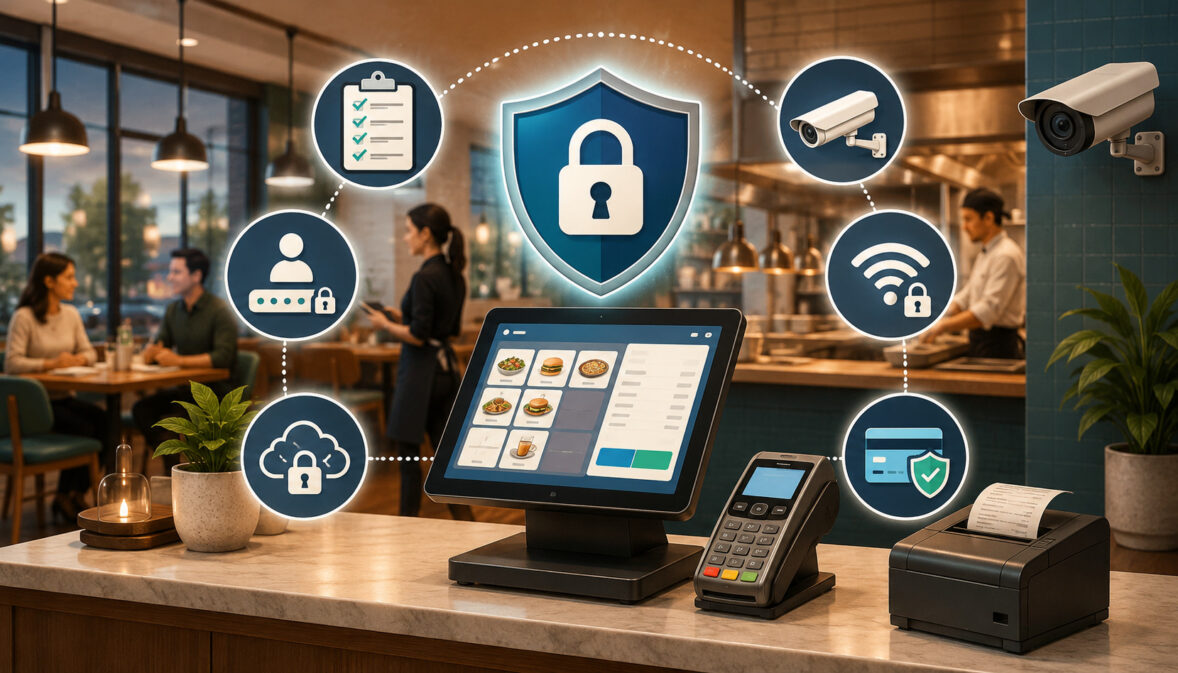
Restaurant point-of-sale systems sit at the center of modern restaurant operations. They process payments, send orders to the kitchen, record employee activity, manage discounts and refunds, store customer details, connect with delivery platforms, and provide sales reports to managers and owners.
This convenience also creates responsibility. A poorly protected POS environment can expose payment workflows, customer information, employee records, business reports, and connected systems. Even an accidental mistake—such as sharing a manager password or connecting a payment tablet to guest Wi-Fi—can create unnecessary risk.
A restaurant POS security checklist gives operators a practical way to examine these risks before they become operational problems. It does not require every restaurant manager to become a cybersecurity specialist.
Instead, it translates security into repeatable actions: assign individual logins, restrict sensitive permissions, protect devices, separate networks, update software, train employees, review integrations, and prepare for incidents.
The following restaurant POS security guide is intended for restaurants, cafés, bars, food trucks, quick-service locations, full-service dining rooms, and multi-location operators. It provides general educational information rather than legal, cybersecurity, financial, or payment-compliance advice.
Operators should consult qualified cybersecurity, payment compliance, legal, accounting, and business professionals about their specific systems, responsibilities, and incidents.
What Is a Restaurant POS Security Checklist?
A restaurant POS security checklist is a structured list of controls, questions, and operating procedures used to protect a restaurant’s point-of-sale environment. It covers far more than the card reader at the counter.
A typical POS environment may include terminals, handheld devices, tablets, kitchen display systems, receipt printers, cash drawers, back-office computers, routers, payment applications, cloud dashboards, employee accounts, delivery integrations, loyalty programs, gift cards, and online ordering tools. Each component may introduce its own access, data, or operational concerns.
The purpose of a checklist is to make restaurant POS security manageable. Instead of treating security as a one-time technical project, an operator can divide it into daily, monthly, quarterly, and event-based responsibilities.
A checklist also creates consistency. Managers can use the same standards when opening a new location, hiring employees, promoting supervisors, replacing equipment, connecting an integration, or responding to suspicious activity.
What Restaurant POS Security Covers
Restaurant point of sale security covers the technologies and procedures used to protect payment transactions, business systems, and sensitive information.
Important areas include secure payment processing for restaurants, employee access, password policies, role-based permissions, device protection, network configuration, software updates, backups, vendor support, and incident response.
It also covers operational activities that may not initially appear technical. Refunds, voids, discounts, drawer openings, manual card entries, report exports, and changes to payment settings can all affect security.
Strong restaurant POS system security connects these activities rather than treating them separately. A secure card reader offers limited protection when employees share administrator passwords. Similarly, strong passwords cannot protect a restaurant when outdated equipment, unsecured Wi-Fi, or unnecessary integrations create alternative entry points.
For a deeper overview of connected payment risks, operators can review this guide to restaurant POS security alongside their internal procedures.
Why Security Is a Shared Responsibility
POS providers, payment processors, restaurant owners, managers, employees, network professionals, integration vendors, and support teams may all have responsibilities within the same environment.
The POS provider may maintain the application, while the restaurant controls user accounts and devices. A payment provider may protect card processing, but restaurant staff still decide how cards are handled. A network professional may configure segmentation, but managers must prevent employees from reconnecting devices to the wrong Wi-Fi network.
Clear responsibility reduces gaps. Restaurant owners should document who manages software updates, router settings, employee access, payment terminals, backups, integrations, and incident escalation.
Security responsibilities should also be reflected in onboarding, management training, vendor agreements, and support procedures. When everyone assumes another party is handling a task, important controls can be missed. A shared-responsibility approach makes each task visible and assigns it to an accountable person.
Restaurant POS Security at a Glance
The following table provides a practical starting point for reviewing restaurant POS security requirements.
| Security Area | What to Review | Why It Matters | Priority |
| User access | Individual logins and employee accounts | Improves accountability and limits unauthorized use | High |
| Passwords | Strong, unique passwords and secure recovery | Protects manager, owner, and administrative accounts | High |
| User permissions | Role-based access and manager approvals | Limits sensitive actions to authorized employees | High |
| Payment security | Approved terminals, encryption, and tokenization | Reduces unnecessary exposure of payment data | High |
| Network security | Protected routers, Wi-Fi, and segmentation | Reduces unauthorized access to POS systems | High |
| Device security | Terminals, tablets, handhelds, and computers | Protects equipment used during daily operations | High |
| Software updates | POS updates, operating systems, and patches | Corrects known software and compatibility issues | High |
| Audit logs | Login, transaction, and setting-change history | Supports accountability and troubleshooting | Medium/High |
| Refunds and voids | Limits, approval rules, and exception reports | Helps reduce errors and internal fraud | High |
| Backups | Backup frequency, exports, and restoration | Protects business records and supports recovery | High |
| Integrations | Connected applications and data permissions | Reduces unnecessary third-party access | Medium/High |
| Staff training | Phishing, device handling, and payment procedures | Reduces mistakes and improves incident reporting | High |
How to Use the Table
Begin by marking each security area as complete, incomplete, unknown, or not applicable. An “unknown” answer should not automatically be treated as a failure, but it should lead to a specific question for the POS provider, payment provider, network professional, or internal manager.
Prioritize controls that affect payment data, administrator access, networks, and employee permissions. These areas can influence many other parts of the POS environment.
Assign each incomplete item to a person and give it a reasonable review date. For example, the general manager might review employee accounts, while a network professional checks Wi-Fi separation and router settings.
Keep evidence of important reviews. Screenshots of permission settings, updated device inventories, training records, vendor emails, and backup documentation can help managers understand what has been completed and what still needs attention.
Why Security Priorities Differ by Restaurant Type
A coffee shop with one counter terminal faces different practical concerns from a full-service restaurant using dozens of handheld devices. A food truck may depend on cellular connections and portable equipment, while a delivery-heavy restaurant may have multiple online ordering integrations.
Bars often require especially clear controls for tabs, tips, voids, discounts, and late-night manager access. Quick-service restaurants may focus on kiosks, high transaction volume, drive-through devices, and shared workstations.
Full-service restaurants may need controls for pay-at-table devices, server permissions, split payments, transferred checks, and manager overrides. Multi-location operators must also manage centralized dashboards, location-specific permissions, remote access, and consistent offboarding.
The security checklist should therefore reflect the restaurant’s actual workflow. A control that is essential for one operation may be less relevant to another. The objective is not to apply every possible control equally, but to identify where payment data, devices, users, and business information are most exposed.
Step One: Control POS Accounts, Passwords, and Permissions
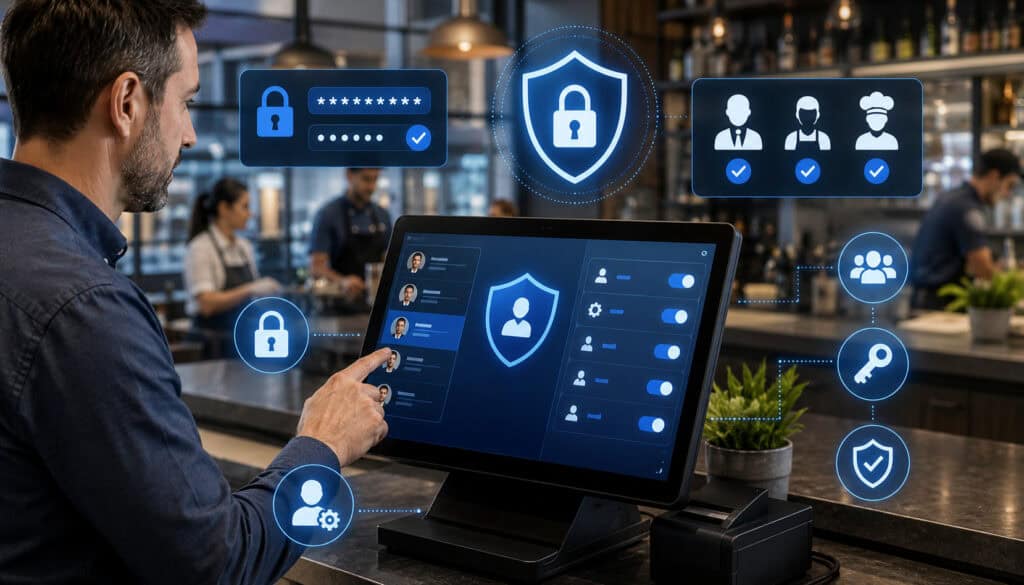
Access control determines who can enter the POS system and what each person can do after logging in. It is one of the most important parts of a restaurant POS security checklist because many sensitive functions are performed through ordinary employee accounts.
Each employee should have an individual account or identifier whenever the system supports it. Accounts should be tied to job duties, not shifts, departments, or shared devices.
Restaurants should also distinguish between everyday functions and elevated functions. Taking an order does not require the same access as issuing a refund, exporting a sales report, changing payment settings, or creating another manager account.
Why Shared Logins Are Risky
Shared accounts make it difficult to determine who performed an action. When five servers use the same login, managers may be unable to identify who voided an item, changed a tip, opened a cash drawer, or viewed a sensitive report.
Shared credentials may also remain active after an employee leaves. Changing a common password can disrupt the entire team, so managers may postpone the update and leave former employees with possible access.
Individual accounts improve accountability without assuming that every unusual action is intentional. Activity records can help managers distinguish training mistakes, workflow problems, and potentially unauthorized activity.
Unique logins should extend beyond the front-of-house POS. Owners, bookkeepers, managers, and supervisors should have separate accounts for cloud dashboards, online ordering portals, payroll exports, loyalty systems, and vendor tools whenever possible.
Setting Up User Roles by Job Function
Role-based access gives employees the permissions needed for their work while limiting unrelated functions. A cashier may need to accept payments but not export customer lists. A server may need to transfer checks but not change tax or payment settings.
Bartenders may require tab management and tip functions. Kitchen users may only need access to production screens or ticket controls. Managers may approve discounts and refunds, while owner or finance accounts may access consolidated reports.
Permissions should be based on genuine operational requirements rather than convenience. Giving everyone manager access may make a busy shift feel easier, but it weakens accountability and increases the number of accounts capable of performing sensitive actions.
Document each role and its approved permissions. This makes onboarding faster and allows managers to compare actual settings with the intended restaurant POS access control policy.
Strong Passwords and Multi-Factor Authentication
Restaurant POS password security begins with eliminating default, predictable, reused, and shared credentials. Manager and administrator passwords should not be reused for email, accounting platforms, delivery portals, or personal accounts.
Long, memorable passwords or passphrases are generally easier to manage than short passwords built around predictable substitutions. Where appropriate, owners and managers can use a reputable password manager rather than storing passwords on paper near terminals.
Multi-factor authentication adds a separate verification step beyond the password. It is especially valuable for owner accounts, manager dashboards, remote access, payment settings, accounting integrations, and administrative portals.
Federal cybersecurity guidance recommends prioritizing MFA for privileged and remote accounts because it can prevent a stolen password from providing immediate access.
Account-recovery settings also require protection. Recovery email addresses and phone numbers should belong to current authorized users and should be reviewed when leadership changes.
Step Two: Secure Restaurant Payment Processing
Secure payment processing for restaurants aims to reduce unnecessary contact with usable card information. Staff should be able to complete approved transactions, refunds, tips, and adjustments without copying or storing raw payment data.
Modern payment workflows may involve countertop terminals, handheld card readers, contactless payments, digital wallets, online ordering pages, QR payments, gift cards, and saved payment tokens. Each workflow should be understood and documented.
Restaurants should ask providers where payment information enters the system, whether it is encrypted, whether tokenization is used, and whether restaurant devices or applications ever receive readable card data.
Avoid Unsafe Card Handling
Employees should not write complete card numbers on paper, place them in order notes, save them in spreadsheets, or send them through ordinary email, text messages, or chat platforms.
Payment data should not be copied into reservation records, delivery instructions, customer profiles, or catering documents. Even when a customer voluntarily sends card details through an unsecured channel, staff should follow an approved alternative payment process rather than transferring that information into another record.
Receipts should also be handled carefully. Operators should understand what information appears on printed and digital receipts and how discarded records are destroyed or deleted.
When taking remote or catering payments, restaurants should use provider-approved hosted payment pages, secure invoicing tools, virtual terminals, or other documented workflows. Staff should know which method is approved before a customer asks.
Encryption, Tokenization, and Approved Terminals
Encryption helps protect data by transforming it so unauthorized parties cannot easily read it. Tokenization replaces sensitive payment information with a substitute value that can be used for approved functions such as refunds or repeat purchases.
These technologies are useful because they can reduce the amount of usable payment data available within the restaurant environment. However, operators should ask vendors exactly how the technologies are implemented rather than relying only on general claims.
Payment terminals should be approved for the restaurant’s payment environment and obtained through trusted channels. Staff should inspect devices for damaged casing, unfamiliar attachments, loose card slots, changed cables, or unexplained replacements.
Contactless and chip-based transactions generally provide stronger safeguards against counterfeit card use than traditional magnetic-stripe workflows. This educational guide to contactless restaurant payment security explains additional operational considerations.
Understanding PCI-Related Responsibilities
PCI DSS provides technical and operational requirements intended to protect payment account data. A restaurant’s exact responsibilities may depend on its payment channels, providers, equipment, transaction environment, and validation requirements.
Using a cloud POS or integrated payment terminal does not necessarily remove every restaurant responsibility. Employee access, terminal handling, networks, passwords, payment procedures, and documentation may remain within the restaurant’s control.
Operators can use the official small-merchant safe payments guide to prepare questions for qualified payment-compliance professionals. Additional educational context is available in this overview of PCI-related responsibilities for restaurants.
Ask providers about validation support, secure terminals, encryption, tokenization, documentation, breach procedures, support fees, and responsibility boundaries. These conversations should supplement—not replace—professional advice about the restaurant’s specific obligations.
Step Three: Protect POS Devices and Hardware
Restaurant POS device security includes physical protection, configuration, maintenance, inventory, and replacement. Any device capable of processing payments, accessing reports, or controlling POS settings should be included.
This may cover countertop terminals, tablets, handheld units, kiosks, card readers, receipt printers, kitchen display systems, back-office computers, routers, switches, and spare equipment.
Create a hardware inventory showing the device type, serial number, assigned location, responsible manager, installation date, support status, and replacement history. Photographs may help staff recognize whether a device has been replaced or modified.
Physical Security for POS Devices
Devices should be positioned where employees can monitor them and customers cannot easily disconnect, replace, or manipulate them. Portable tablets and handhelds should have secure storage and charging locations.
Employees should not leave administrator dashboards open on unattended screens. Auto-lock settings can reduce exposure when a tablet or back-office computer is left unused.
Spare terminals and card readers should be stored in a controlled area. When a vendor or delivery person brings replacement equipment, staff should verify the request through an established support contact before installing it.
Opening and closing procedures can include a brief visual inspection. Employees should report unfamiliar cables, overlays, stickers, attachments, broken seals, unusual prompts, or unexplained changes rather than continuing to use a questionable device.
Device Maintenance and Replacement
Damaged, outdated, or unsupported hardware can create both security and reliability concerns. A cracked tablet, failing card reader, or outdated back-office computer may encourage unsafe workarounds during busy periods.
Ask vendors about support timelines for terminals, operating systems, and POS versions. Do not assume that a device remains fully supported simply because it still turns on.
Replacement procedures should include removing restaurant data, revoking device access, documenting serial numbers, and following provider instructions for return, disposal, or destruction.
Restaurants should also know who is permitted to install software, connect peripherals, or change hardware settings. Employees should not connect personal USB drives, keyboards, storage devices, or unapproved accessories to POS equipment.
Step Four: Secure Restaurant Networks and Cloud Access
Restaurant POS network security protects the communication paths connecting terminals, payment devices, printers, kitchen systems, cloud services, and back-office tools.
Network protection should be designed with help from qualified professionals who understand both security and restaurant operations. An overly restrictive setup can interrupt ordering or payment functions, while an overly open network can expose sensitive systems.
Important areas include router passwords, Wi-Fi encryption, network segmentation, firewall rules, remote administration, firmware updates, vendor access, and monitoring.
Separate Guest Wi-Fi From POS Systems
Guest Wi-Fi should not provide access to payment terminals, POS devices, office computers, printers, cameras, kitchen displays, or administrative systems.
Network segmentation creates logical separation between different categories of devices. A restaurant might have separate networks for guests, payment devices, back-office systems, and general operational equipment.
The objective is to prevent a customer device or compromised entertainment system from communicating directly with the POS environment. Creating different Wi-Fi names is not always sufficient by itself; firewall and access rules must enforce the separation.
Restaurants should ask a qualified network professional to verify that guest devices cannot discover or reach internal equipment. The review should also confirm that POS devices connect only to the intended network.
Router, Firewall, and Remote Access Controls
Default router passwords should be changed during installation. Administrative settings should not be accessible from guest networks or the public internet unless a qualified professional has implemented a secure, documented method.
Routers and firewalls also require updates. Assign responsibility for checking firmware status and vendor notices rather than assuming updates happen automatically.
Remote access should be limited to authorized support personnel and protected with strong authentication. Permanent, undocumented remote-access tools should not be left running merely because they make occasional support easier.
Restaurants should maintain a list of parties that can access the network remotely, why they need access, how access is approved, and how it is revoked. When changing technology providers, confirm that old credentials, tools, and accounts have been removed.
Protecting Cloud POS and Administrator Accounts
Cloud POS systems allow owners and managers to access reports, menus, users, payment settings, and integrations from outside the restaurant. This flexibility makes administrative account protection especially important.
Owner and administrator accounts should use unique passwords and multi-factor authentication where available. Access should come from trusted, updated devices rather than shared or public computers.
Managers should log out after using dashboards on communal back-office computers. Saved browser passwords and persistent sessions should be controlled carefully, particularly where multiple employees use the same workstation.
Review account-recovery options, authorized devices, recent login activity, and administrator lists. A forgotten administrator account can remain active long after a consultant, former manager, or temporary project worker no longer needs access.
Step Five: Keep Software and Back-Office Systems Protected
Software updates may correct security weaknesses, fix operational bugs, improve payment compatibility, and support new hardware. Restaurant POS cybersecurity therefore depends on keeping more than the main POS application current.
Operators should consider the POS software, tablet operating systems, payment applications, back-office computers, browsers, routers, kitchen display software, integrations, and security tools.
Updates should be planned rather than postponed indefinitely. Restaurants can schedule maintenance during slower periods and confirm that support contacts are available if an update affects printers, KDS routing, payments, or online ordering.
Planning and Documenting Updates
Create a basic update register showing the device or application, current version, last review date, responsible person, and planned action. The register does not need to be complicated to be useful.
Understand whether the POS provider installs updates automatically or requires manual approval. Ask how urgent security patches are communicated and whether restaurant managers receive notices.
Before major updates, confirm backup and recovery options. After installation, test essential workflows: order entry, card payments, contactless payments, receipts, kitchen tickets, online orders, refunds, and end-of-day reporting.
Avoid installing unrelated applications on POS tablets or back-office computers. Unapproved software may create compatibility problems or introduce unnecessary access to restaurant systems.
Malware, Phishing, and Safe Back-Office Habits
Back-office computers often access email, accounting exports, payroll records, banking portals, POS dashboards, vendor invoices, and customer reports. This concentration of access makes them an important part of restaurant POS data protection.
Keep these computers updated and password-protected. Use appropriate malware protection where supported, and limit administrator rights so ordinary users cannot freely install software.
Employees should be cautious with unexpected attachments, login pages, invoices, password-reset messages, and remote-support requests. A compromised back-office email account may be used to reset passwords for connected restaurant platforms.
Financial and POS-related work should not be performed through unknown public computers or unsecured shared devices. Sensitive exports should be stored only in approved locations and deleted when they are no longer needed.
Step Six: Review Integrations and Protect Stored Data
POS integrations can improve restaurant operations by connecting online ordering, delivery services, accounting software, inventory tools, loyalty programs, gift cards, reservations, marketing platforms, and payroll workflows.
Every connection may also receive data or permissions. Restaurant operators should understand what each integration accesses, who approved it, and whether it is still needed.
Maintain an integration register with the application name, purpose, data accessed, account owner, approval date, support contact, and removal procedure.
Connected Applications and Data Sharing
An integration may access menu information, order history, sales totals, customer contact details, employee records, payment tokens, gift card balances, or administrative settings.
Ask whether access is read-only or whether the integration can change data. A reporting tool may only need sales totals, while an online ordering platform may need permission to create orders and modify availability.
Avoid granting administrator access when a narrower permission is available. Integration accounts should be separate from personal employee accounts wherever possible.
API credentials, access tokens, and integration passwords should not be pasted into ordinary emails or shared documents. They should be controlled by authorized personnel and rotated when exposure is suspected.
Remove Unused Integrations
An old integration can remain connected after a restaurant stops using the service. This creates unnecessary access without providing operational value.
Review connected applications regularly and remove obsolete delivery tools, accounting connectors, marketing platforms, loyalty applications, test accounts, and temporary consultant access.
Removal should include more than deleting an icon from the POS screen. Confirm that tokens, user accounts, API access, remote connections, and data-sharing permissions have been revoked.
Document why an integration was removed and whether any exported data remains stored elsewhere. This helps prevent a future manager from reconnecting an outdated application without understanding the previous concern.
Protect Customer and Employee Data
Restaurant POS data protection includes customer names, phone numbers, email addresses, delivery addresses, reservations, loyalty profiles, order histories, receipts, employee names, schedules, time records, payroll exports, and performance reports.
Collect only the information the restaurant genuinely needs. Additional information creates storage and access responsibilities without always improving service.
Customer lists, employee reports, and accounting exports should be available only to authorized users. Avoid sending them through personal email accounts or storing them indefinitely on shared desktops.
Former employees should be removed promptly from the POS and all connected platforms. When an employee changes roles, reduce or expand access deliberately rather than leaving the old permissions in place.
Step Seven: Control Refunds, Voids, Discounts, and Cash Actions
Refunds, voids, discounts, manual entries, tip adjustments, drawer openings, and check transfers are necessary restaurant functions. They can also create opportunities for mistakes, policy violations, and internal fraud.
Restaurant POS fraud prevention should use clearly defined permissions, approval rules, reason codes, limits, and activity reports.
Controls should be designed around the restaurant’s service model. A manager approval requirement that is too cumbersome may encourage password sharing, while weak controls can make unusual activity difficult to detect.
Manager Approval Rules
Identify which actions require elevated permissions. These may include large discounts, refunds without a receipt, post-settlement adjustments, reopened checks, manual card entry, deleted items, no-sale drawer openings, and changes to payment settings.
Manager approvals should use the approving manager’s own credentials. Employees should not know or enter a general manager PIN on the manager’s behalf.
Set reasonable thresholds. A small service-recovery discount may not require the same approval process as a full refund or payment reversal.
Document approved reasons for sensitive actions and explain them during training. Employees should understand both the operational rule and the reason behind it.
Audit Logs and Exception Reports
Audit logs can show who logged in, when an action occurred, what was changed, and which device was used. Available details vary by POS system, so restaurants should ask vendors what logs are provided and how long they are retained.
Managers should regularly review refunds, voids, discounts, no-sale drawer opens, manual entries, permission changes, and unusual login activity.
The objective is not constant employee surveillance. Logs should support accountability, coaching, troubleshooting, policy review, and investigation of specific concerns.
Look for patterns rather than treating every exception as wrongdoing. Repeated voids may indicate menu confusion, poor button placement, inadequate training, or deliberate misuse. A balanced review considers operational explanations while still following up on unusual activity.
Step Eight: Prepare Backups, Offline Procedures, and Incident Response
Restaurant POS data backup and continuity planning help a restaurant recover from equipment failure, accidental deletion, internet outages, software problems, and security incidents.
Cloud-based systems may provide automatic backups, but operators should still understand what is backed up, where it is stored, how long it is retained, and how restoration works.
Important records may include menu configurations, sales reports, employee settings, customer profiles, gift card balances, accounting exports, and transaction information.
Backup and Recovery Questions
Ask the POS provider how often data is backed up and whether the restaurant must perform any additional steps. Determine whether deleted records can be restored and how long restoration usually takes.
Restaurants should understand data export options. A business may need access to sales, tax, employee, customer, and transaction records even when changing providers.
Useful vendor questions include:
- What information is included in backups?
- How frequently are backups created?
- How long are backup copies retained?
- Who can request a restoration?
- Is restoration tested?
- What happens if the provider experiences an extended outage?
- In what format can restaurant data be exported?
- What recovery support is available outside regular hours?
Store backup and recovery instructions with vendor contact information rather than relying on one manager’s memory.
Offline Mode and Outage Procedures
Offline mode can help operations continue when internet service is unavailable, but capabilities vary significantly. Some systems may continue taking orders while limiting payments, customer lookup, gift cards, or online ordering.
Restaurants should test what works during an outage. Confirm whether orders reach printers and kitchen displays, whether receipts print, whether card payments can be accepted, and how transactions synchronize after connectivity returns.
Staff should understand any limits on offline payment acceptance. Do not assume that every offline transaction will later be approved.
Document an outage procedure covering communication, payment options, order routing, manual records, device restart rules, and escalation contacts. Practice the process before a busy shift is interrupted.
Incident Response Planning
An incident response plan explains what employees should do when they notice a missing device, suspicious login, altered terminal, unusual refund pattern, compromised password, malicious email, or possible data exposure.
The first steps generally involve stopping use of suspicious equipment, preserving relevant records, notifying leadership, contacting qualified support, and following provider instructions. Employees should not factory-reset devices or delete logs unless directed by authorized incident professionals.
Keep an incident contact sheet with the POS provider, payment provider, network professional, cybersecurity adviser, legal counsel, and insurance contact where applicable.
Federal business breach-response guidance recommends securing affected systems, preserving evidence, correcting vulnerabilities, and coordinating appropriate notification decisions with qualified professionals.
Step Nine: Train Staff and Prevent Social Engineering
Technology alone cannot secure a restaurant POS environment. Employees make daily decisions about logins, payments, devices, refunds, customer information, vendor calls, and suspicious messages.
Training should be short, practical, role-specific, and repeated. A single policy document provided during hiring is unlikely to remain useful during a busy service.
Train Employees by Role
Cashiers and servers should learn secure login habits, safe card handling, device inspections, refund rules, and how to report unusual terminal behavior.
Bartenders may need additional instruction on tabs, transferred checks, reopened transactions, tips, and late-night manager approvals. Kitchen employees should understand which KDS functions they can use and why they should not access administrative settings.
Managers need deeper training on permissions, exception reports, staff offboarding, incident escalation, data exports, and support verification. Owners and administrators should understand account recovery, multi-factor authentication, integration permissions, backups, and vendor access.
Refresh training when the POS changes, new features are introduced, permissions are revised, or recurring mistakes appear.
Phishing and Fake Support Requests
Social engineering attempts may arrive as urgent support calls, fake invoices, password-reset emails, chargeback notices, delivery-platform alerts, or messages asking an employee to install remote-access software.
Attackers often create urgency and authority. They may claim that payments will stop, an account will be suspended, or a manager already approved the request.
Employees should never provide passwords, MFA codes, payment information, or remote access merely because a caller sounds knowledgeable.
Create a verification procedure. Staff can record the caller’s name and ticket number, end the contact, and call the vendor using the restaurant’s established support number. Federal phishing-prevention guidance for employees emphasizes training staff to recognize suspicious links and credential requests.
Step Ten: Review Vendor and Support Security
Restaurant technology depends on vendors for software, payments, devices, networking, integrations, and support. Vendor review helps the restaurant understand what protections are provided and what tasks remain its responsibility.
Security questions should be asked before signing an agreement, during implementation, after major product changes, and when renewing service.
Vendor Access to Restaurant Systems
Ask when support personnel can access POS settings, reports, devices, or payment configurations. Determine whether access is permanent or activated only after restaurant approval.
Support activity should use identifiable accounts and generate logs where possible. Restaurants should know whether sessions are recorded, when credentials expire, and how vendor employees are authorized.
Review what happens when the vendor uses subcontractors or third-party support tools. Clarify who can see restaurant data and how suspected unauthorized access is reported.
Contract and support documents should identify emergency contacts, escalation procedures, data-export rights, backup responsibilities, hardware replacement procedures, and incident-notification processes.
Security Questions for POS Vendors
Useful questions include:
- Does the system support individual employee accounts?
- Are role-based permissions customizable?
- Is multi-factor authentication available for administrators?
- What encryption and tokenization methods are used?
- What payment data reaches restaurant systems?
- Which actions appear in audit logs?
- How are software updates and security patches delivered?
- How is remote support access protected?
- How often is restaurant data backed up?
- How are unused devices and accounts removed?
- What happens during an internet outage?
- How are security incidents communicated?
- Can restaurant data be exported in a usable format?
- What happens when hardware or software reaches end of support?
Answers should be reviewed with qualified professionals when they affect compliance, contracts, cybersecurity, or financial responsibilities.
Restaurant POS Security Checklist
Use the following restaurant POS compliance checklist as an operational review tool rather than a substitute for professional assessment.
| Checklist Area | What to Review | Why It Matters | Priority |
| User accounts | Unique login for every employee | Improves accountability | High |
| Former employees | Immediate account deactivation | Prevents unnecessary access | High |
| Passwords | Strong, unique credentials with no sharing | Protects accounts | High |
| Multi-factor authentication | Enabled for owner, admin, and remote access | Adds login protection | High |
| Permissions | Access based on job role | Limits sensitive actions | High |
| Manager functions | Approval for refunds, voids, and settings | Reduces misuse and errors | High |
| Payments | Approved terminals and workflows | Protects payment data | High |
| Card handling | No raw card data in notes or spreadsheets | Reduces data exposure | High |
| PCI support | Responsibilities and validation guidance | Supports payment-security review | High |
| Terminals | Inventory and tamper inspections | Identifies unexpected changes | High |
| Tablets and handhelds | Passcodes, auto-lock, and secure storage | Protects mobile devices | High |
| Networks | Guest Wi-Fi separated from POS equipment | Reduces unauthorized access | High |
| Routers | Updated firmware and changed defaults | Protects network administration | High |
| Remote access | Approved tools and authenticated users | Limits external access | High |
| Software | Current POS, operating systems, and patches | Corrects known issues | High |
| Back-office computers | Updates, restricted installs, and malware controls | Protects administrative access | High |
| Integrations | Approved apps with minimum permissions | Reduces unnecessary sharing | Medium/High |
| Audit logs | Login, refund, void, and setting history | Supports review and investigation | Medium/High |
| Customer data | Restricted access and secure exports | Protects customer information | High |
| Employee data | Restricted reports and timely offboarding | Protects staff information | High |
| Backups | Documented backup and restoration process | Supports recovery | High |
| Offline mode | Tested outage and synchronization procedures | Supports continuity | High |
| Staff training | Role-based security instruction | Reduces human error | High |
| Phishing | Verification process for messages and calls | Reduces credential theft | High |
| Incident response | Written contacts and escalation steps | Improves response consistency | High |
| Vendor review | Security, support, access, and data questions | Clarifies responsibilities | High |
How to Use the Checklist
Use the checklist when installing a new POS, opening a location, changing payment providers, adding integrations, promoting managers, and conducting monthly security reviews.
Assign an owner to every item. A general manager may control employee accounts, while a qualified network professional manages segmentation and router settings. The owner or finance lead may oversee data exports, vendor agreements, and administrative access.
Do not mark an item complete based only on assumption. Request documentation or test the control. For example, verify that a former employee cannot log in and that guest Wi-Fi cannot reach internal devices.
This restaurant POS setup guide can help operators connect security reviews with broader installation and workflow planning.
Records to Keep for POS Security
Maintain an organized security folder containing:
- Current employee and administrator account lists
- Role and permission definitions
- Account review dates
- Hardware inventories and device photographs
- Network diagrams or provider documentation
- Integration lists
- Staff training records
- Vendor support contacts
- Backup and restoration instructions
- Update histories
- Support tickets
- Incident notes
- Payment-security documentation
- Offline operating procedures
Access to this folder should itself be restricted. Avoid storing administrator passwords, payment data, or sensitive security details in a broadly shared document.
Common Restaurant POS Security Mistakes
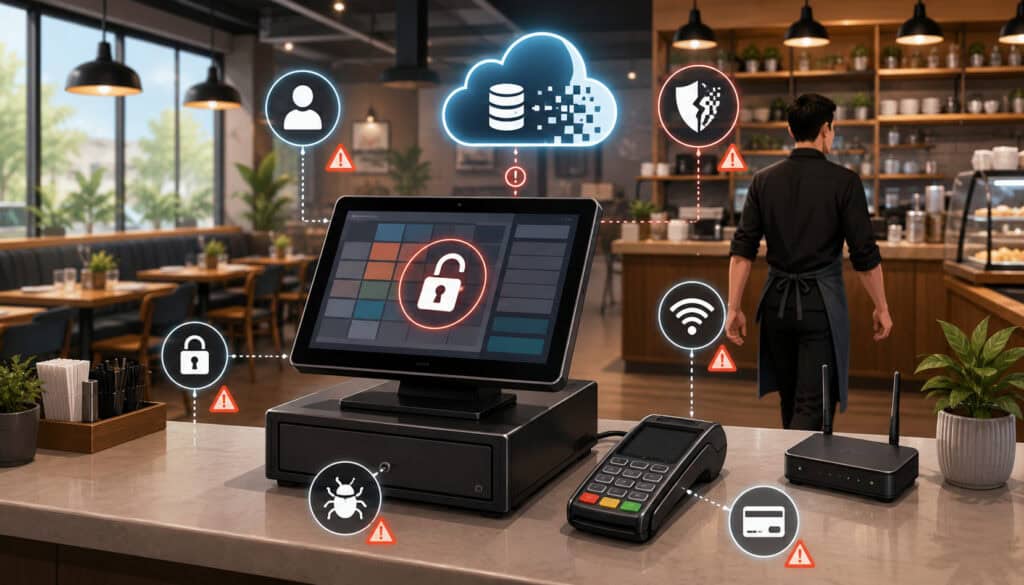
Many security weaknesses come from ordinary shortcuts rather than sophisticated technical failures. Shared logins, default passwords, broad manager access, unsecured tablets, ignored updates, and undocumented integrations can gradually create a difficult-to-manage environment.
Other mistakes include connecting POS devices to guest Wi-Fi, allowing former employees to retain access, storing card information in notes, and accepting unverified remote-support requests.
Restaurants may also purchase capable security features but fail to enable them. Multi-factor authentication, audit logs, automatic locking, and approval thresholds provide no protection when they remain unconfigured.
Shared Accounts and Excessive Access
Shared accounts remove accountability and make offboarding difficult. Excessive permissions allow ordinary mistakes to affect reports, payments, menus, and user settings.
Restaurants sometimes grant manager access to solve a temporary workflow problem. The expanded access then remains in place long after the original need has passed.
Use narrowly defined roles and temporary access where supported. Review permissions whenever employees change positions or locations.
Pay particular attention to users who can export customer data, create administrators, change bank or payment settings, issue refunds, or install integrations.
Ignoring Small Security Habits
Small habits have a cumulative effect. Locking an unattended tablet, checking a terminal, verifying a support call, and logging out of an administrator account may each require only a few seconds.
Security procedures should be designed to fit the pace of restaurant operations. Employees are more likely to follow a clear five-step process than a long policy they cannot remember.
Managers also influence habits through their own behavior. When supervisors share passwords or bypass approval rules, employees learn that the written process is optional.
Use brief reminders during pre-shift meetings and explain why each behavior matters. Consistency is more valuable than occasional intensive attention.
Restaurant POS Security Best Practices
Effective restaurant POS security best practices combine technology, policy, training, and regular review.
Restaurants should:
- Give every POS user an individual account.
- Use strong, unique passwords.
- Enable multi-factor authentication where available.
- Limit permissions according to job responsibilities.
- Review administrator and manager access regularly.
- Disable former employee accounts promptly.
- Use approved payment terminals and workflows.
- Avoid storing raw card data in notes or spreadsheets.
- Separate guest Wi-Fi from POS systems.
- Keep POS software, devices, and network equipment updated.
- Inspect terminals and maintain a hardware inventory.
- Review connected integrations regularly.
- Protect customer and employee data exports.
- Monitor refunds, voids, discounts, and drawer activity.
- Keep backup, outage, and incident procedures documented.
- Train staff to recognize phishing and fake support requests.
- Seek qualified professional guidance for specific security and compliance questions.
Create a Monthly POS Security Routine
A monthly routine can include reviewing users, administrator accounts, permissions, integrations, software updates, device inventories, refunds, voids, backups, and training needs.
Not every control requires monthly changes. The review simply confirms that the environment still matches the restaurant’s intended configuration.
Assign the review to a specific manager and record the completion date. Unresolved items should have an owner and next action.
More frequent checks may be appropriate for employee departures, suspected incidents, device replacements, or major system changes.
Build a Security Culture Without Slowing Service
Security should support restaurant operations rather than create unnecessary friction. Employees need fast access to the functions required for their roles, while sensitive actions receive additional control.
Use POS features such as individual PINs, automatic locking, role templates, approval prompts, and clear exception reports to make secure behavior easier.
Explain procedures in operational terms. Employees are more likely to follow a terminal inspection process when they understand that it protects customers, prevents downtime, and avoids payment disruptions.
Recognize staff members who report suspicious behavior or identify process gaps. A healthy security culture encourages questions and early reporting rather than blaming employees for raising concerns.
How to Choose a Secure Restaurant POS System
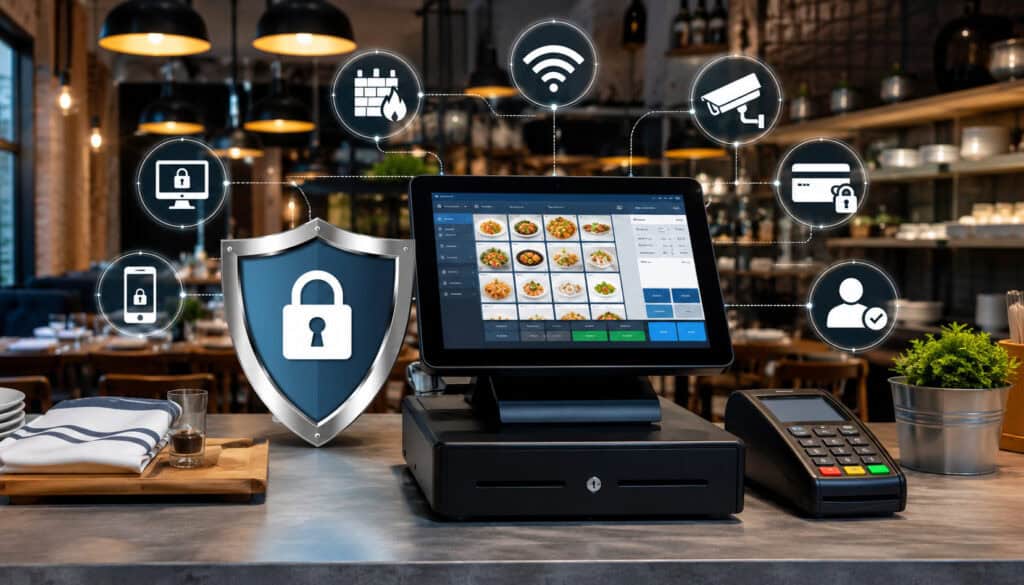
Security should be evaluated alongside pricing, usability, support, reliability, and restaurant functionality. A system with numerous features may still be a poor fit when it lacks practical access controls, useful audit logs, reliable updates, or clear recovery procedures.
Review how the system supports secure payments, individual users, role-based permissions, multi-factor authentication, device management, cloud access, backups, offline mode, integrations, and incident support.
Ask to see the relevant settings during a demonstration. Do not rely only on a checklist marked “supported.” Determine whether the features are easy enough for managers to configure and use consistently.
Security Questions to Ask Before Buying
Ask potential providers:
- Can every employee receive an individual account?
- Can permissions be customized by job function?
- Which actions require manager approval?
- Is multi-factor authentication available?
- How are payment data, encryption, and tokenization handled?
- What audit logs are available?
- Can managers review refunds and voids by employee?
- How are software updates scheduled?
- What backup and data-export options are provided?
- How does offline mode affect payment acceptance?
- How are remote-support sessions authorized?
- How are security incidents reported?
- What training resources are available?
- Which integrations have been reviewed or approved?
Request written answers for issues that affect responsibilities, service levels, or contract terms.
Choose Security Fit Over Feature Count
The most appropriate POS system is one that fits the restaurant’s actual workflow while supporting controlled access, safe payment handling, reliable updates, and practical data protection.
A small café may value simple permissions and dependable offline ordering. A bar may need detailed tab, tip, and void controls. A multi-location group may require centralized access management and location-specific reporting.
Security features should be understandable to the managers responsible for using them. A complex control that is routinely bypassed may provide less practical protection than a simpler process followed consistently.
Evaluate the complete environment, including the provider, payment workflow, network, devices, integrations, support, and internal procedures.
Frequently Asked Questions
What should a restaurant POS security checklist include?
It should cover employee accounts, passwords, multi-factor authentication, user permissions, payment terminals, card-handling procedures, Wi-Fi, routers, devices, software updates, audit logs, integrations, refunds, backups, offline mode, staff training, vendor access, and incident response.
The checklist should identify who is responsible for each item and how frequently it is reviewed.
Why is restaurant POS security important?
A POS system may connect payments, orders, customer information, employee activity, sales reports, gift cards, delivery services, and accounting exports.
Security controls help reduce unauthorized access, unsafe payment handling, internal misuse, operational disruption, and unnecessary exposure of business information.
How can restaurants protect payment data?
Restaurants can use approved payment terminals, encrypted and tokenized workflows, controlled employee access, secure networks, and documented procedures.
Employees should never place raw card information in notes, spreadsheets, ordinary messages, or customer records. Specific requirements should be reviewed with qualified payment-compliance and cybersecurity professionals.
What are the best POS security tips for restaurant staff?
Staff should use their own login, protect passwords, lock unattended devices, follow approved refund procedures, inspect payment terminals, and verify unexpected support requests.
They should report suspicious messages, unusual device behavior, missing equipment, and accidental data exposure immediately.
Why should restaurants use role-based POS permissions?
Role-based permissions give employees access to the functions required for their jobs without exposing unrelated reports or settings. They can also require manager approval for sensitive actions such as refunds, large discounts, report exports, user management, and payment-setting changes.
How often should POS passwords and user accounts be reviewed?
Administrator and employee accounts should be reviewed regularly and whenever an employee leaves, changes roles, transfers locations, or receives additional responsibilities.
Passwords should be changed immediately when compromise is suspected. Restaurants should follow provider guidance and professional recommendations rather than relying on arbitrary changes alone.
What network security steps should restaurants take?
Restaurants should separate guest Wi-Fi from POS systems, change default router credentials, keep network equipment updated, restrict remote administration, and use appropriate firewall controls.
A qualified network professional should verify segmentation and document how payment, administrative, guest, and operational devices connect.
Conclusion
A restaurant POS security checklist turns a broad technical concern into practical operating steps. It helps protect payment workflows, customer information, employee access, devices, networks, integrations, and business records.
The strongest foundations are individual logins, unique passwords, multi-factor authentication, role-based permissions, secure payment terminals, separated networks, updated software, controlled integrations, audit logs, reliable backups, staff training, and clear vendor responsibilities.
These controls work best together. Secure technology can be weakened by poor daily habits, while strong employee procedures cannot fully compensate for outdated devices or unsafe network design.
Restaurant operators should review the checklist regularly and update it as their locations, staff, equipment, payment methods, and integrations change. For compliance questions, suspected incidents, contract decisions, or complex technical configurations, seek guidance from qualified cybersecurity, payment compliance, legal, accounting, and business professionals.